Blocking vs Non-Blocking Code in Node.js: What Every Beginner Gets Wrong
Why Does One Slow Request Freeze Your Entire Server?
Many beginners assume each incoming request in Node.js runs in its own little bubble. So if one request is slow, it should only affect that request - right?
That's not true. In Node.js, one slow piece of code can freeze every single user on your server, not just the one who triggered it.
The reason comes down to one distinction: blocking vs non-blocking code.
Blocking code is code that pauses the entire program until the current task finishes, leaving nothing else able to run in the meantime.
Analogy: The Restaurant Waiter
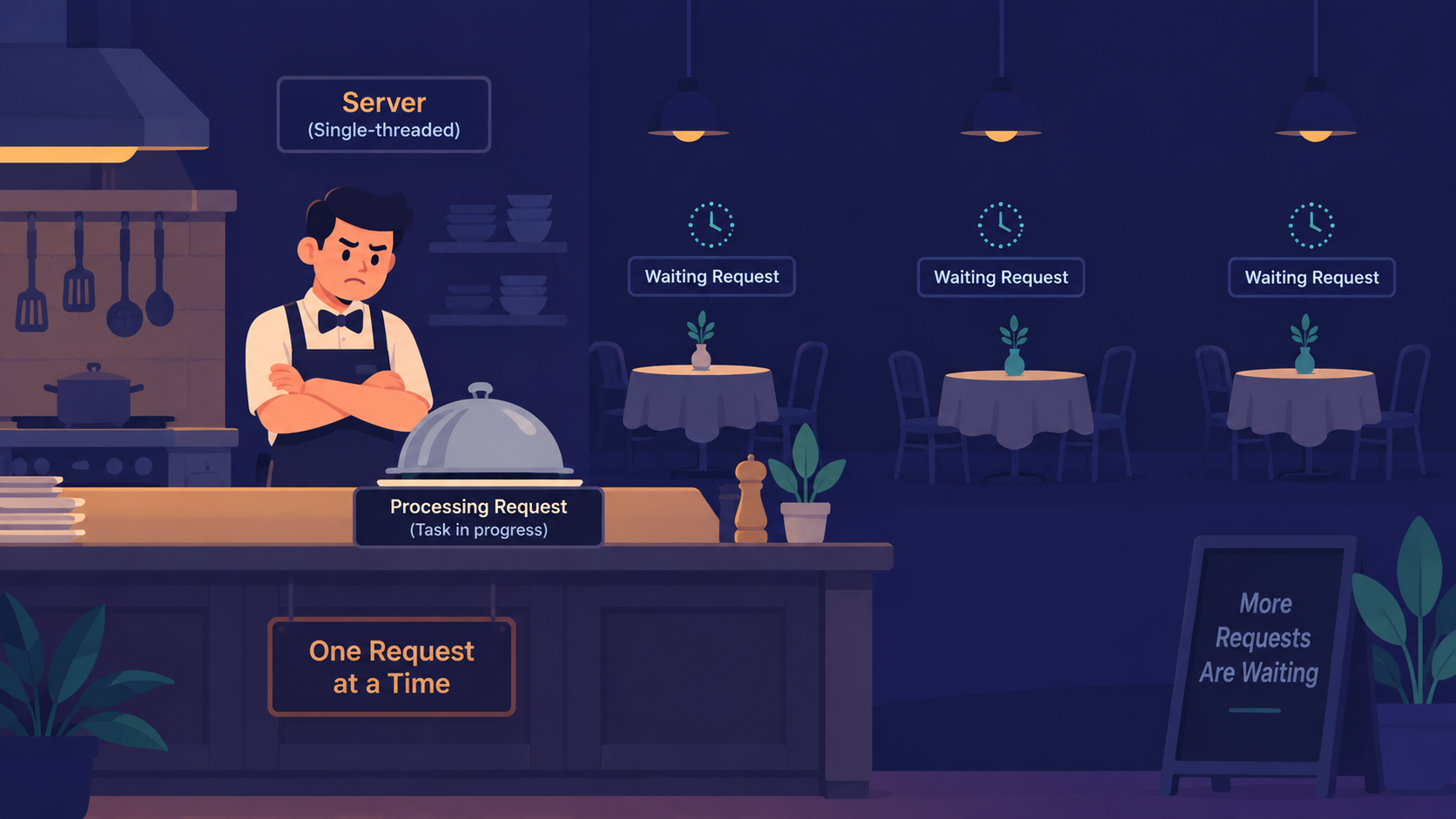
Picture a small restaurant with exactly one waiter - that waiter is your Node.js server.
The kitchen represents slow work: cooking a dish, reading a file, calling a database. The waiter's job is to take orders and serve food, but only one waiter exists for the whole restaurant.
How Blocking Behavior Plays Out
The waiter takes Table 1's order and walks it to the kitchen
Instead of moving on, the waiter stands at the kitchen window and waits
Only once the dish is fully cooked does the waiter walk away
Tables 2, 3, and 4 sit untouched the entire time - nobody even takes their order
Why This Slows Down a Real Server
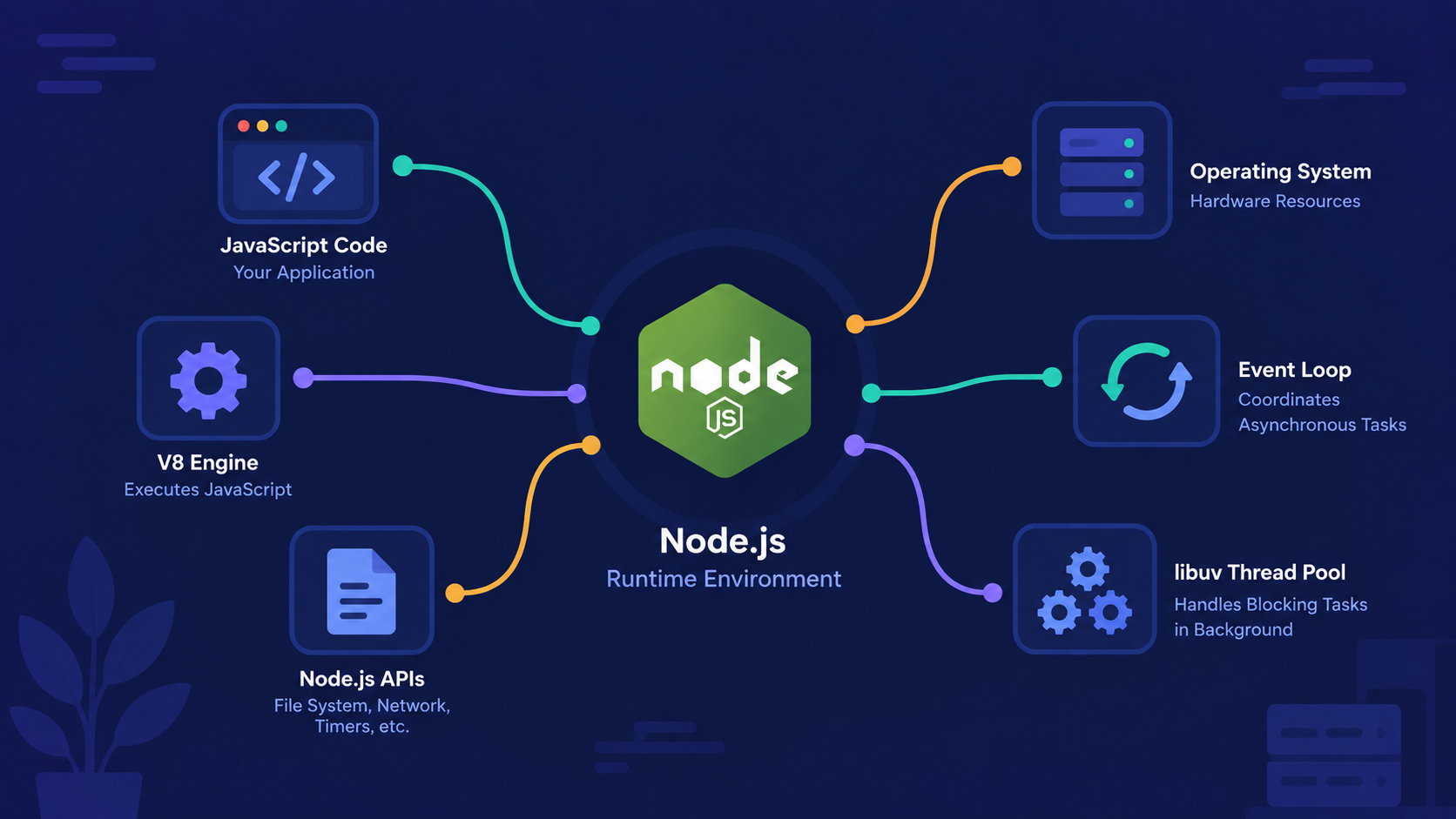
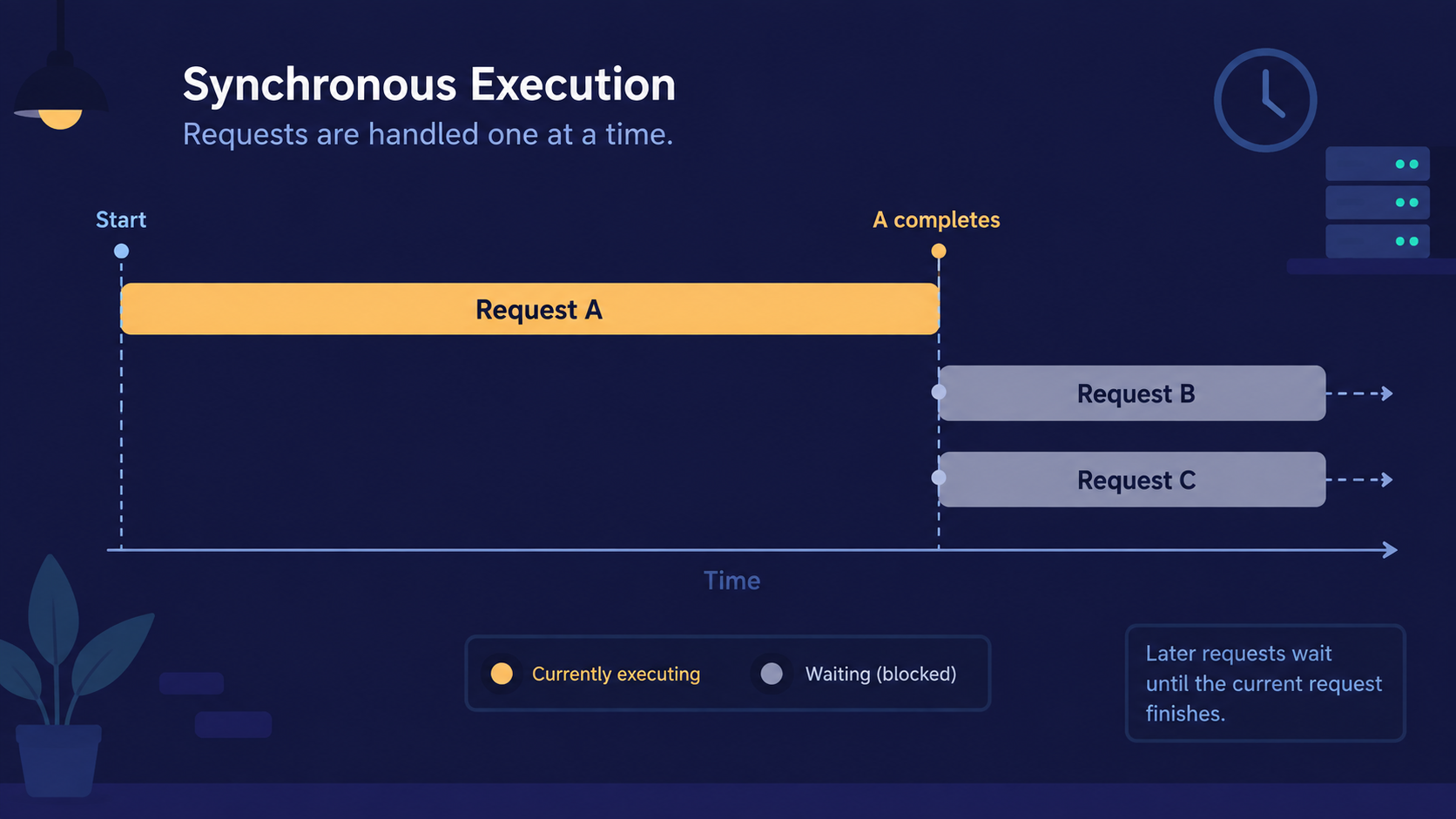
Node.js runs your JavaScript on a single main thread. If that thread gets stuck waiting on one task, it cannot pick up any other task - no matter how many users are connected.
This is why a single slow database query or a large synchronous file read can make an entire app feel frozen for everyone, even users who never touched that query.
Important Rule
Functions like fs.readFileSync() are blocking by name and by design. Using them inside a request handler pauses your whole server until that one file finishes reading - not just for the current request, but for every request waiting behind it.
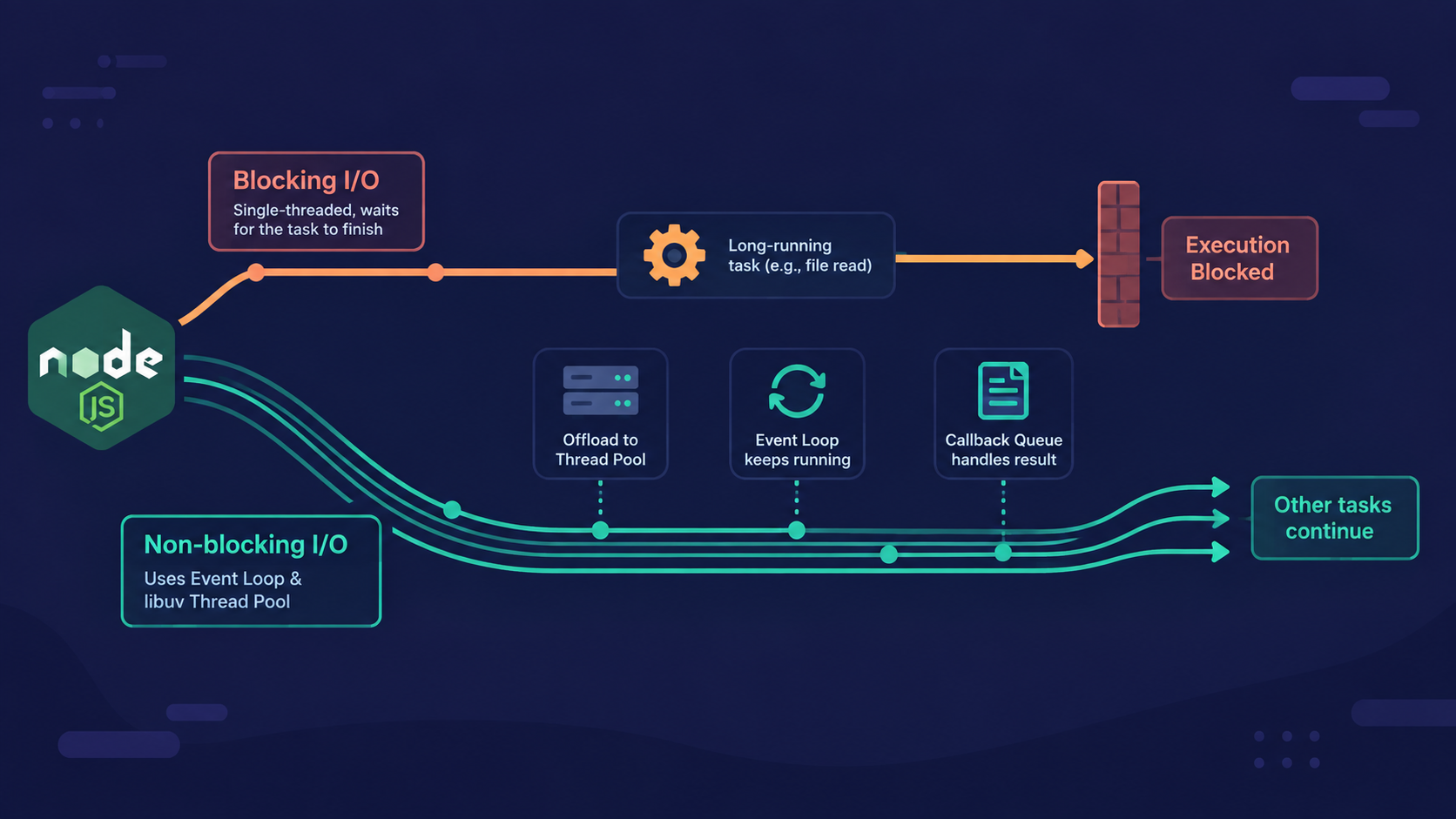
If blocking freezes everything, how does Node.js manage to serve thousands of users at once? That's where non-blocking code comes in.
What Does Non-Blocking Code Actually Do?
A common misconception here is that async code runs on a separate thread, like a background worker handling your logic in parallel. It doesn't. Your JavaScript still runs on one thread - non-blocking code just refuses to sit idle while waiting.
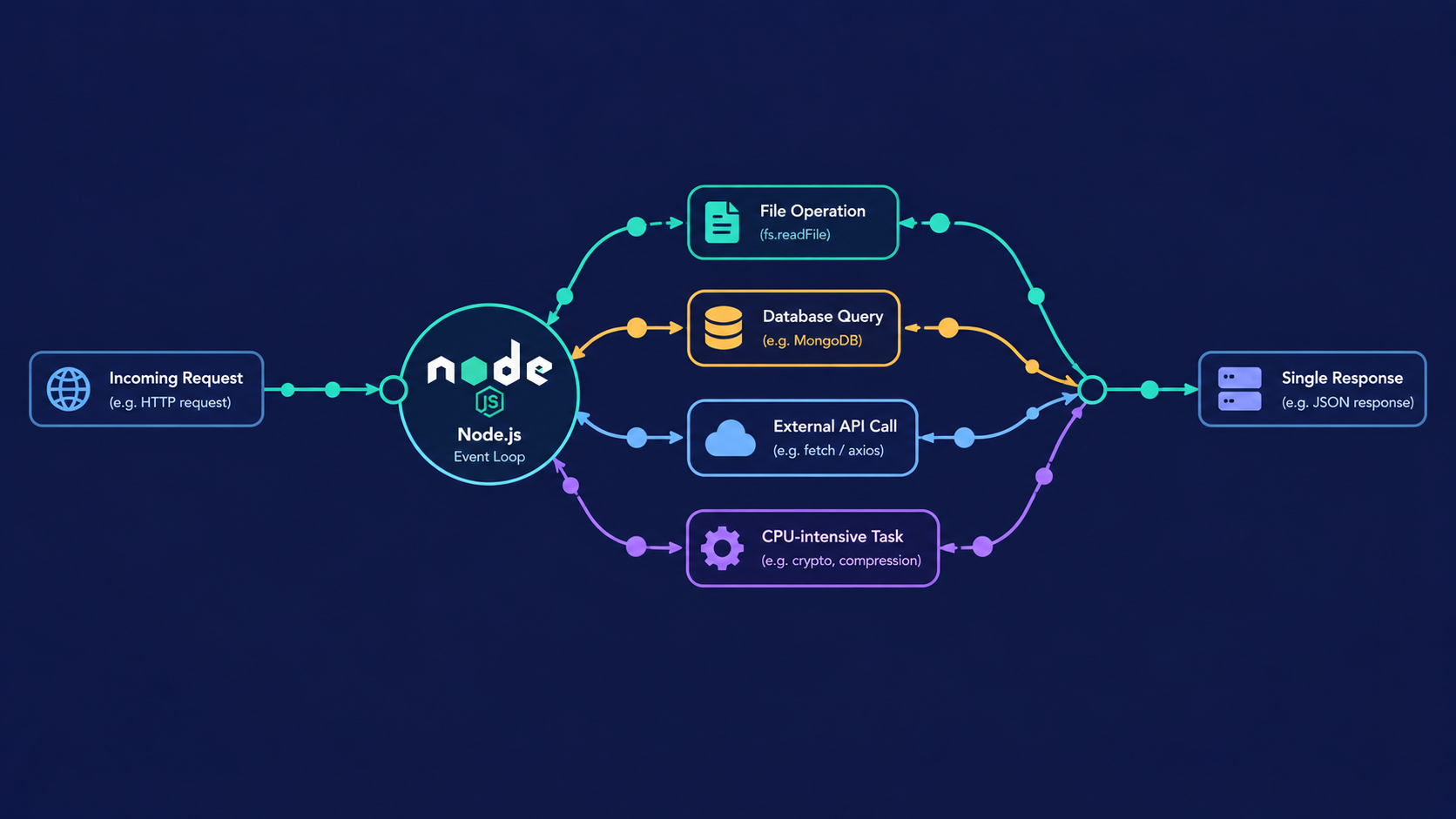
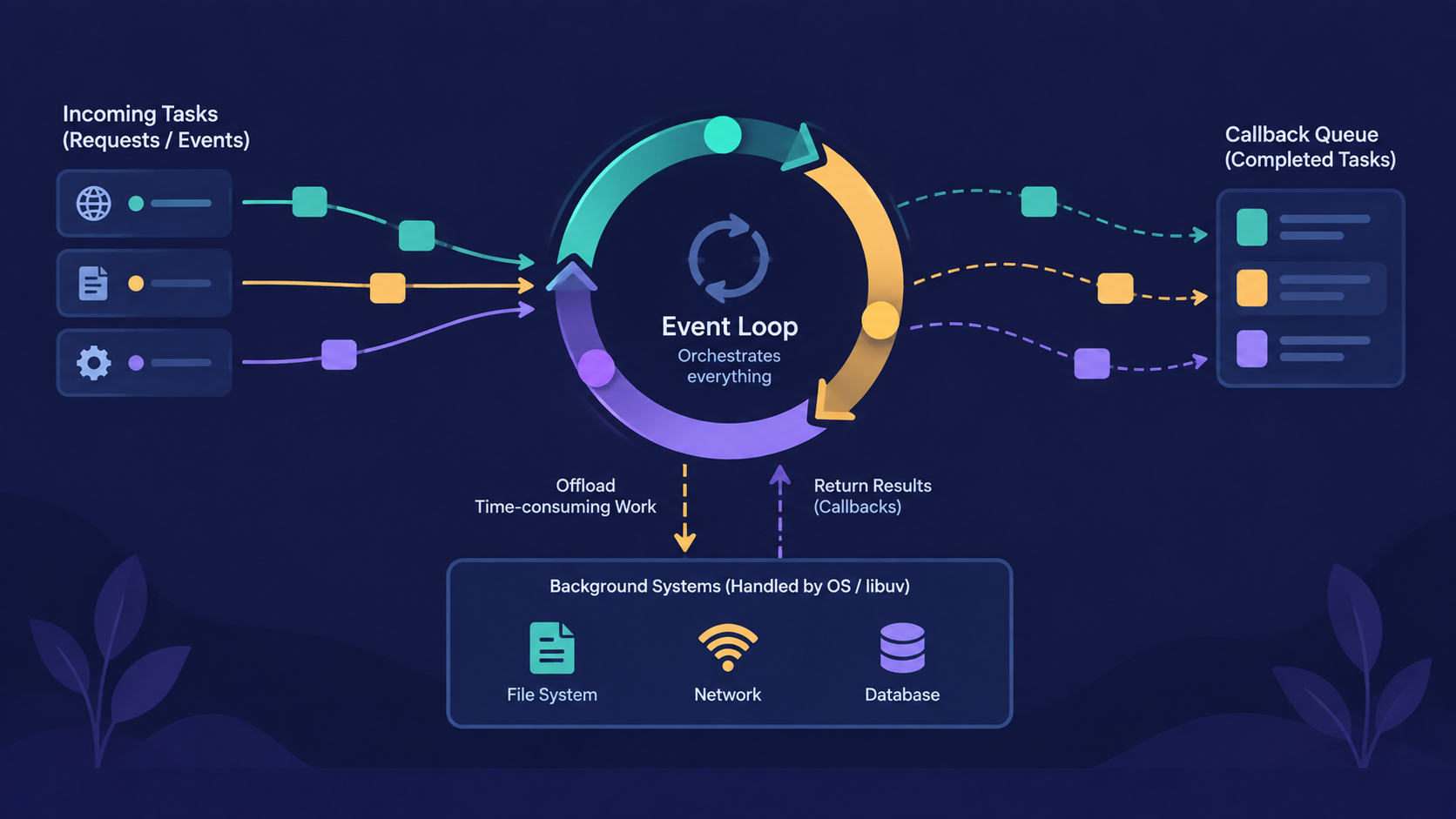
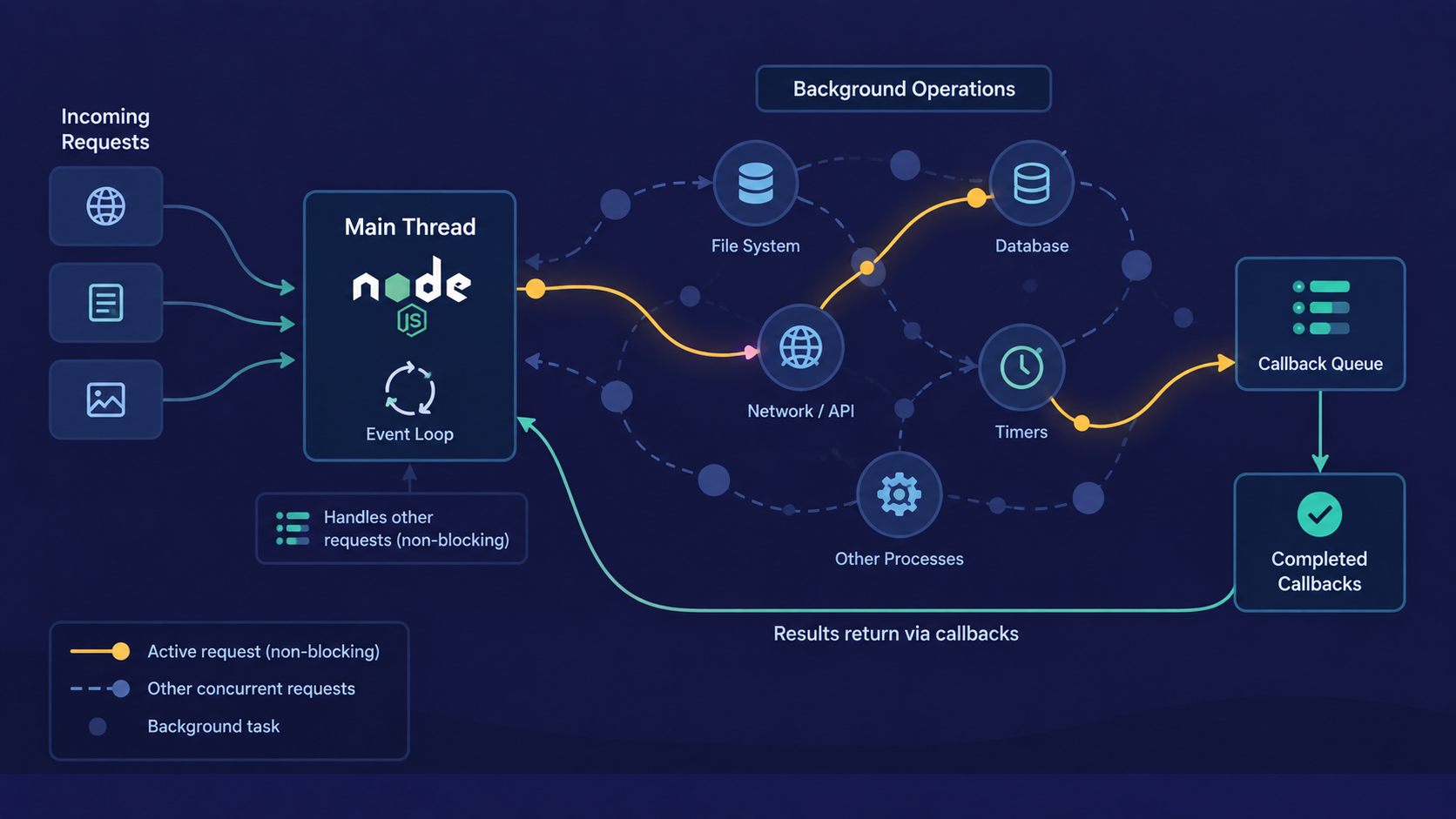
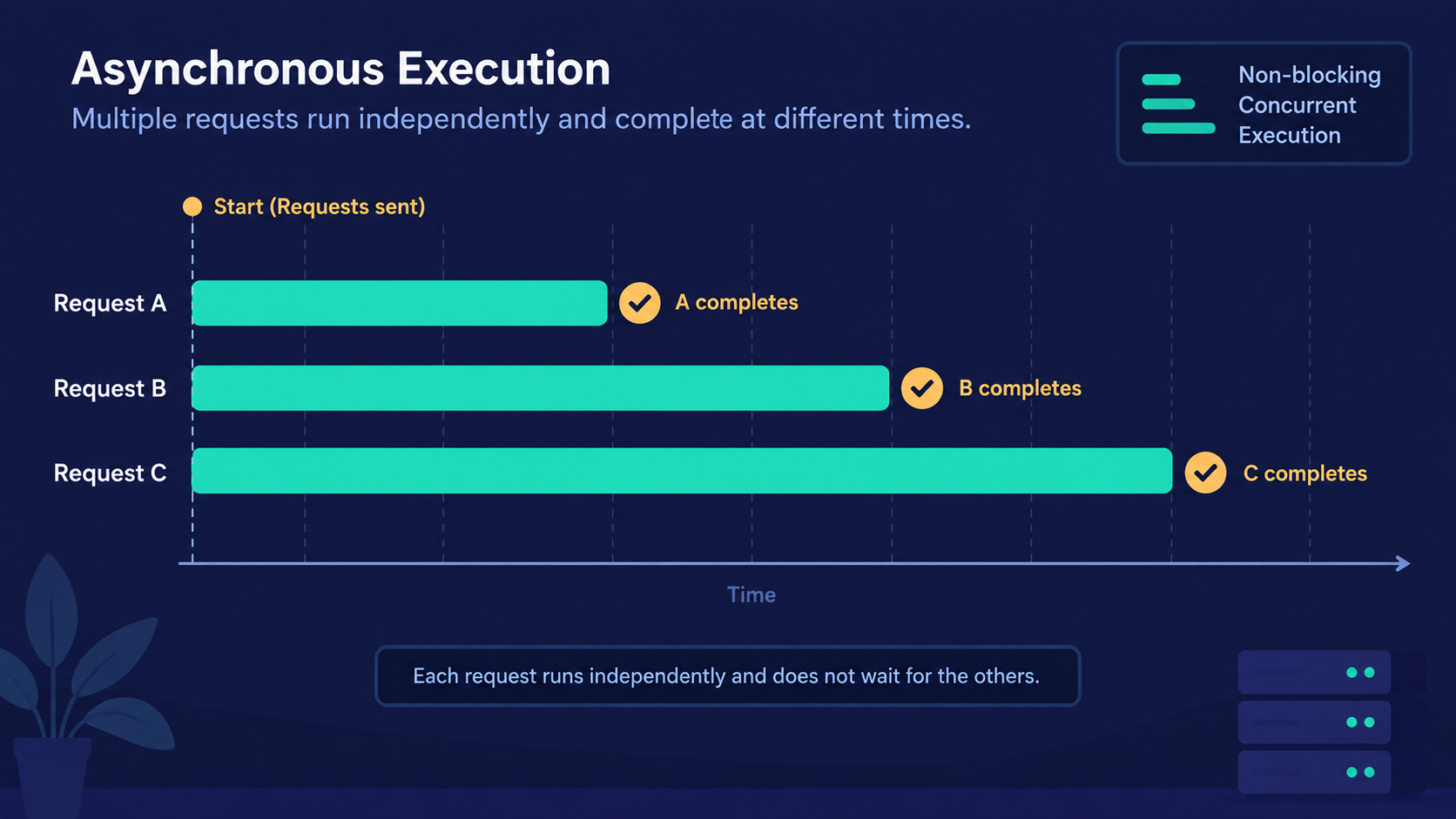
Non-blocking code hands off a slow task to the system and immediately continues running other code, coming back to handle the result only once it's ready.
Analogy: The Waiter Who Doesn't Wait
Same restaurant, same one waiter - but this time, the waiter doesn't stand around.
The waiter takes Table 1's order and hands it straight to the kitchen
Without waiting, the waiter walks over and takes Table 2's order
The kitchen cooks in the background and rings a bell when a dish is ready
The waiter only stops by a table when its dish is actually done - never idle in between

Real-World Examples: File Reads and Database Calls
The clearest place to see this is file handling.
Blocking version:
const fs = require('fs');

const data = fs.readFileSync('data.txt', 'utf8');

console.log(data);
console.log('This line waits its turn');

// Output:

// 1. Data value will print
// 2. This line waits its turn
Non-blocking version:
const fs = require('fs');

fs.readFile('data.txt', 'utf8', (err, data) => {
  console.log(data);
});
console.log('This line runs immediately');

// Output:

// 1. This line runs immediately
// 2. Data value print here
In the second example, console.log('This line runs immediately') executes before the file has even finished reading. Database calls behave the same way - an async driver call lets your server keep handling other requests while it waits on the database to respond.
Note
Not everything becomes safe just by making it async. A heavy synchronous loop - like processing a huge array with a for loop - still blocks the thread even inside an async function. Async only helps with I/O tasks: files, network calls, databases, timers.
Now that we've seen both models side by side, how do they actually compare in practice?
Blocking vs Non-Blocking at a Glance
| Aspect | Blocking | Non-Blocking |
|---|---|---|
| Execution | Waits for the task to finish | Continues immediately |
| Other requests | Frozen until task completes | Handled in the meantime |
| Typical functions | readFileSync, sync DB drivers |
readFile, async/await, promises |
| Best suited for | One-off scripts, setup code | Servers handling many users |
How Blocking and Non-Blocking Work Together in Node.js
Node.js is built to be non-blocking by default. Under the hood, a library called libuv hands off slow I/O work - file access, network requests, DB queries - to the system, freeing the main thread to keep serving other requests.
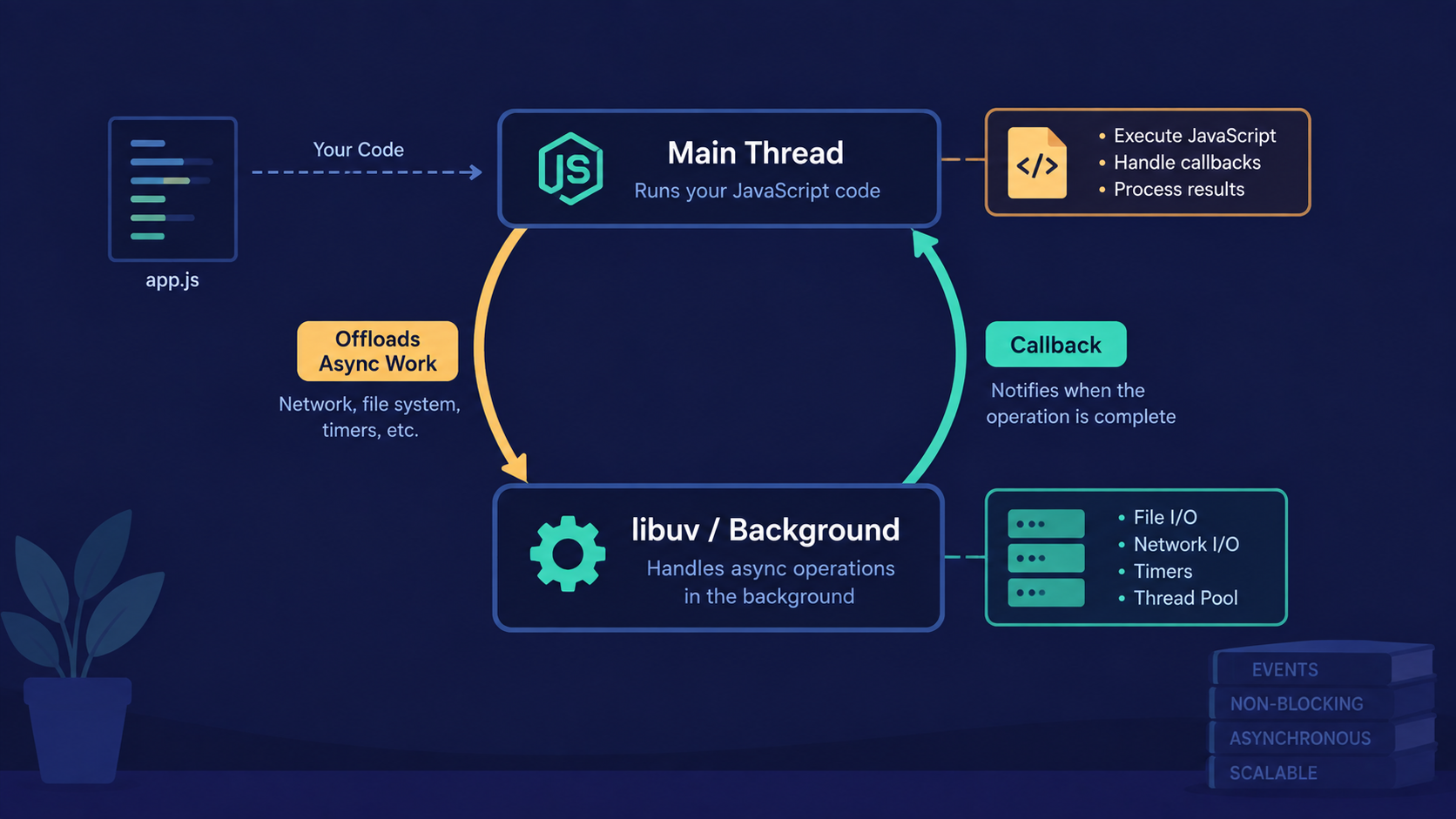
But this only holds if your code cooperates. Writing blocking calls inside request handlers undoes this design entirely - you'd be forcing a naturally non-blocking system to behave like a blocking one.
Try it yourself
Write two small scripts that read the same file:
One using
fs.readFileSync()One using
fs.readFile()
In both, log a timestamp right before the read and right after the line that follows it. Compare when each console.log actually fires.
Solution:
const fs = require('fs');console.log('Before:', Date.now());
fs.readFile('Hello World!!', 'utf8', () => { console.log('File callback ran'); });
console.log('After (non-blocking):', Date.now());
// Output:
// Before: current date with time in milliseconds // After (non-blocking): current date with time in milliseconds // File callback ran
// check last some digit to find difference.
Notice the "After" line prints before the file callback - proof the main thread never stopped.
Conclusion
Blocking code pauses the entire server, not just the current request
Non-blocking code hands off slow work and keeps moving
Node.js uses libuv to make I/O non-blocking by default
Your own code can still accidentally block the thread if you're not careful
If this felt complex, that's okay. What matters is understanding the flow - the deeper mechanics get much easier once this idea clicks.
What's Next?
Now that you know why blocking is dangerous, the next question is: how does a single thread actually manage thousands of non-blocking requests at once without getting confused? That's what we'll unpack in "How Node.js Handles Multiple Requests with a Single Thread."
If you found this useful, drop a comment or a reaction.