Async/Await in JavaScript: Why It Replaced Promise Chains for Everyday Code
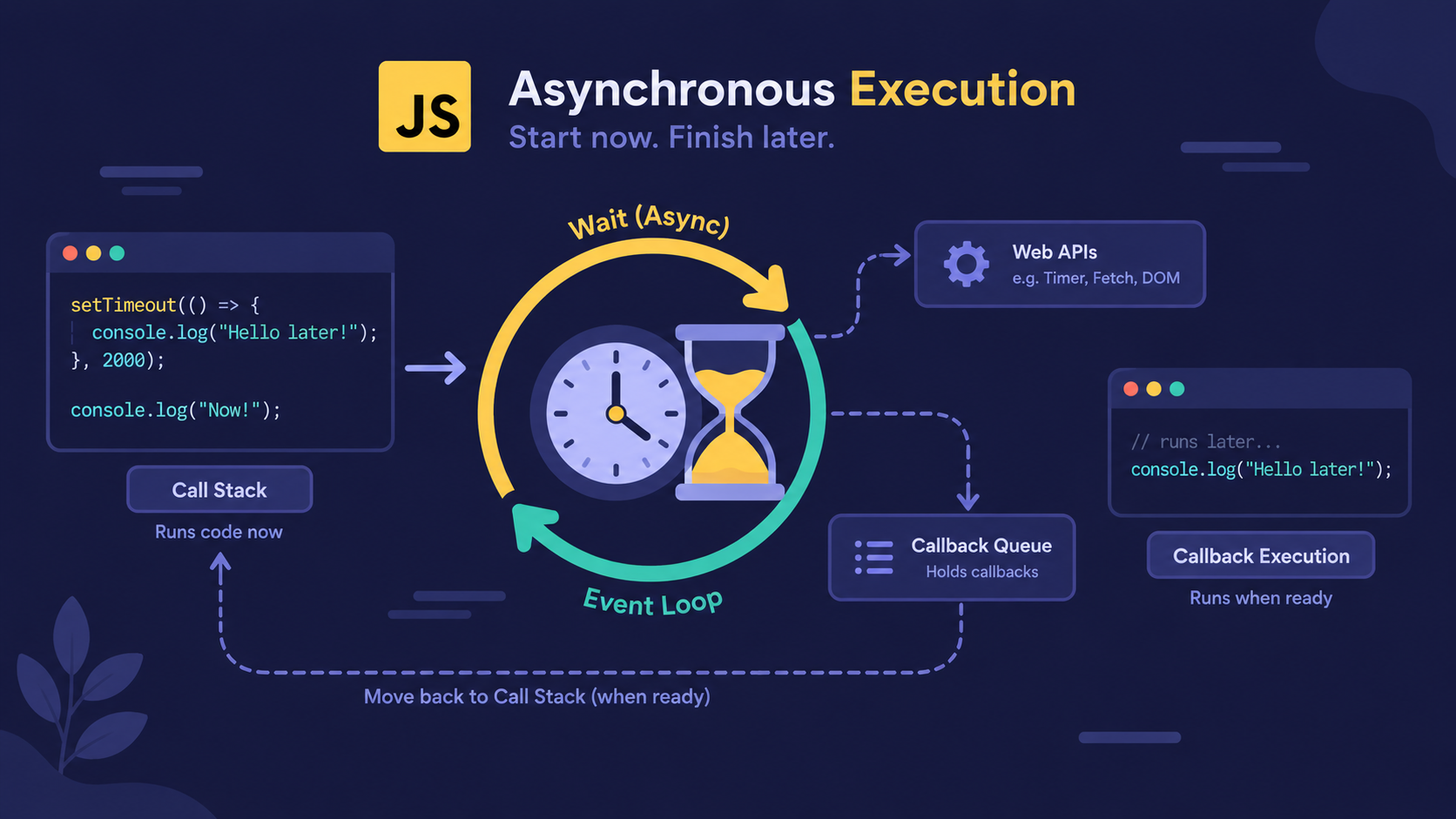
Why Does Async Code Suddenly Get Hard to Read?
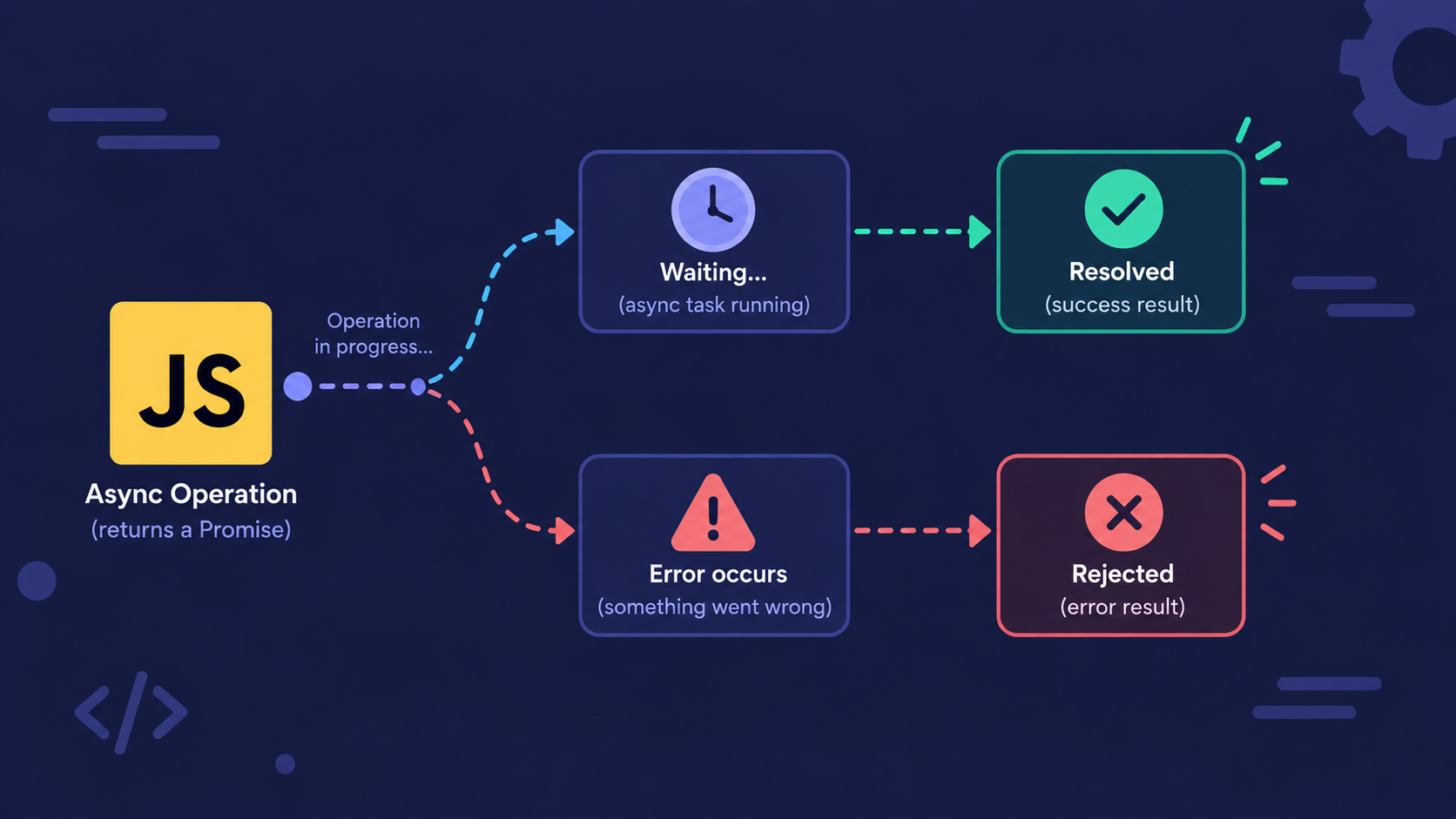
Many beginners think async and await are a brand-new way JavaScript handles asynchronous work - something separate from Promises.
That's not true. Async/await doesn't replace Promises. It sits directly on top of them.
Async/await is syntactic sugar over Promises - it lets you write asynchronous code that reads top to bottom, like normal synchronous code, while JavaScript still runs it asynchronously underneath.
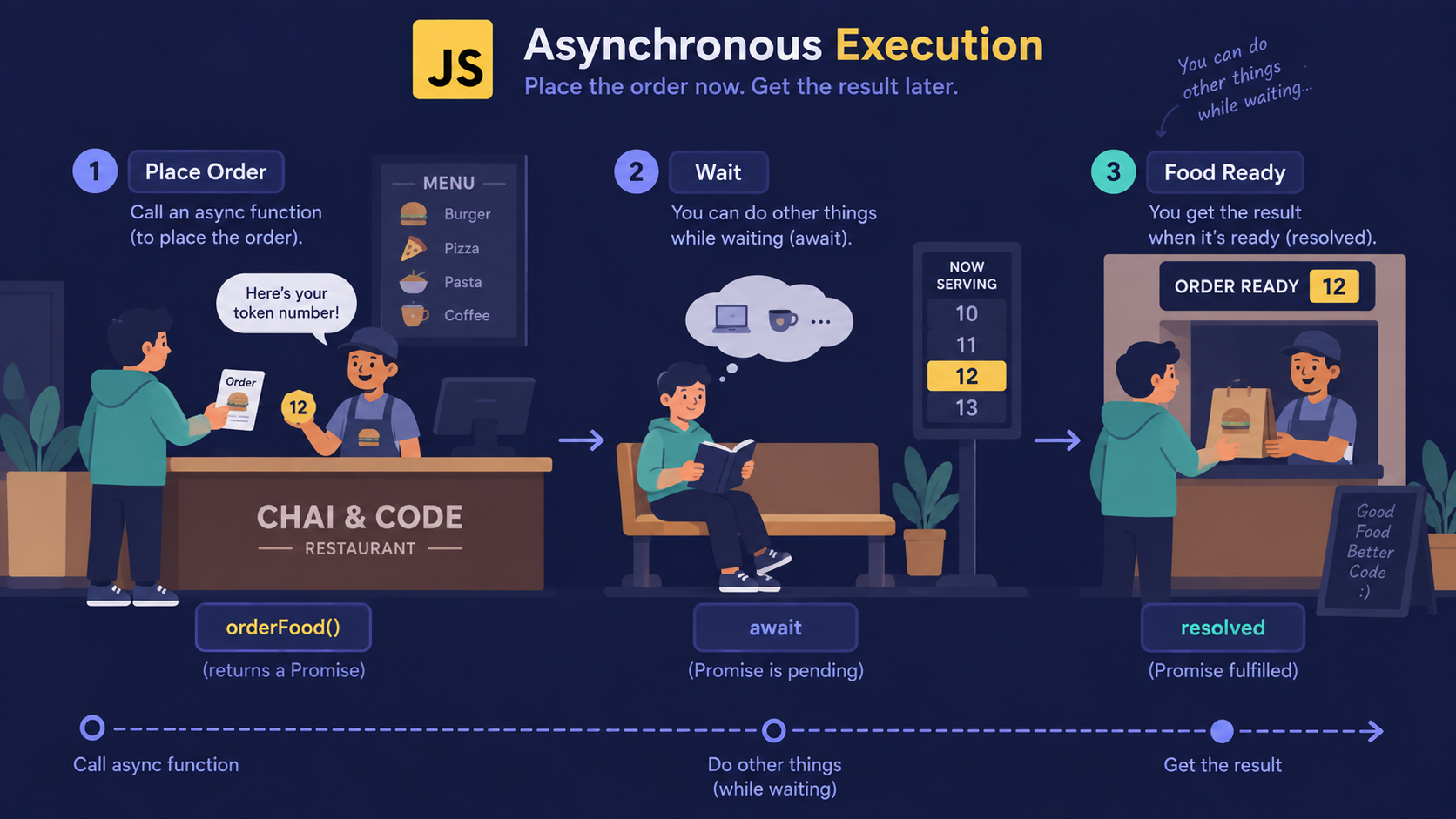
Analogy: The Restaurant Token Counter
Think of a busy restaurant counter that hands out token numbers instead of making you stand in line.
Placing an order = calling an
asyncfunction (it starts the work and hands you back a token)The token number = the Promise the async function returns
Waiting at the counter for your number = the
awaitkeywordFood arriving = the Promise resolving with a value
"Sorry, we're out of that item" = the Promise rejecting
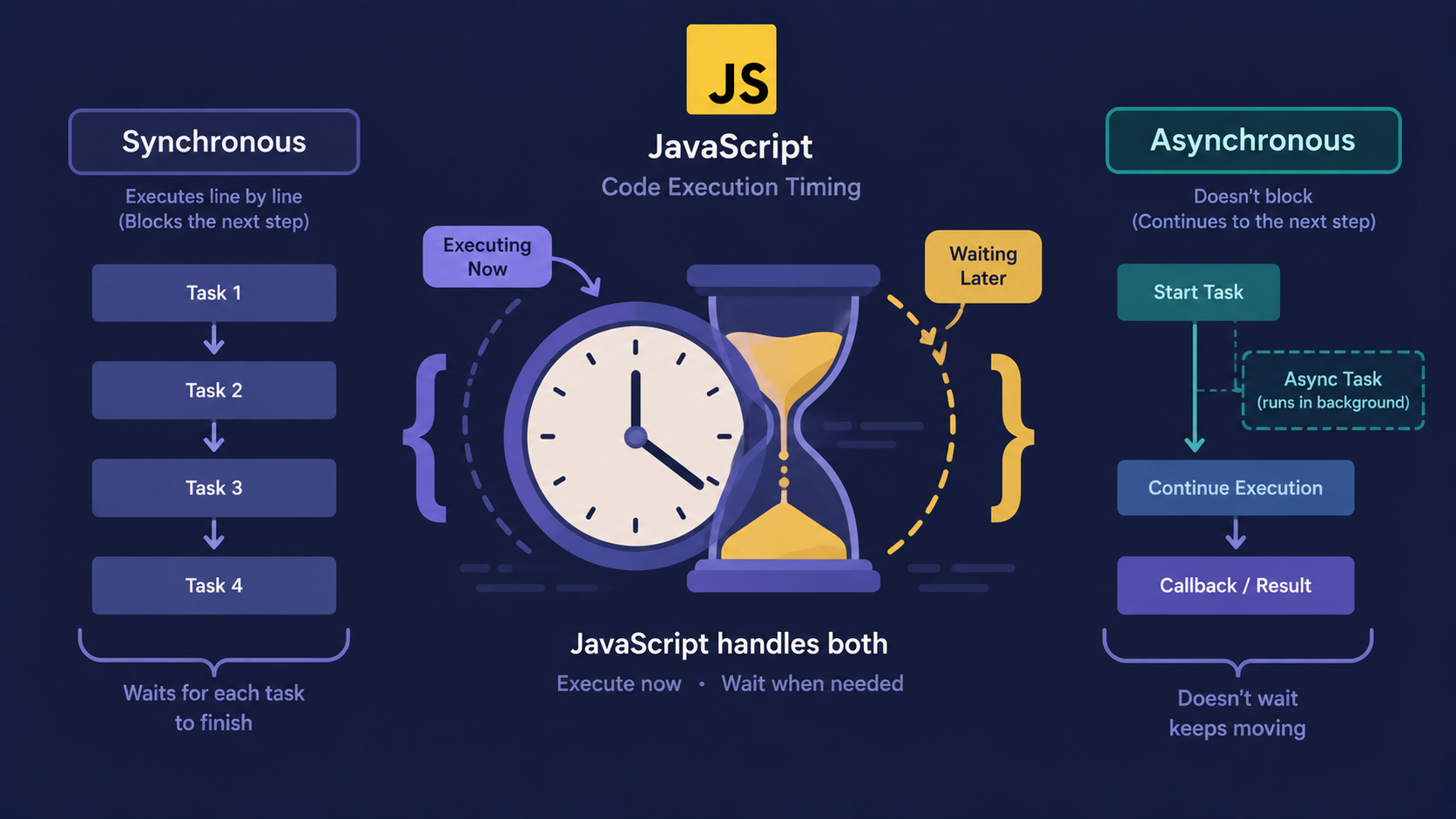
You don't freeze the entire restaurant while waiting for your token - other customers keep ordering. But your order pauses right there until your number is called.
How Async Functions Actually Work
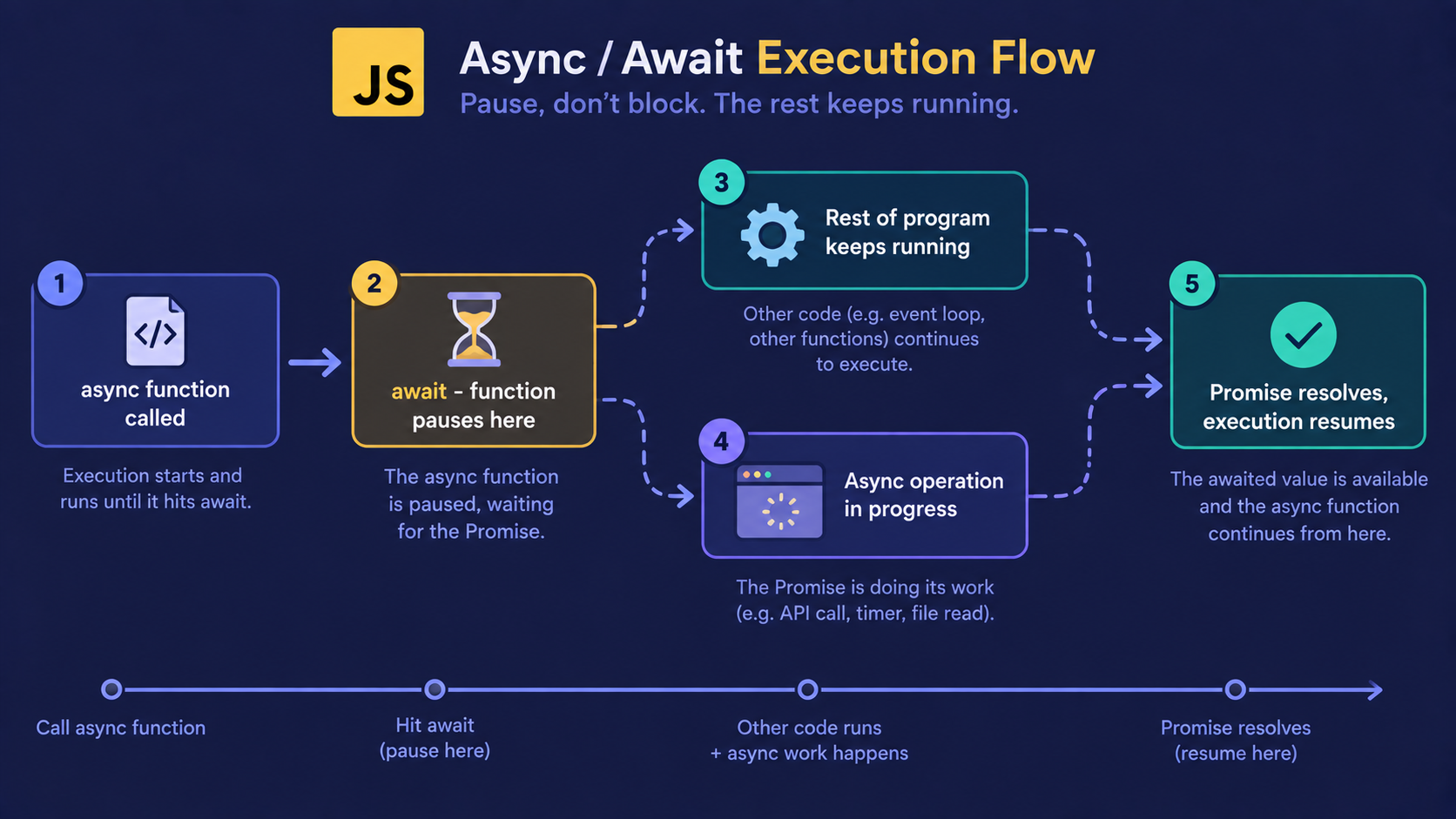
Here's the mechanism, step by step.
Step 1: Mark the function async. Any function you put async in front of automatically returns a Promise - even if you just return a plain value.
async function getOrderStatus() {
  return "Order placed";
}
Step 2: Use await before a Promise-returning call. await pauses execution of that function only until the Promise settles.
async function orderFood() {
  const token = await placeOrder(); // waits here
  console.log(token);
}
Step 3: JavaScript keeps running everything else. While your function is paused at await, the rest of your program - other functions, UI updates, event listeners - keeps going normally.
Step 4: The value comes out clean. Once the Promise resolves, await gives you the resolved value directly. No .then(), no callback.
Note
await only pauses the function it's written inside - not your whole script, not the browser tab. This is the single most common misunderstanding beginners carry into their first project.
Why Do We Need Async/Await at All?
Before async/await, the same "wait, then continue" logic was written with .then() chains:
placeOrder()
  .then((token) => confirmOrder(token))
  .then((confirmation) => prepareFood(confirmation))
  .then((food) => console.log(food));
Each step nests further into the previous one. Add error handling, and it gets harder to follow.
Async/await turns that same chain into a straight, readable sequence:
async function orderFood() {
  const token = await placeOrder();
  const confirmation = await confirmOrder(token);
  const food = await prepareFood(confirmation);
  console.log(food);
}
Same behavior. Far easier to read.
What Happens When Something Goes Wrong?
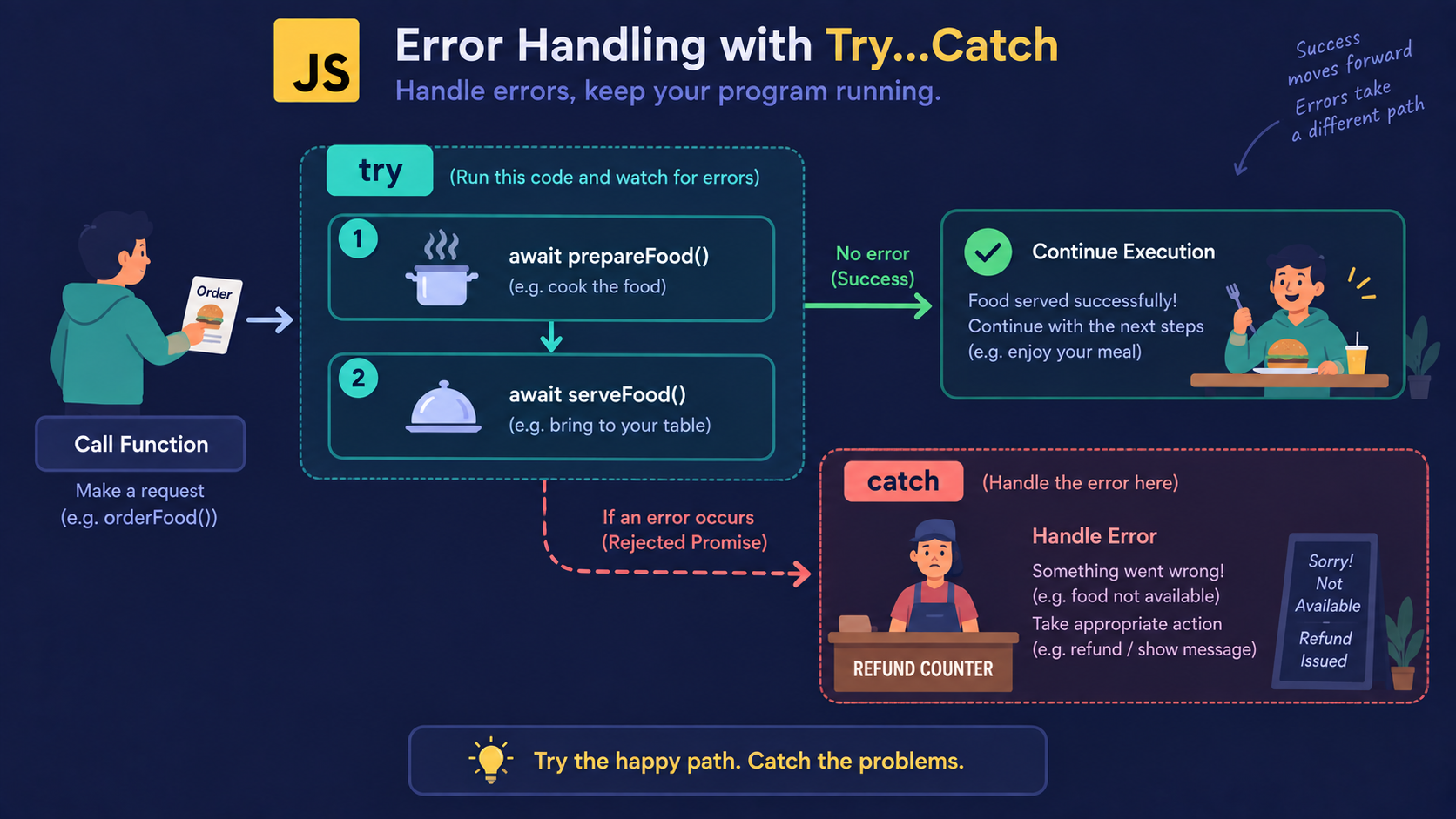
At the restaurant counter, if an item runs out, the staff doesn't just stay silent - they tell you, so you can ask for a refund or pick something else.
Async/await handles this the same way, using try and catch:
async function orderFood() {
  try {
    const token = await placeOrder();
    const food = await prepareFood(token);
    console.log(food);
  } catch (error) {
    console.log("Order failed:", error.message);
  }
}
If any await inside the try block rejects, control jumps straight to catch - just like walking back to the counter for a refund instead of the kitchen crashing.
Important Rule
Without try/catch, a rejected Promise inside an async function becomes an unhandled rejection - your program doesn't crash immediately, but the error disappears silently unless you're watching the console. Always wrap await calls that can fail.
Async/Await vs Promises: What's Actually Different?
Nothing runs differently under the hood. What changes is how the code looks and how errors are handled.
Promises (.then) |
Async/Await | |
|---|---|---|
| Reads like | A chain of callbacks | Regular top-to-bottom code |
| Error handling | .catch() at the end of the chain |
try/catch block |
| Multiple parallel calls | Promise.all([...]) |
await Promise.all([...]) |
| Return type | Always a Promise | Always a Promise (automatic) |
| Best for | Short, single-step async calls | Multi-step async logic |
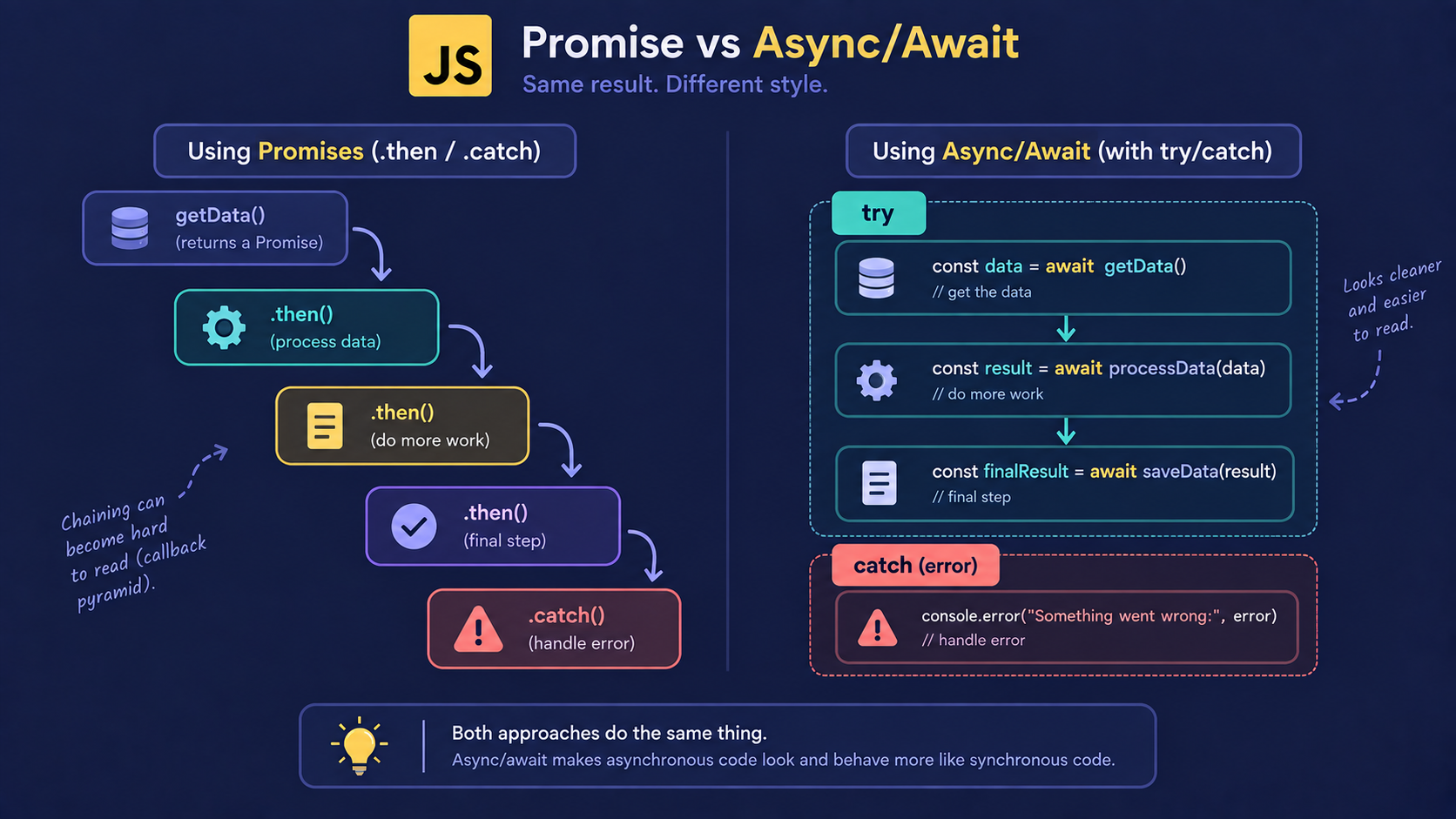
You're not choosing between two different systems - you're choosing how you want to write the same Promise-based behavior.
Bringing It All Together
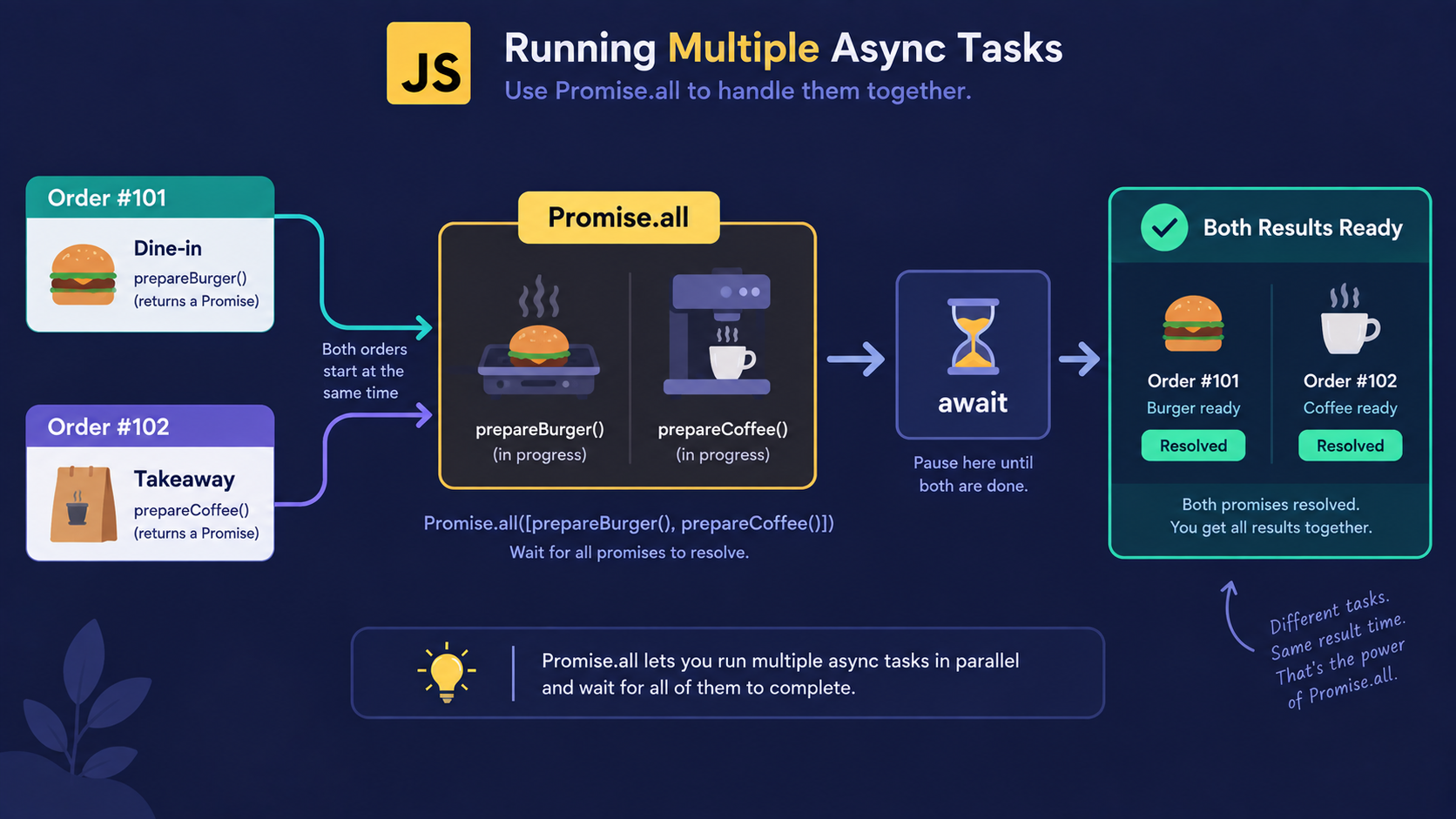
In a real app, you often need more than one order in flight at once - a customer counter and a takeaway counter running side by side.
async function serveCustomers() {
  try {
    const [dineIn, takeaway] = await Promise.all([  placeOrder("dine-in"), placeOrder("takeaway")]);

    console.log(dineIn, takeaway);
  } catch (error) {
    console.log("Something went wrong:", error.message);
  }
}
await still pauses the function, but Promise.all() lets both tokens be called at the same counter window - in parallel, not one after another. This is the async/await version of running multiple Promises together instead of await-ing them one by one.
Conclusion
Async/await is syntactic sugar built on top of Promises, not a separate system.
asyncfunctions always return a Promise, even for plain values.awaitpauses only the function it's inside - never the whole program.try/catchreplaces.catch()for handling rejected Promises.Promise.all()still works withawaitwhen you need parallel calls.
If this felt like a lot at once, that's okay. What matters right now is recognizing the flow - the details get comfortable with repetition.
If you found this useful, drop a comment or a reaction.