What Is a Callback Function in JavaScript? (And Why Do We Need It?)
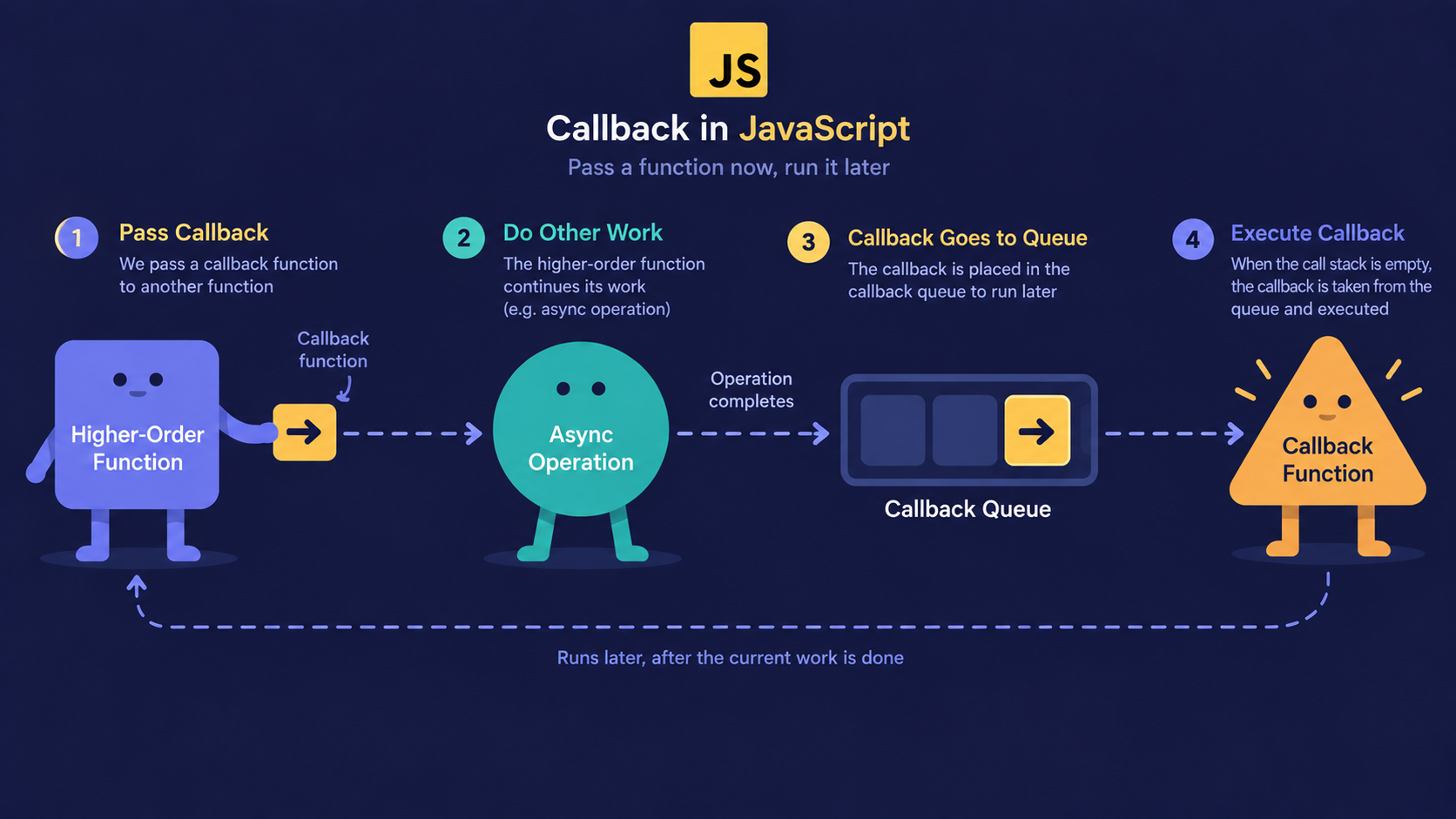
What happens when you tell JavaScript to "do this later"?
Most beginners assume every function runs the instant it appears in the code.
That's not always true. Some functions are written now but only run once something else finishes first.
That "give me your number, I'll call you back" behavior is exactly what a callback function is.
Functions as Values, First
Before callbacks make sense, one fact needs to click: in JavaScript, functions are values.
Just like a number or a string, a function can be stored in a variable, put inside an array, or handed to another function.
function sayHello() {
  console.log("Hello!");
}

const greet = sayHello; // stored, not called
greet(); // called here, on our terms

// Output: Hello!
Nothing async is happening yet. This is just JavaScript treating a function like any other piece of data.
Once a function can be passed around like that, it can also be passed into another function as an argument. That single idea is the entire foundation of callbacks.
A callback function is a function passed into another function as an argument, to be executed ("called back") after that outer function finishes its task.
Analogy: The Doctor's Clinic Callback
Think of visiting a fully booked doctor's clinic.
Booking your appointment = calling a function
Leaving your phone number = passing a callback function as an argument
The receptionist calling you back = the callback being executed
You walking in when called = your code running at the right time
You don't stand at the counter doing nothing. You leave your number and go about your day. The clinic calls you back when it's your turn.
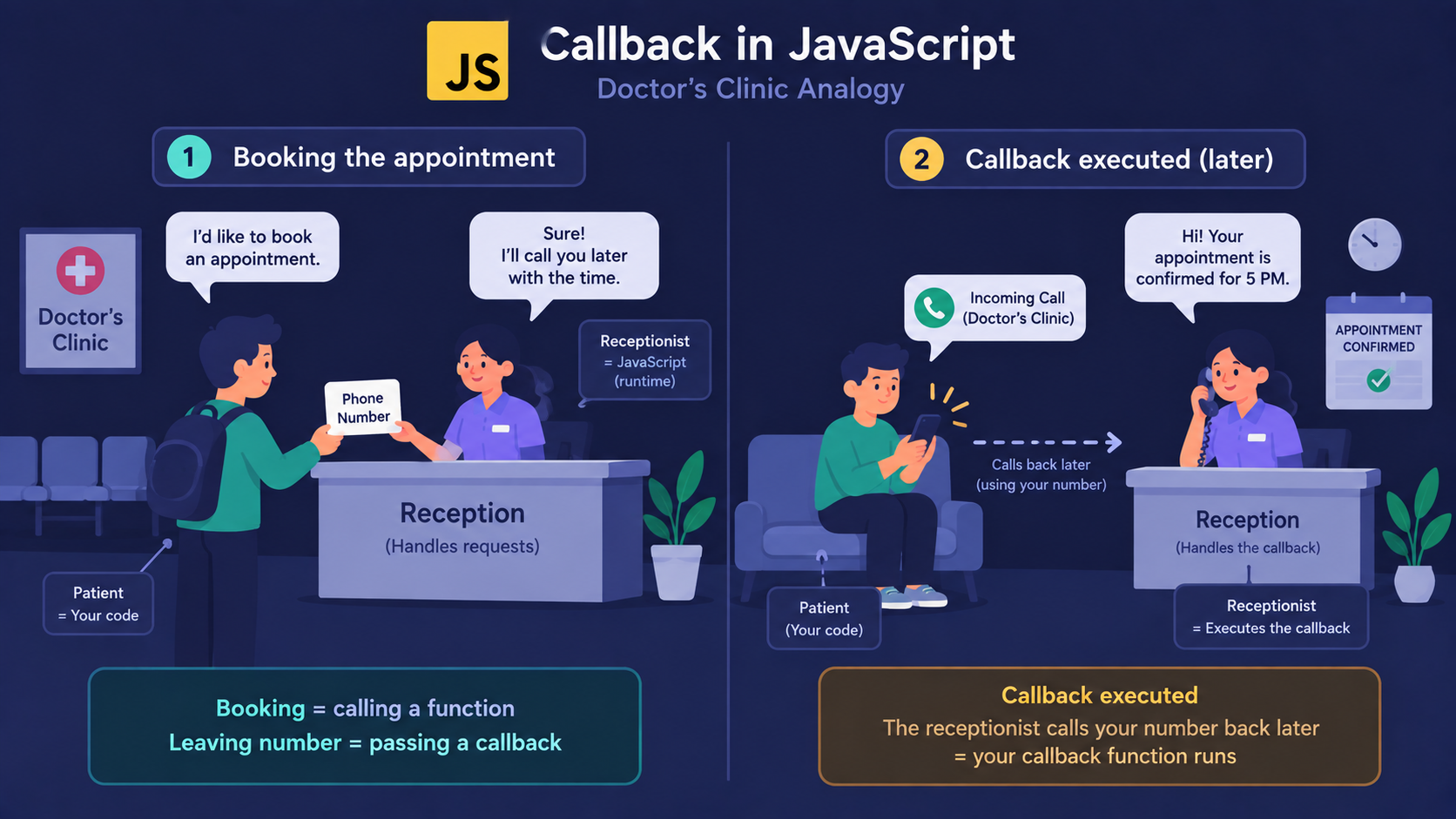
That's the whole idea: give JavaScript instructions for later, not necessarily right now.
How a Callback Actually Runs
Here's the mechanism, step by step:
You define a function - this is your callback.
You pass that function as an argument into another function.
The outer function does its own work.
Once it's done, it calls your function using the reference you handed it.
function bookAppointment(patientName, callback) {
  console.log(`${patientName} has been added to the queue.`);
  callback(patientName);
}

function notifyPatient(name) {
  console.log(`${name}, please come in now.`);
}

bookAppointment("Sahil", notifyPatient);
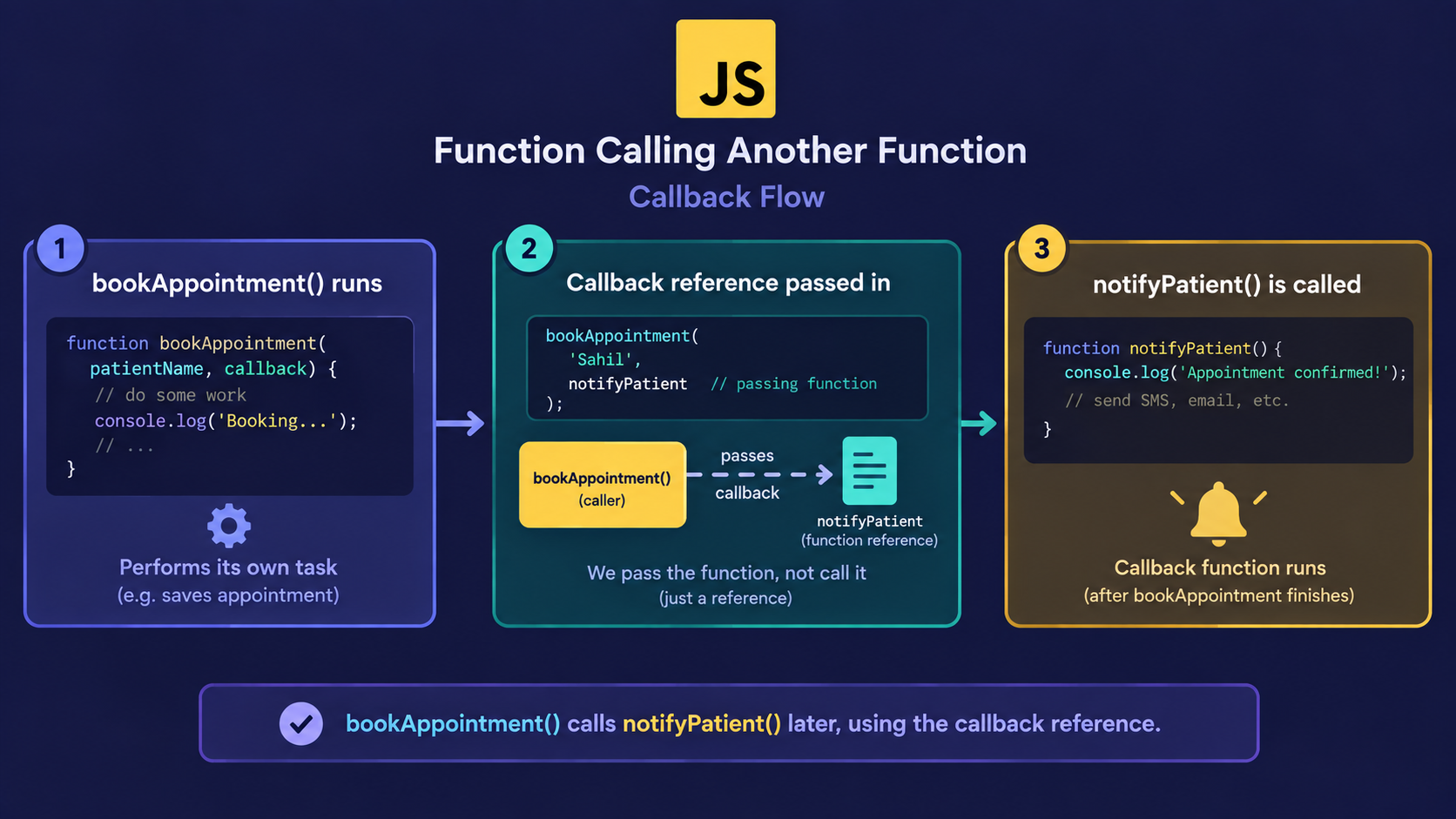
Notice notifyPatient is passed without parentheses. We're not calling it immediately - we're handing over the function itself, to be called later.
Important Rule
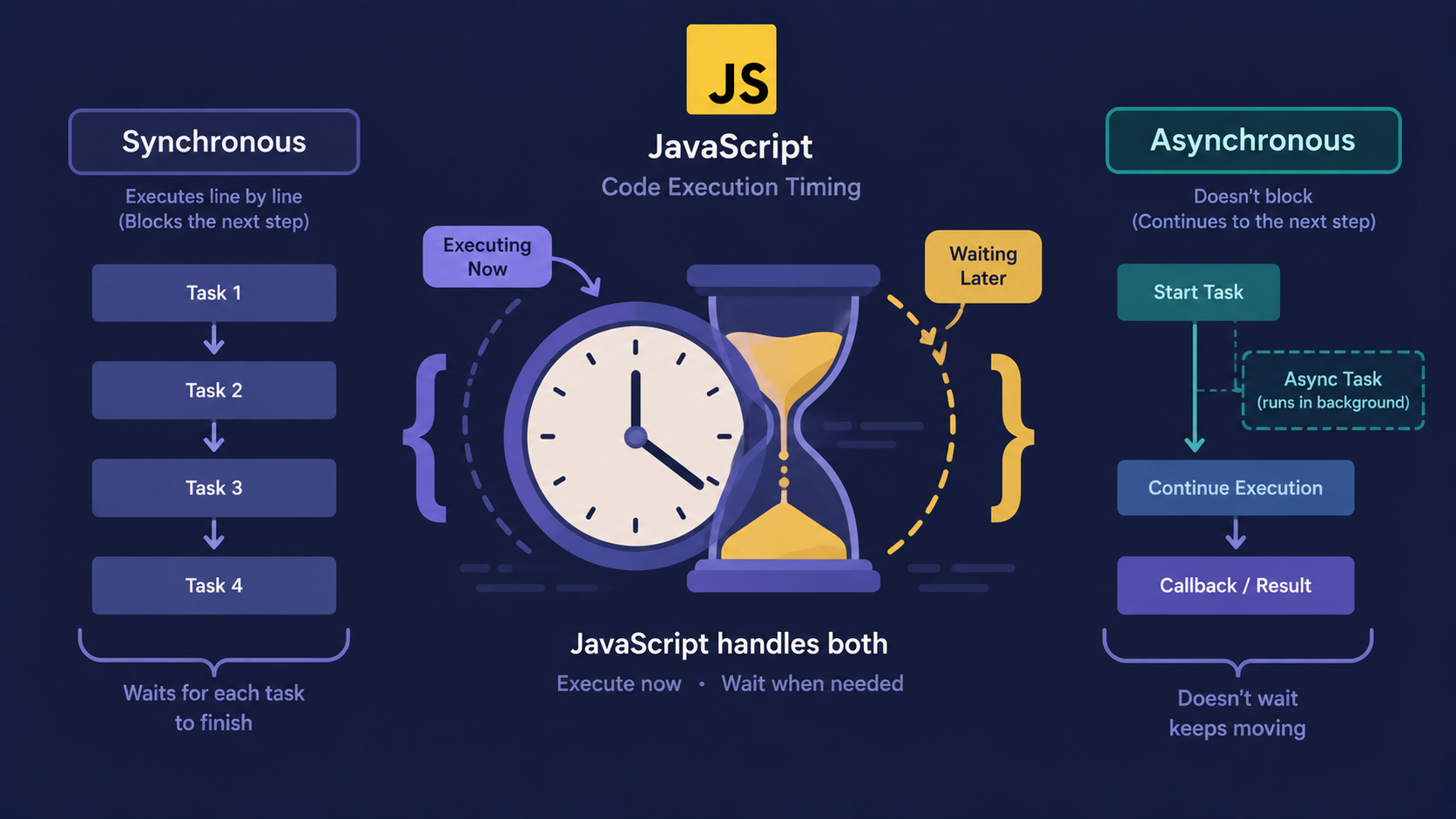
A callback is not automatically asynchronous. bookAppointment above calls the callback immediately, in order, top to bottom. Callbacks only feel "async" when the outer function deliberately delays execution - like setTimeout or a network request.
After seeing how one function hands control to another, the natural question is: why bother with this pattern at all?
Why Do We Need Callbacks?
A lot of real work in JavaScript doesn't finish instantly:
Waiting a few seconds before doing something
Waiting for a user to click a button
Waiting for data to arrive from a server
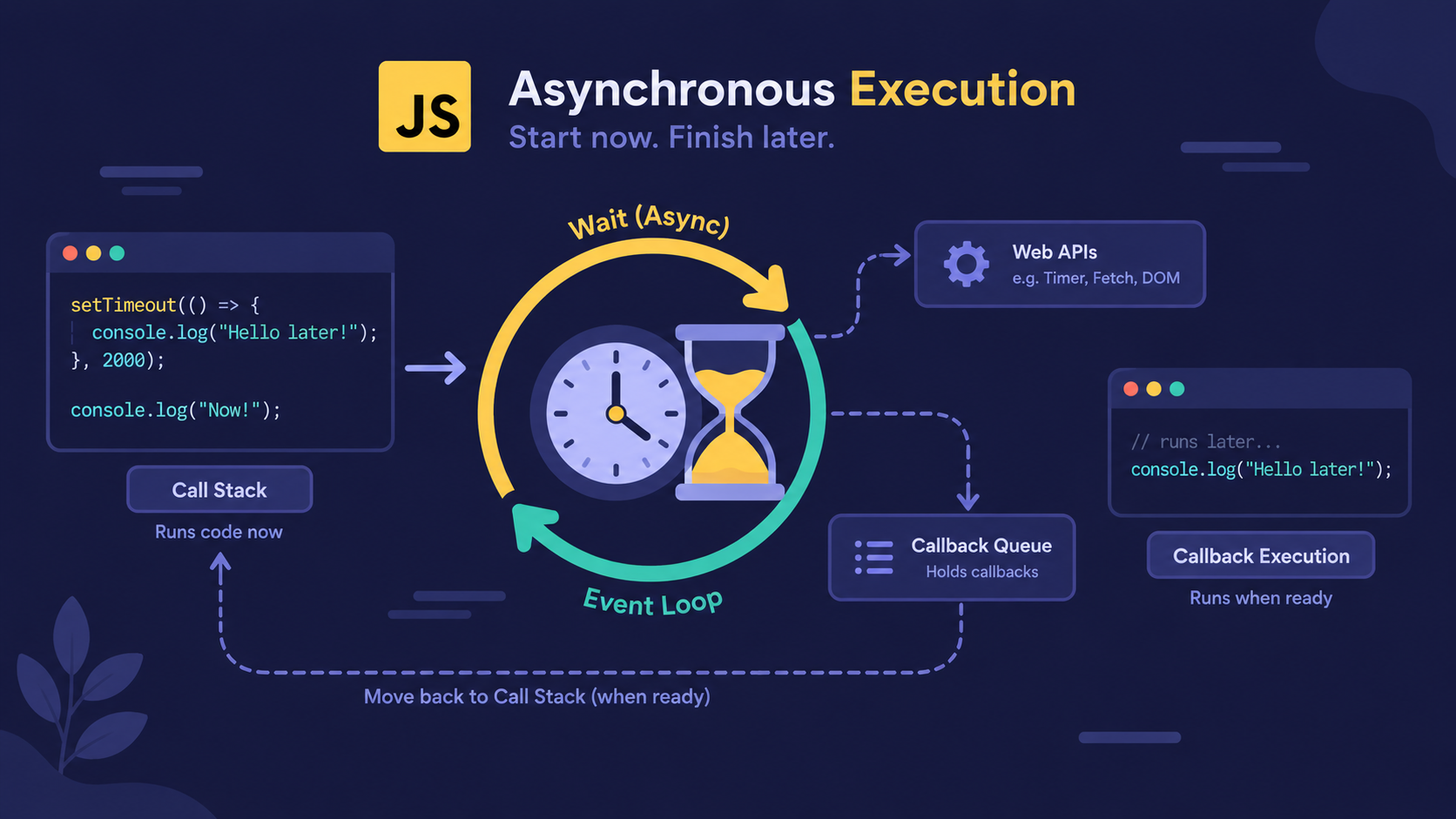
JavaScript runs on a single thread, so it can't pause and wait around for any of these. Instead, it hands over a callback and moves on to the next line, trusting that function to be called back the moment it's actually needed.
console.log("Booking appointment...");

setTimeout(() => {
  console.log("Your turn! The doctor will see you now.");
}, 2000);

console.log("You can go grab a coffee while you wait.");
The third line runs before the callback does. JavaScript didn't freeze for two seconds - it kept going and let the callback catch up later.
That explains why callbacks exist for async work. But they show up in plenty of everyday, non-async code too.
Where You'll See Callbacks Every Day
| Scenario | Is it asynchronous? | Callback example |
|---|---|---|
| Array iteration | No | .forEach(), .map(), .filter() |
| Timers | Yes | setTimeout(callback, 1000) |
| User interaction | Yes | button.addEventListener("click", callback) |
| Sorting | No | array.sort(callback) |
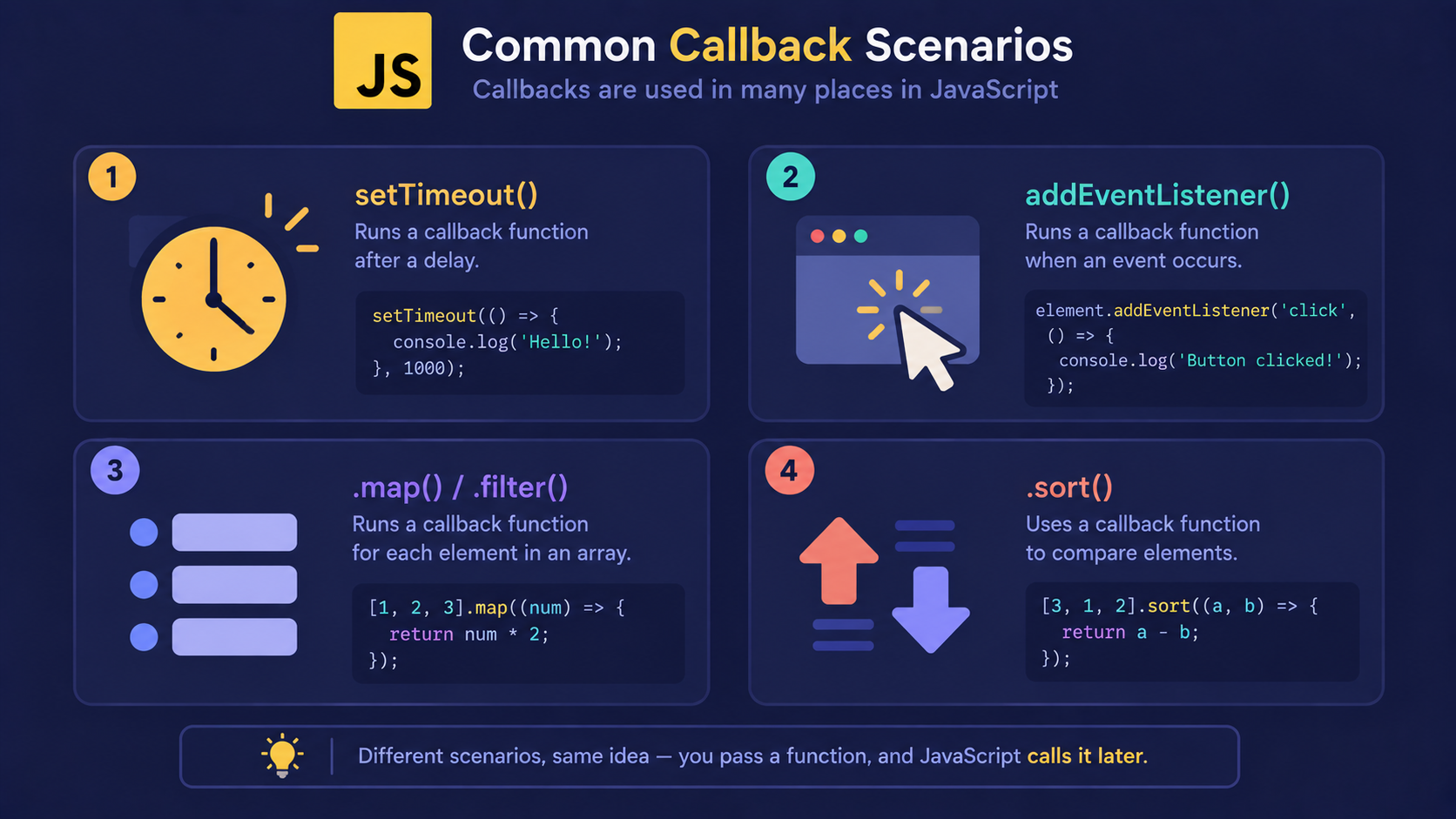
const marks = [70, 85, 60];

const passed = marks.filter((mark) => mark >= 65);
Here, the arrow function is a callback too - .filter() calls it once for every item, immediately, with no waiting involved. Not every callback is asynchronous.
That covers where callbacks show up. But chaining too many of them together causes a well-known problem.
The Problem: When Callbacks Start Nesting
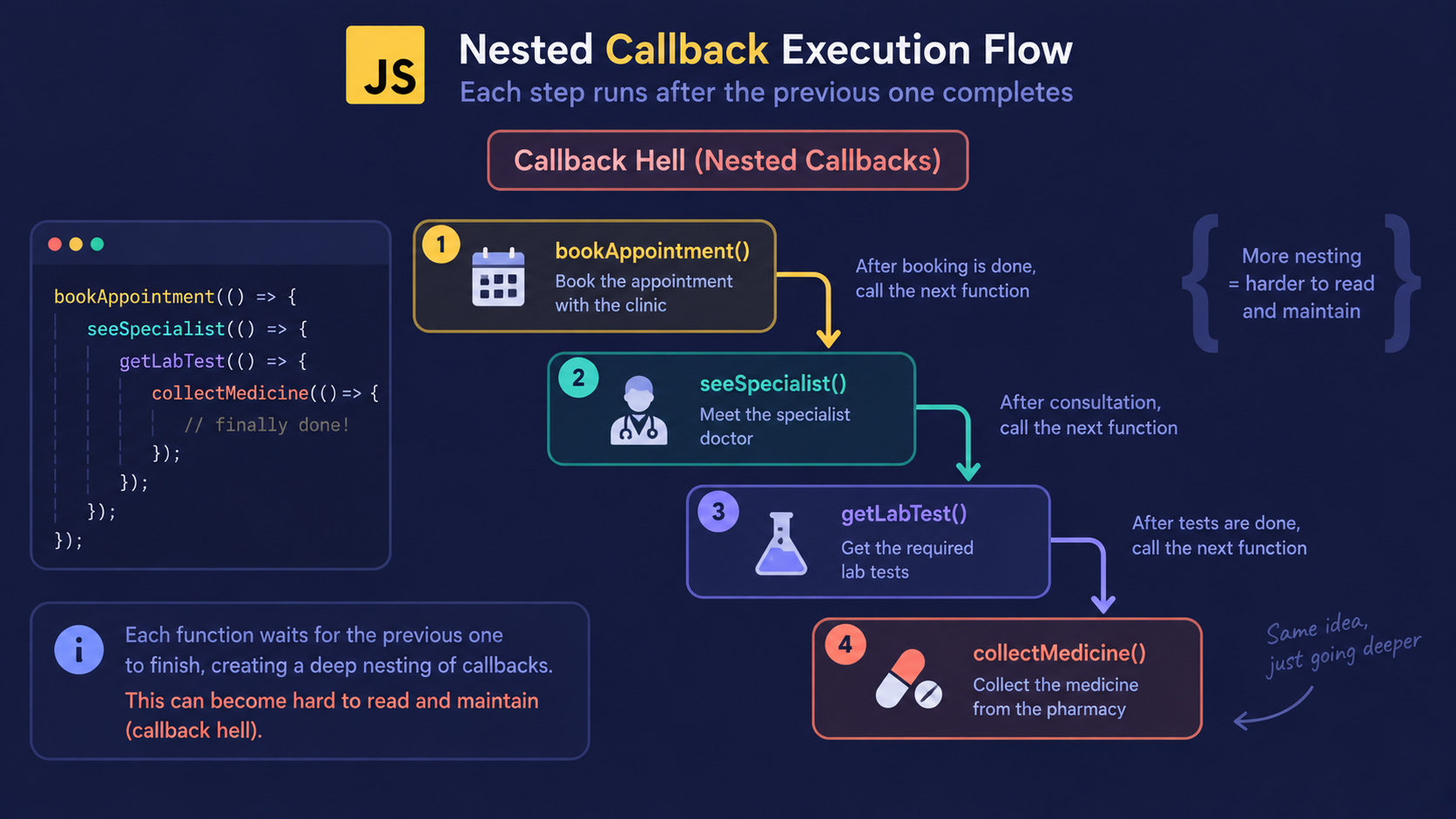
Picture the clinic again - except now the doctor refers you to a specialist, who refers you to a lab, who refers you to a pharmacy. Each step only starts once the one before it calls back.
In code, that looks like this:
bookAppointment("Sahil", () => {
  seeSpecialist(() => {
    getLabTest(() => {
      collectMedicine(() => {
        console.log("Treatment complete.");
      });
    });
  });
});
Note
This nested, staircase-shaped code is often called callback hell. It still works, but it's hard to read, hard to debug, and easy to break with one misplaced bracket.
With that problem in view, it helps to step back and see how every piece connects.
How It All Fits Together
Every concept in this article builds on the one before it:
Functions are values, so they can be passed as arguments.
A callback is one of those passed functions, called later.
JavaScript leans on callbacks to handle work that isn't instant.
Chaining too many callbacks together creates callback hell.
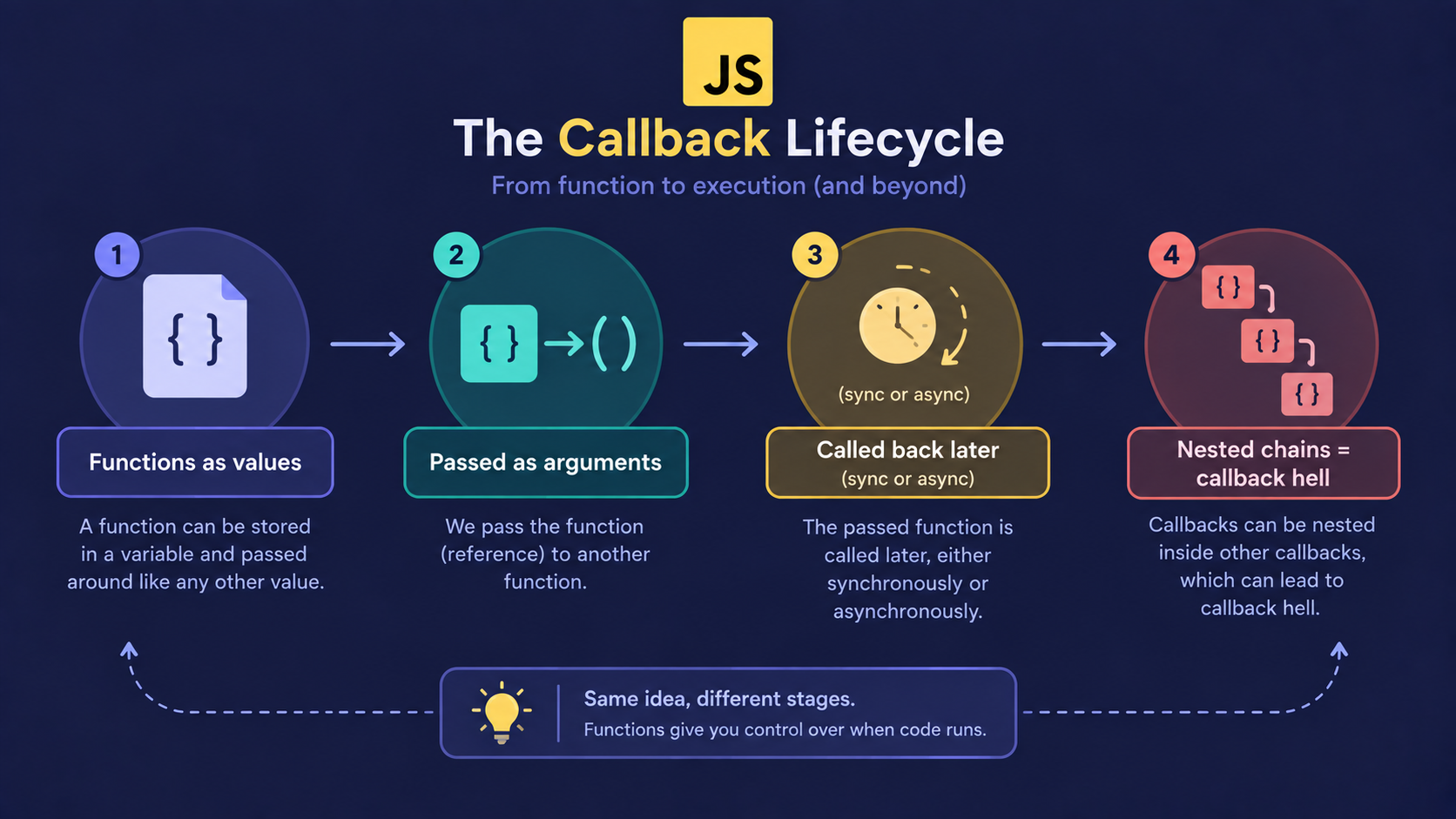
The clinic analogy holds for the whole chain: book, wait, get called back - and if too many clinics start calling each other, the chain gets messy fast.
Conclusion
A callback function is a function passed as an argument, to be called later.
Callbacks work because JavaScript treats functions as values it can pass around.
Not all callbacks are asynchronous - array methods use them synchronously.
Callbacks appear constantly: timers, events, array methods, sorting.
Nesting too many callbacks creates hard-to-read "callback hell."
If this felt like a lot, that's okay. What matters is understanding the flow - everything else gets easier from here.
What's Next?
Callback hell is exactly the problem Promises were built to solve. The next article covers how Promises clean up nested callbacks, and how async/await makes asynchronous code read like it runs top to bottom.
If you found this useful, drop a comment or a reaction.