What is Middleware in Express and How Does It Work?
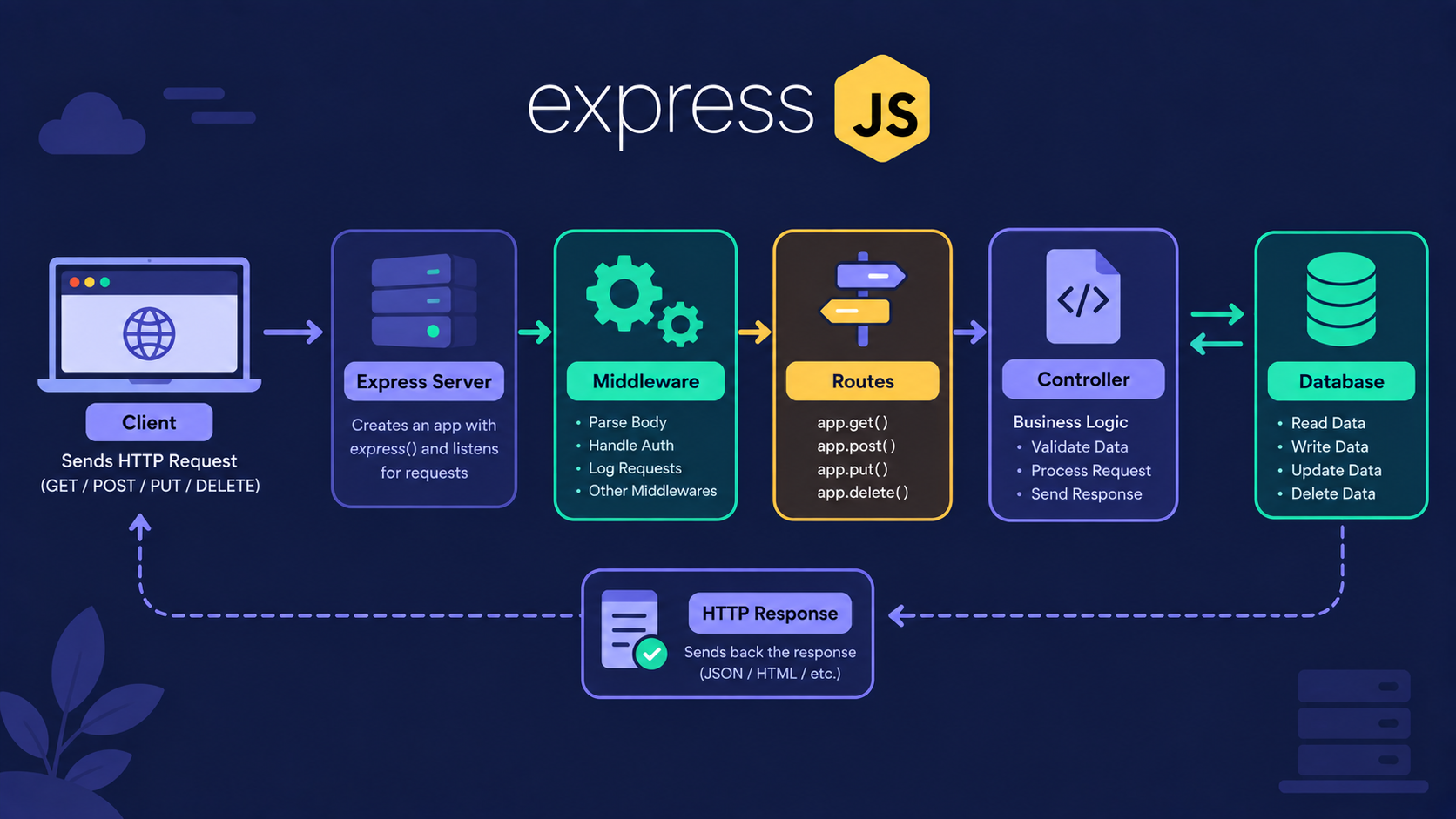
What happens to a request before it reaches your route?
You send a request to /api/users. Your route handler sends back a response.
Many beginners think the request goes straight from the browser to the route handler. That's not true.
In a real Express app, the request passes through several checkpoints first. Those checkpoints are called middleware.
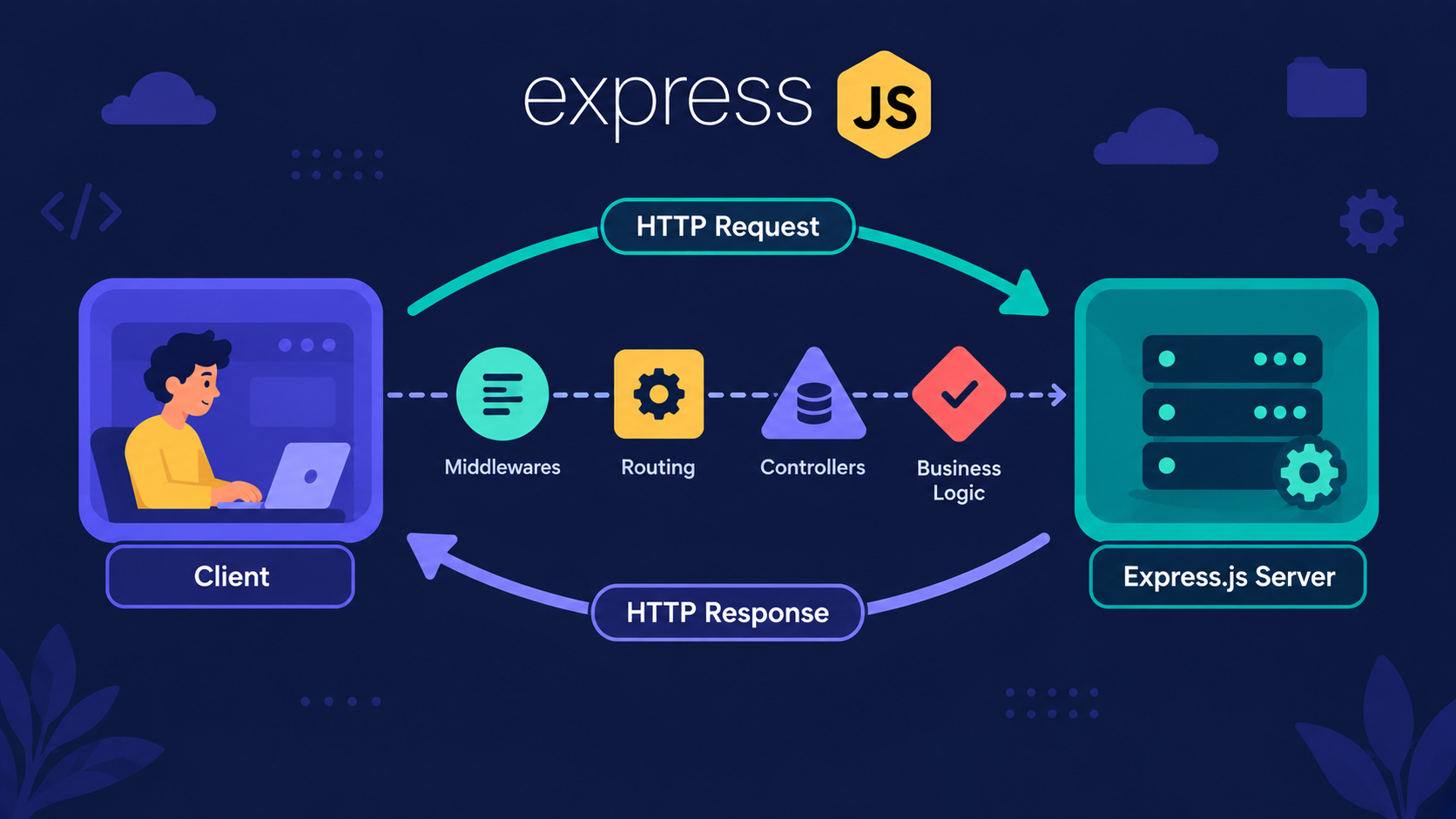
Middleware is a function that runs between the incoming request and the final response. It can read the request, change it, or stop it.
Every middleware receives three things: req, res, and next.
Where does middleware sit in the request lifecycle?
Let's use one analogy for the whole article.
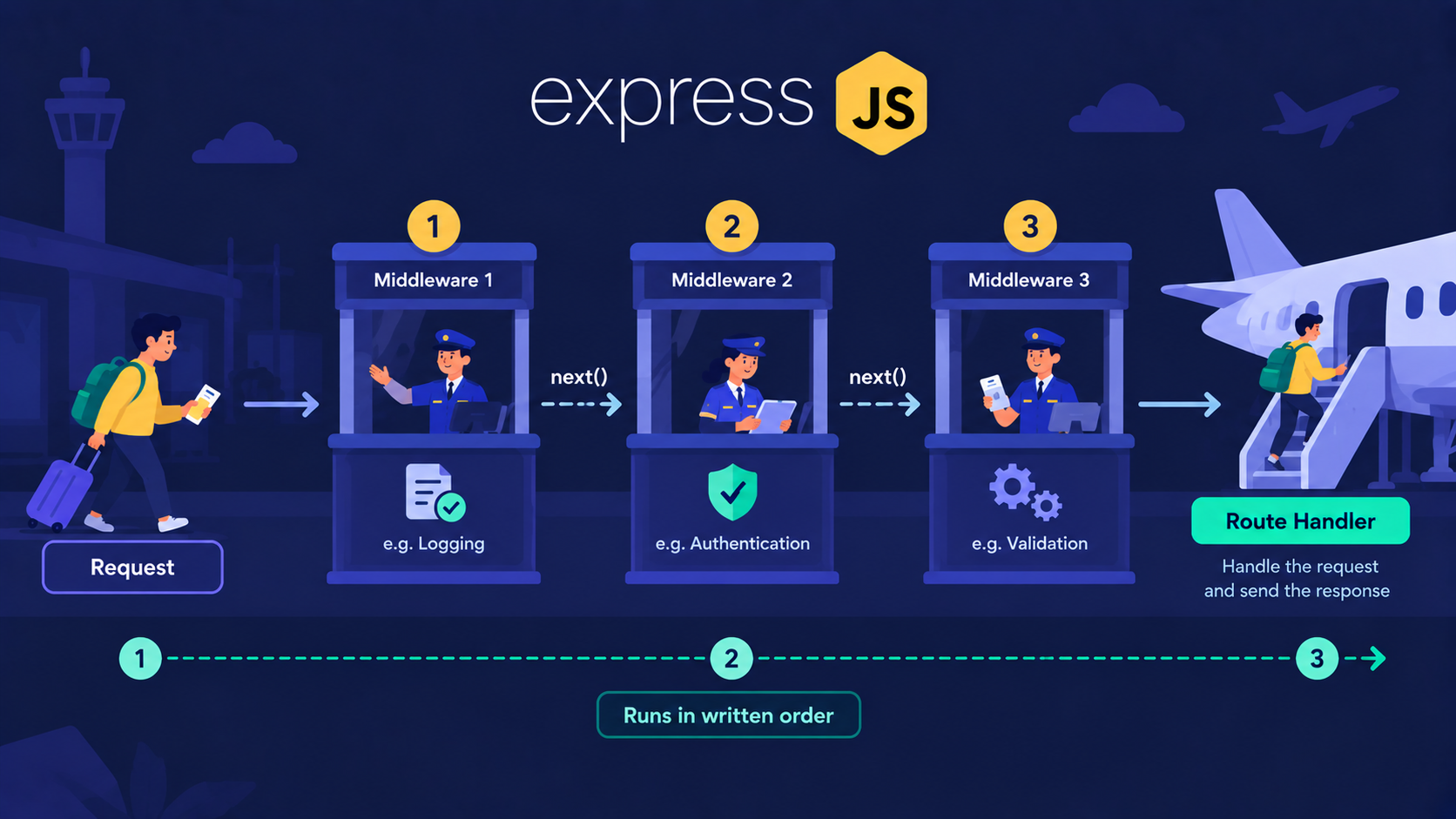
Analogy: The Airport Journey
Think about travelling by flight. You don't walk straight onto the plane. You clear a few checkpoints first.
Passenger = the incoming request
Check-in counter = logging middleware
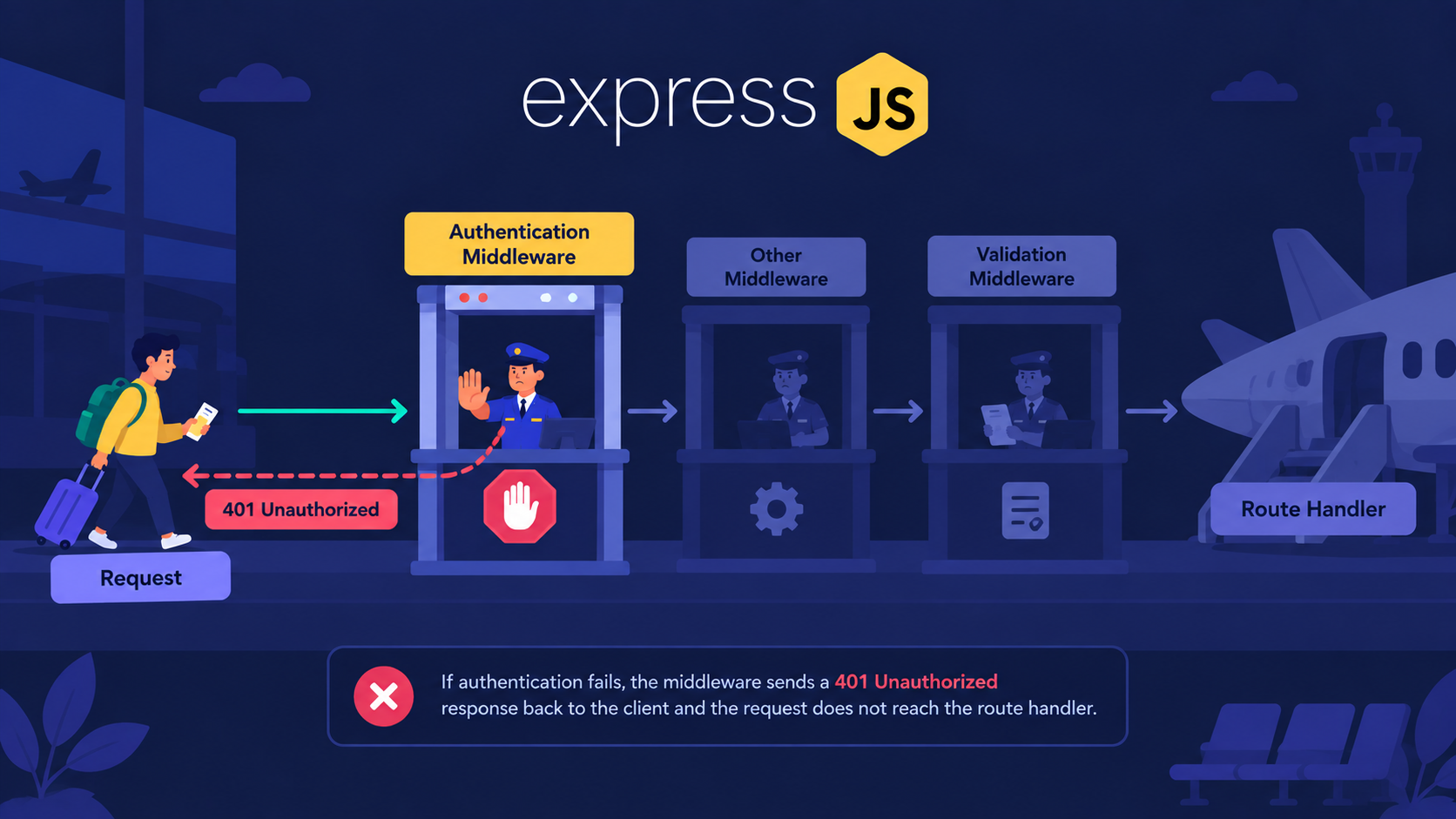
Security check = authentication middleware
Boarding gate = validation middleware
The flight = the route handler
Officer waving you ahead =
next()
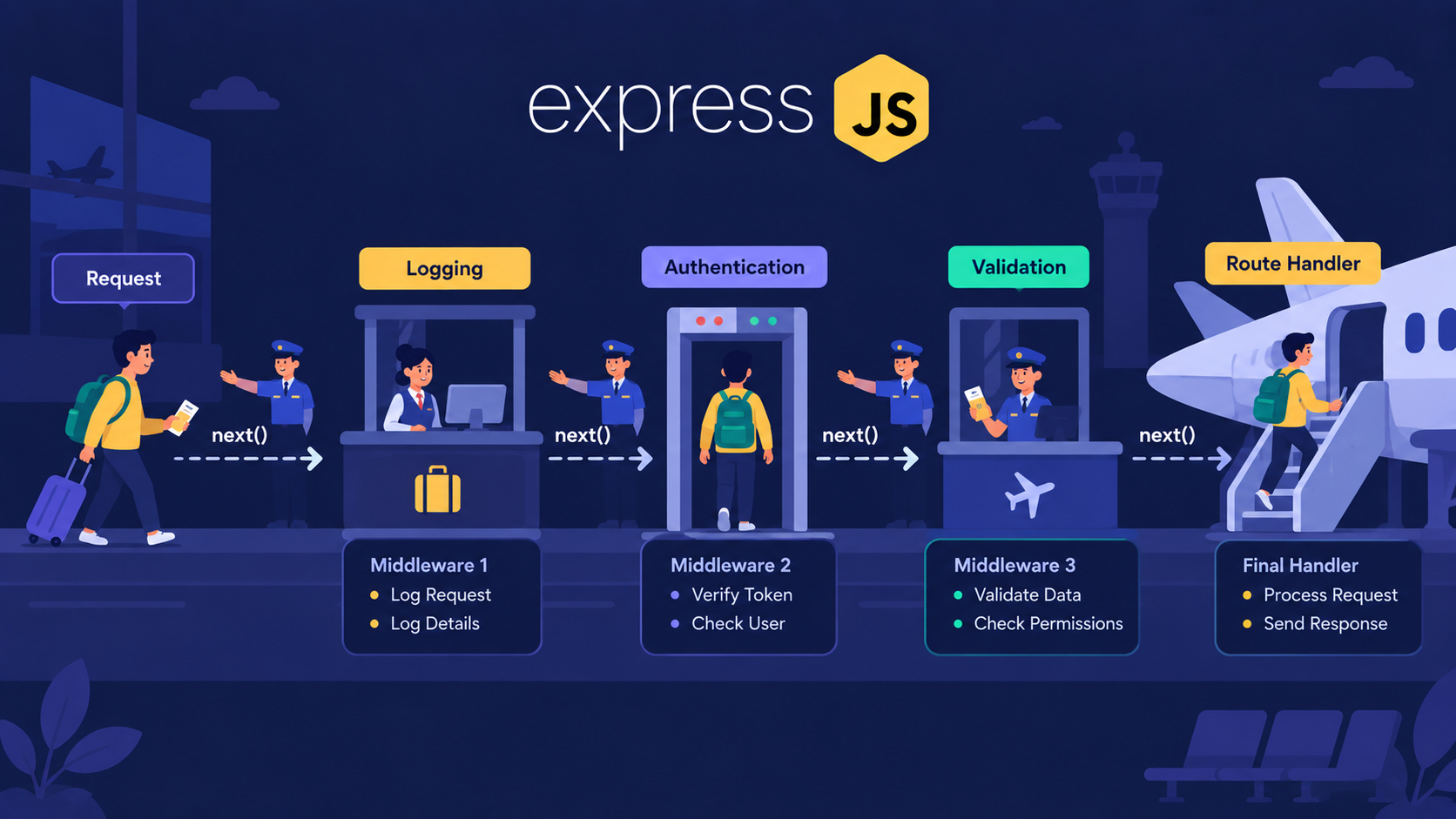
Here is the same journey inside Express:
The client sends a request.
Express runs the middleware in the order you wrote them.
Each middleware either passes the request ahead or stops it.
The route handler sends the response.
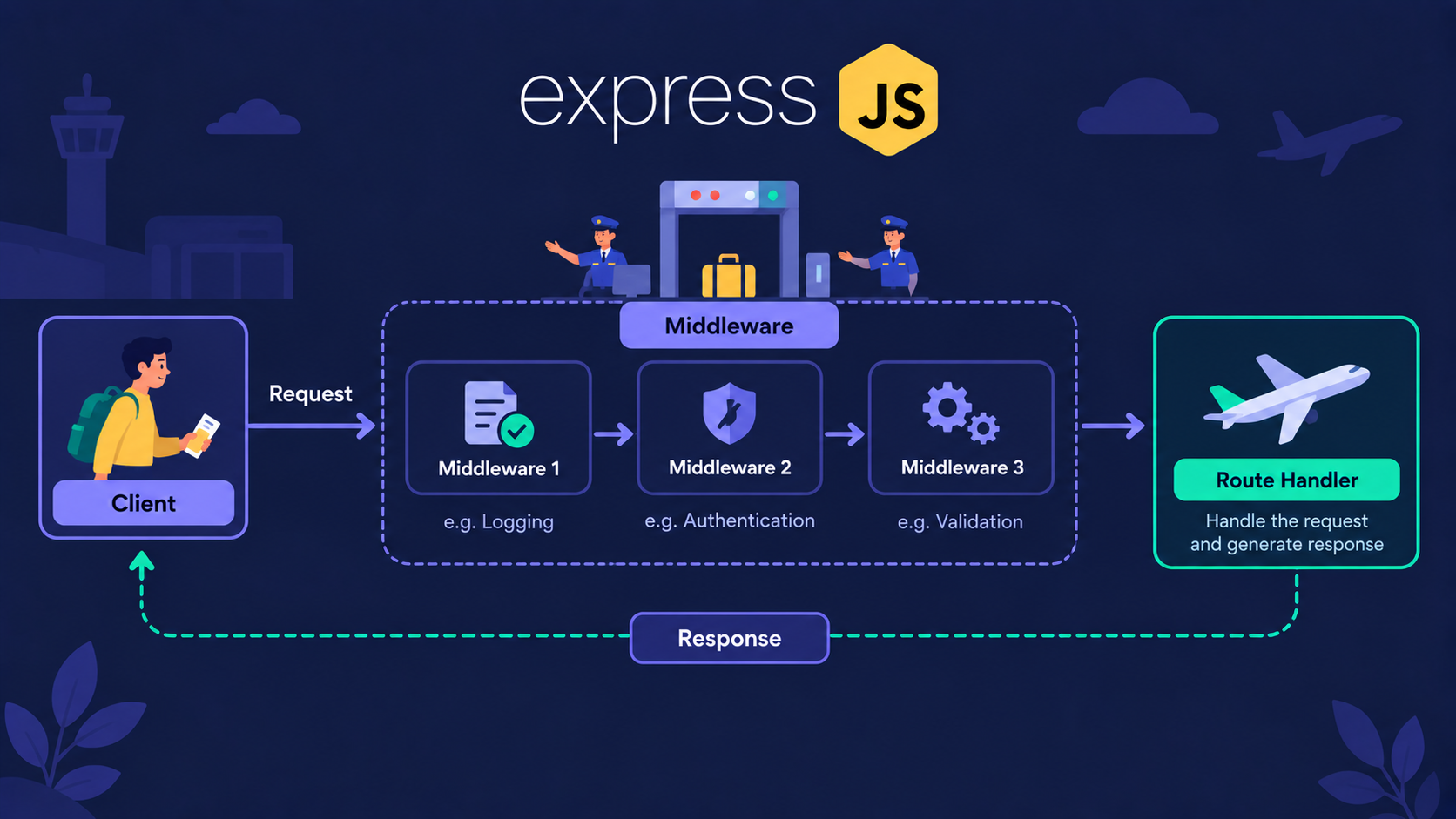
Now we know where middleware sits. The next question is: how many kinds of middleware are there?
What are the types of middleware?
For this article, we focus on three types.
| Type | Attached with | Runs for |
|---|---|---|
| Application-level | app.use() |
Every request to the app |
| Router-level | router.use() |
Only requests handled by that router |
| Built-in | express.json() and others |
Whatever you attach them to |
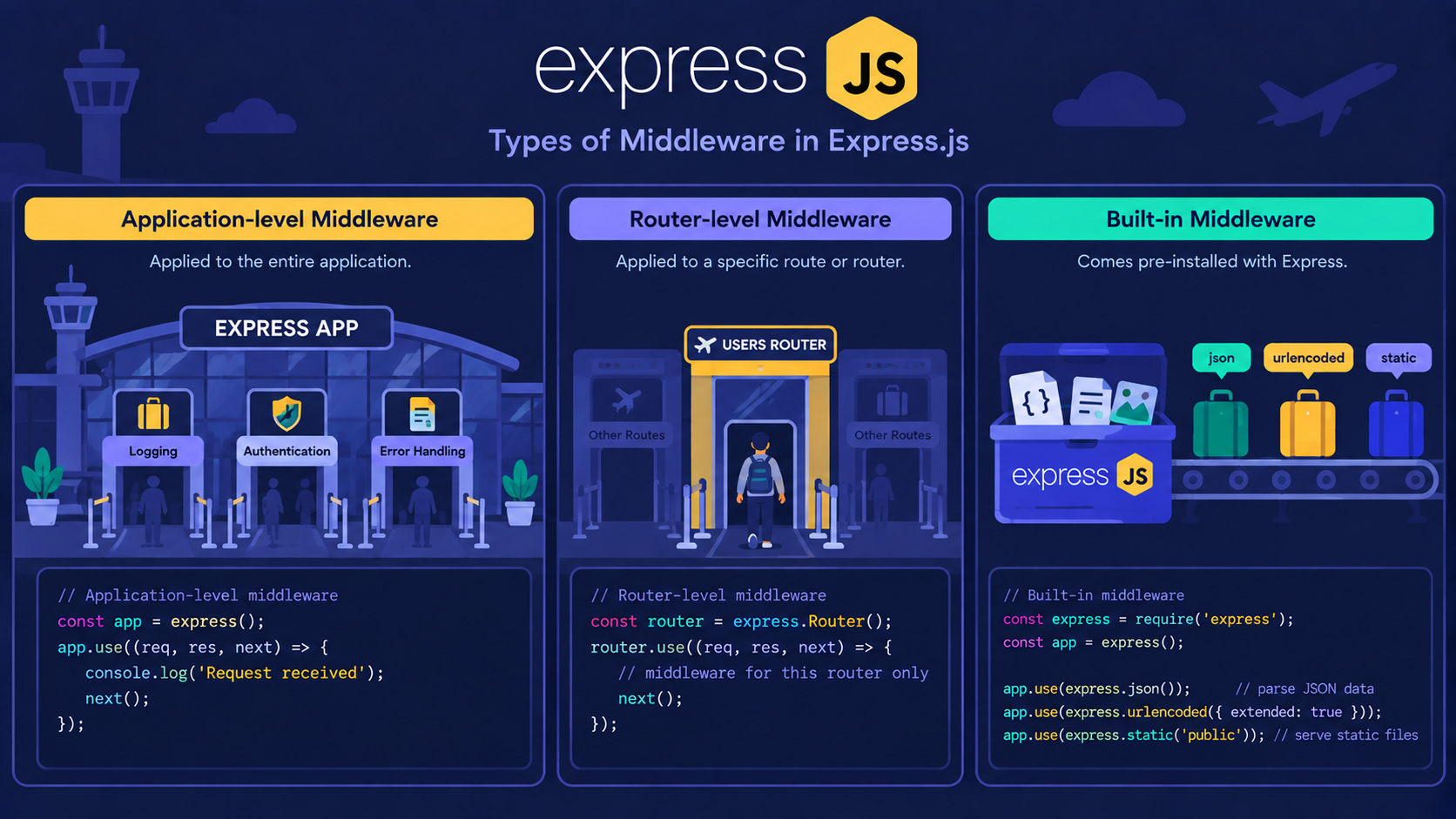
Application-level middleware
This runs for every request that reaches your app.
import express from "express";

const app = express();

app.use((req, res, next) => {
  console.log(`${req.method}: ${req.url}`);
  next();
});
Router-level middleware
This works the same way, but only for one router. Think of it as a checkpoint for one terminal, not the whole airport.
const router = express.Router();

router.use((req, res, next) => {
  console.log("Admin area accessed");
  next();
});

router.get("/dashboard", (req, res) => {
    res.send("Admin dashboard");
});

app.use("/admin", router);
Built-in middleware
Express gives you some middleware ready-made. You don't write it yourself.
app.use(express.json());                         // parses JSON bodies

app.use(express.urlencoded({ extended: true })); // parses form data

app.use(express.static("public"));               // serves static files
Note: Parse the Body First
Place express.json() before any route that reads req.body. If it comes after, req.body will be undefined.
The types are clear now. But when two middleware exist, which one runs first?
In what order does middleware run?
Middleware runs in the order you write it. Top to bottom.
app.use((req, res, next) => {
  console.log("1. First");
  next();
});

app.use((req, res, next) => {
  console.log("2. Second");
  next();
});

app.get("/", (req, res) => {
  console.log("3. Route handler");
  res.send("Done");
});
When you visit /, the terminal shows:
1. First
2. Second
3. Route handler
Note: Order Matters
Put the security check after the flight and it protects nothing. Always place logging and authentication above the routes they guard.
But how does Express know when to move to the next checkpoint? That's the job of next().
What does next() actually do?
next() tells Express: "My work is done. Send the request to the next function."
You have three options inside any middleware:
Call
next()to pass the request aheadCall
res.send()orres.json()to end the cycle earlyCall
next(error)to jump to the error handler
Important Rule: Always Call next() or Respond.
If a middleware does neither, the request hangs. The browser keeps loading and never gets an answer.
app.use((req, res, next) => {
  console.log("I forgot next()");

  // request is stuck here forever
});
In the airport analogy, this is an officer who never waves you ahead and never sends you home. You just stand there.
That is the whole mechanism. Now let's see where real apps use it.
Where is middleware used in real projects?
Three jobs appear in almost every backend: logging, authentication, and validation.
Example: Logging
const logger = (req, res, next) => {
  const start = Date.now();

  res.on("finish", () => {
    console.log(`${req.method} ${req.url} - ${res.statusCode} (${Date.now() - start}ms)`);
  });

  next();
};
Example: Authentication
const authCheck = (req, res, next) => {
  const token = req.headers.authorization;

  if (!token) {
    return res.status(401).json({ message: "Please log in first" });
  }

  next();
};
This one stops the request when the token is missing. The route handler never runs.
We only check that a token exists here. Real token verification comes later in the JWT articles.
Example: Request Validation
const validateUser = (req, res, next) => {
  const { name, email } = req.body;

  if (!name || !email) {
    return res.status(400).json({ message: "Name and email are required" });
  }

  next();
};
Each checkpoint does one job. That keeps your route handlers clean.
How do all of these work together?
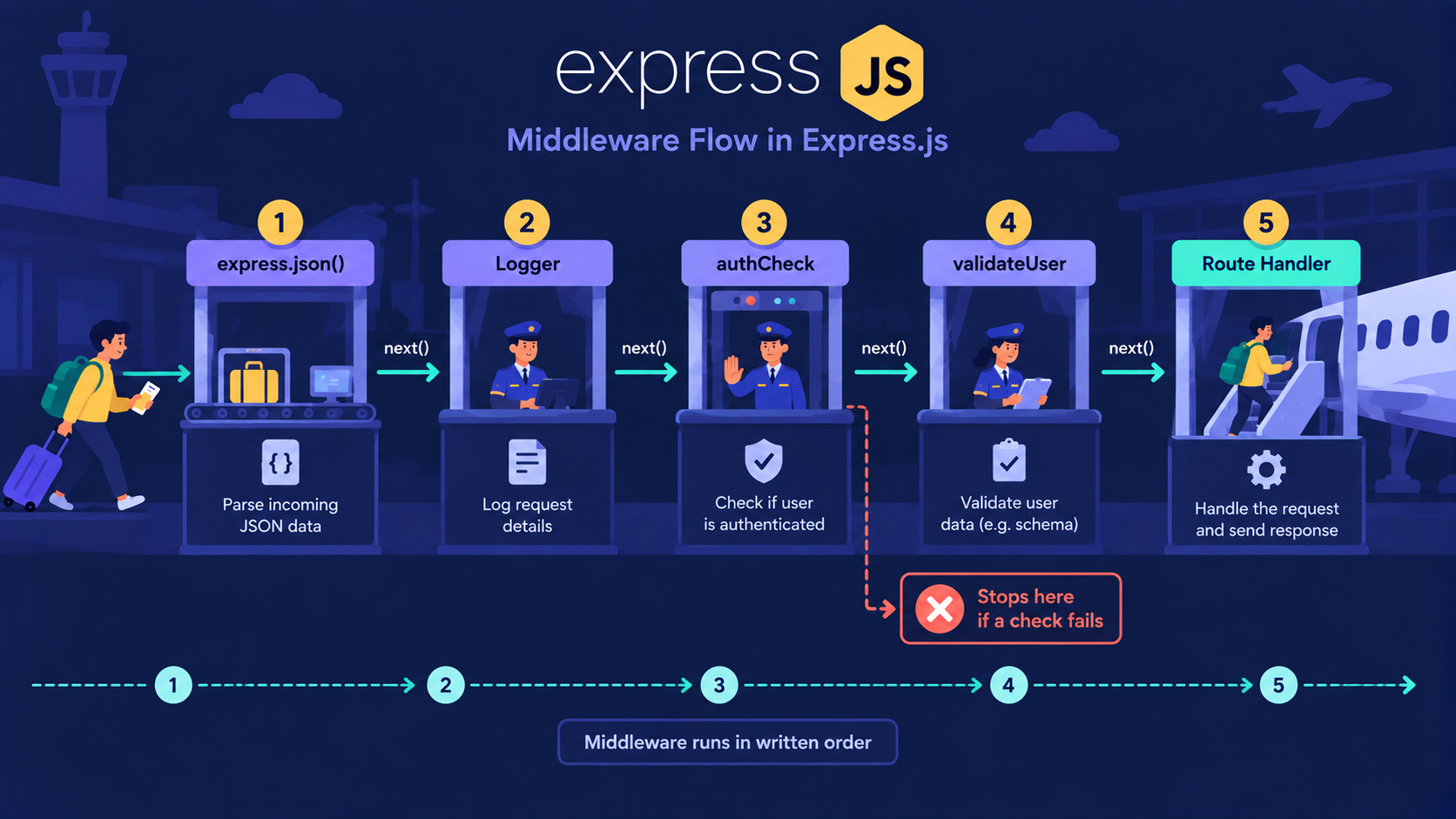
Now let's combine everything into one pipeline.
app.use(express.json());

app.post("/api/users", logger, authCheck, validateUser, (req, res) => {
  res.status(201).json({ message: "User created", user: req.body });
});
The request goes through five steps:
express.json()parses the bodyloggerrecords the requestauthCheckverifies the uservalidateUserchecks the dataThe route handler creates the user
If any step fails, the request stops there and the rest never run.
Hands-on assignment
Build a middleware called apiKeyCheck. It should read the x-api-key header and return a 403 if it is not equal to "chai123". Attach it only to a router mounted at /secure.
Solution
const apiKeyCheck = (req, res, next) => {
  if (req.headers["x-api-key"] !== "chai123") {
    return res.status(403).json({ message: "Invalid API key" });
  }

  next();
};

const secureRouter = express.Router();

secureRouter.use(apiKeyCheck);

secureRouter.get("/data", (req, res) => {
  res.send("Secret data");
});

app.use("/secure", secureRouter);
Conclusion
Here is the whole article in short:
Middleware is a function between the request and the response.
It sits in the request lifecycle before the route handler.
Application-level runs for the whole app, router-level for one router, and built-in comes ready-made.
Middleware runs top to bottom, in the order you write it.
next()passes the request ahead. Without it, the request hangs.Logging, authentication, and validation are the most common real uses.
If this felt like a lot, that's okay. What matters is understanding the flow: every request clears checkpoints, one by one, before it reaches your route.
What's Next?
You now know how requests move through an Express app. The next question is: how do we design clean URLs and methods for our API?
In the next article, we cover REST API Design Made Simple with Express.js.
If you found this useful, drop a comment or a reaction.