Handling File Uploads in Express with Multer
Why can't Express read a file upload on its own?
You build a form with a file input. You submit it. You log req.body.
It is empty. Many beginners think Express is broken or that it express.json() should handle it. That's not true.
A file upload is not JSON. It travels in a different format called multipart/form-data.
multipart/form-data is a request format that splits one request into several parts, so text fields and raw files can travel together.
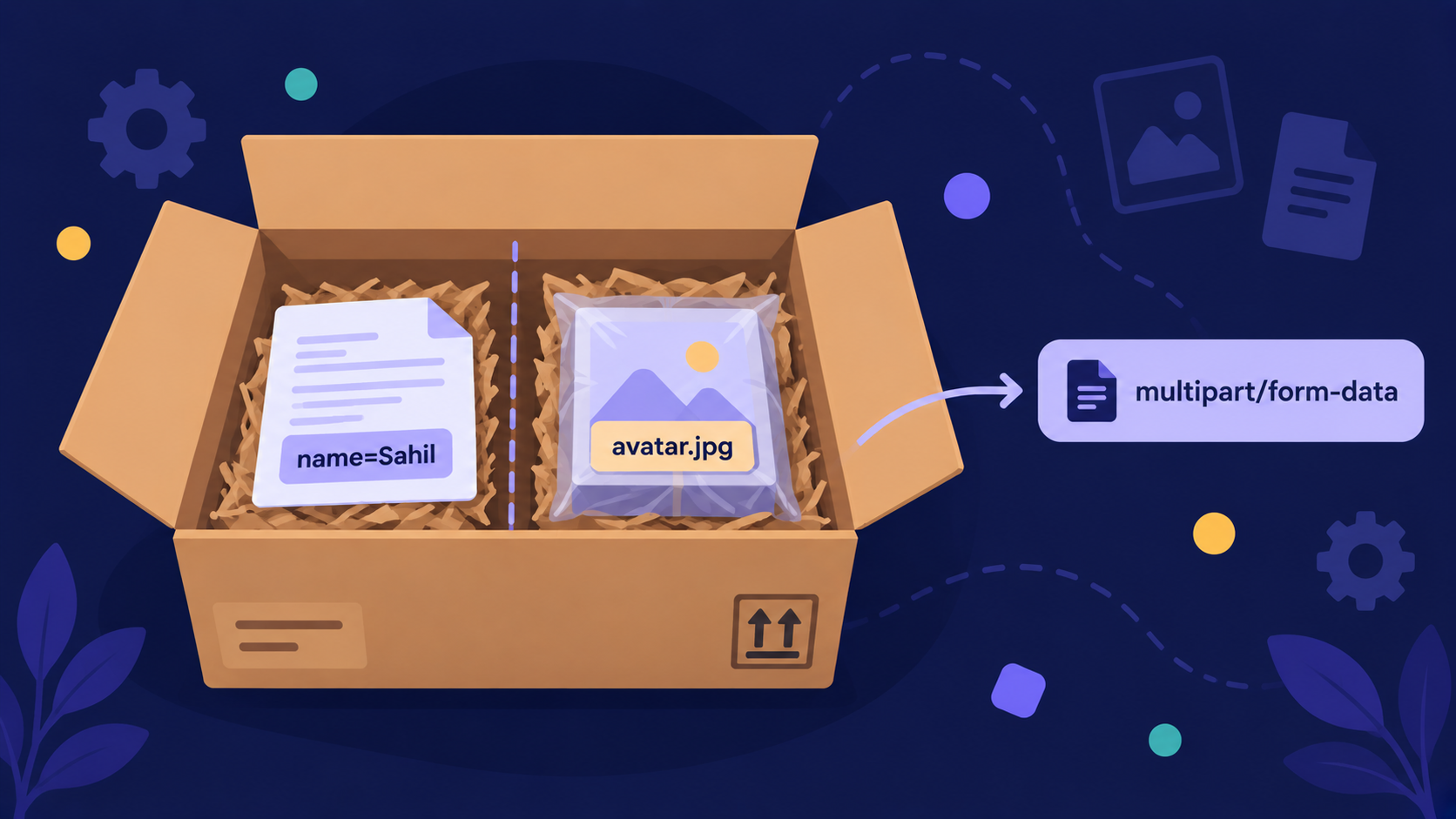
Analogy: The Courier Counter
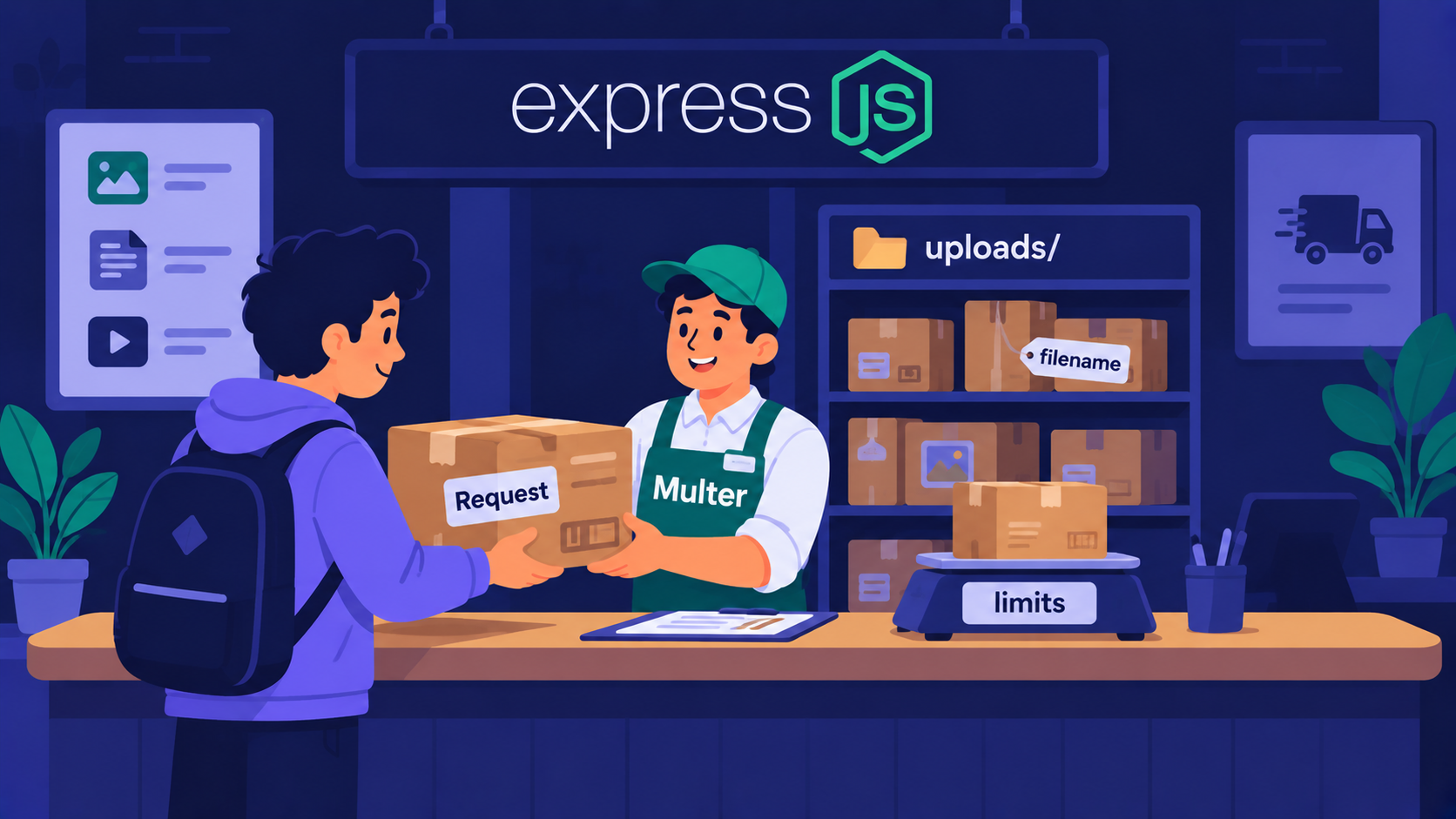
Think of a courier office.
Your request = a parcel box with compartments
Text fields = the letter inside the box
The file = the package inside the box
Express = the office building
Multer = the clerk at the counter
The building alone cannot open the box. Someone has to sit at the counter, open it, and separate the letter from the package.
So why does Express need a clerk at all? Let's look at what goes wrong without one.
What is Multer?
Express body parsers read JSON and URL-encoded data. They skip multipart data completely.
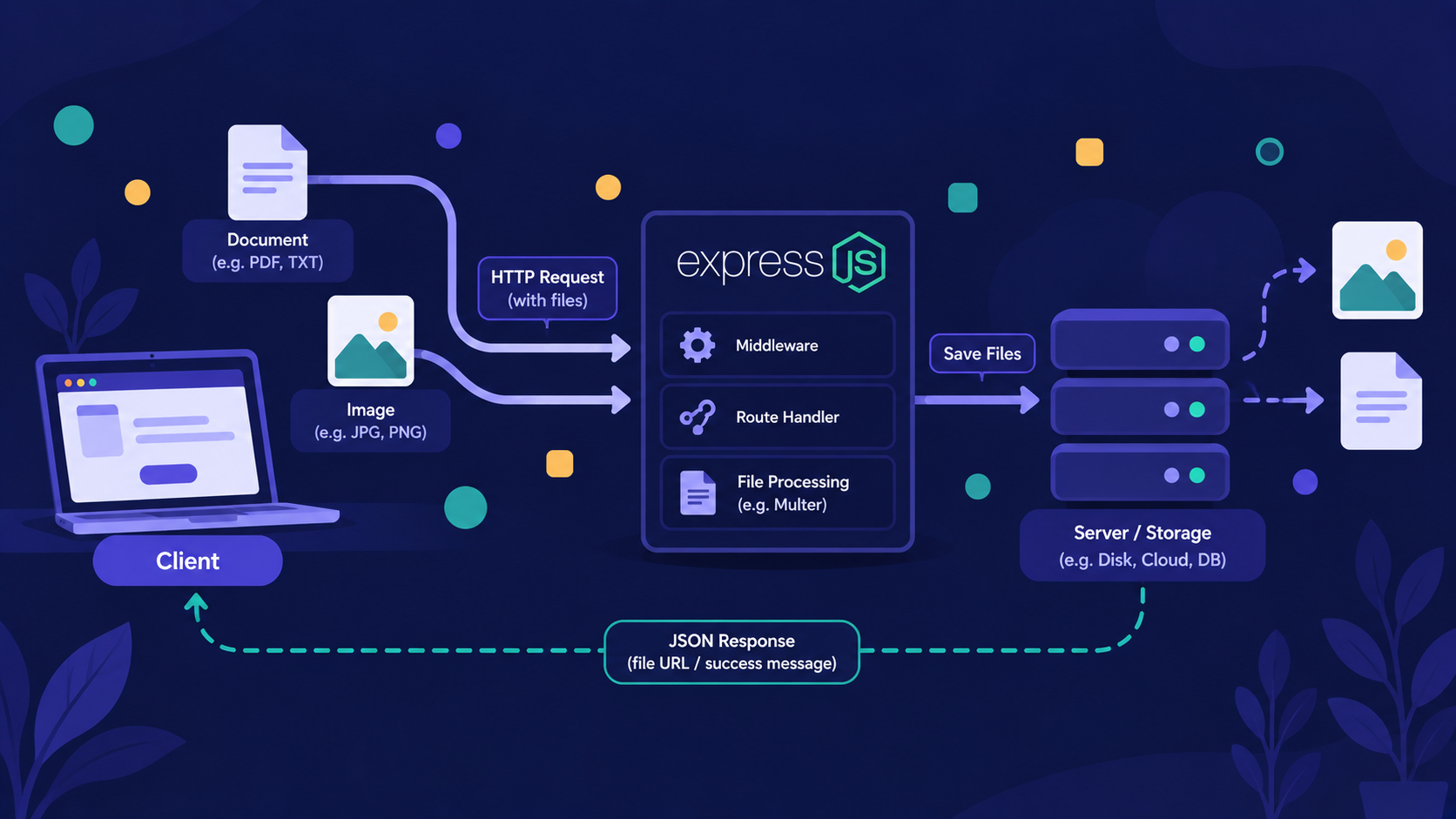
Multer is a middleware that reads multipart requests and does two jobs:
It saves the file somewhere.
It fills
req.bodywith the text fields andreq.filewith the file details.
Multer is the clerk that opens the parcel before it reaches your route handler.
Install it:
npm install express multer
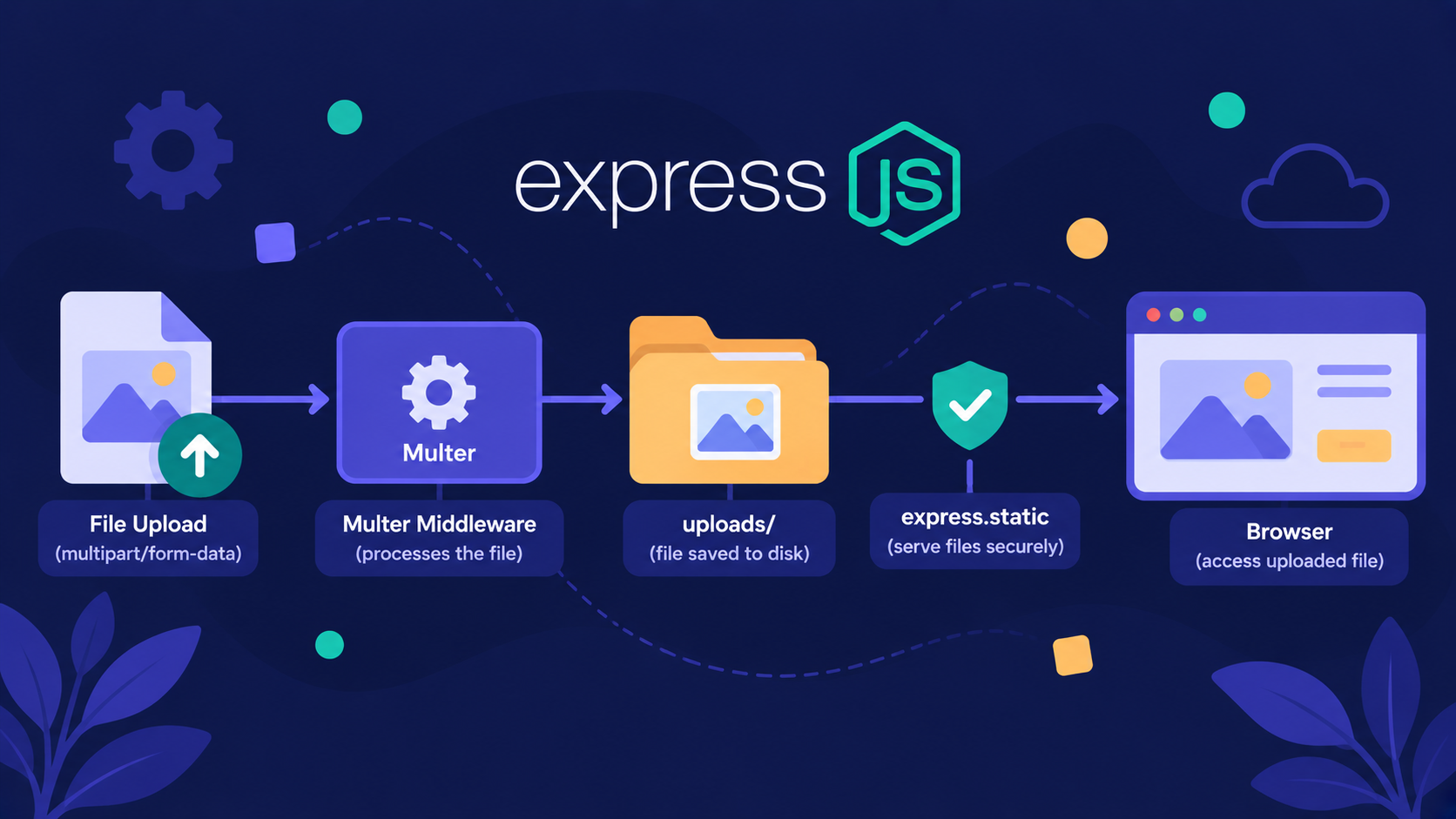
Here is the full journey a file takes.
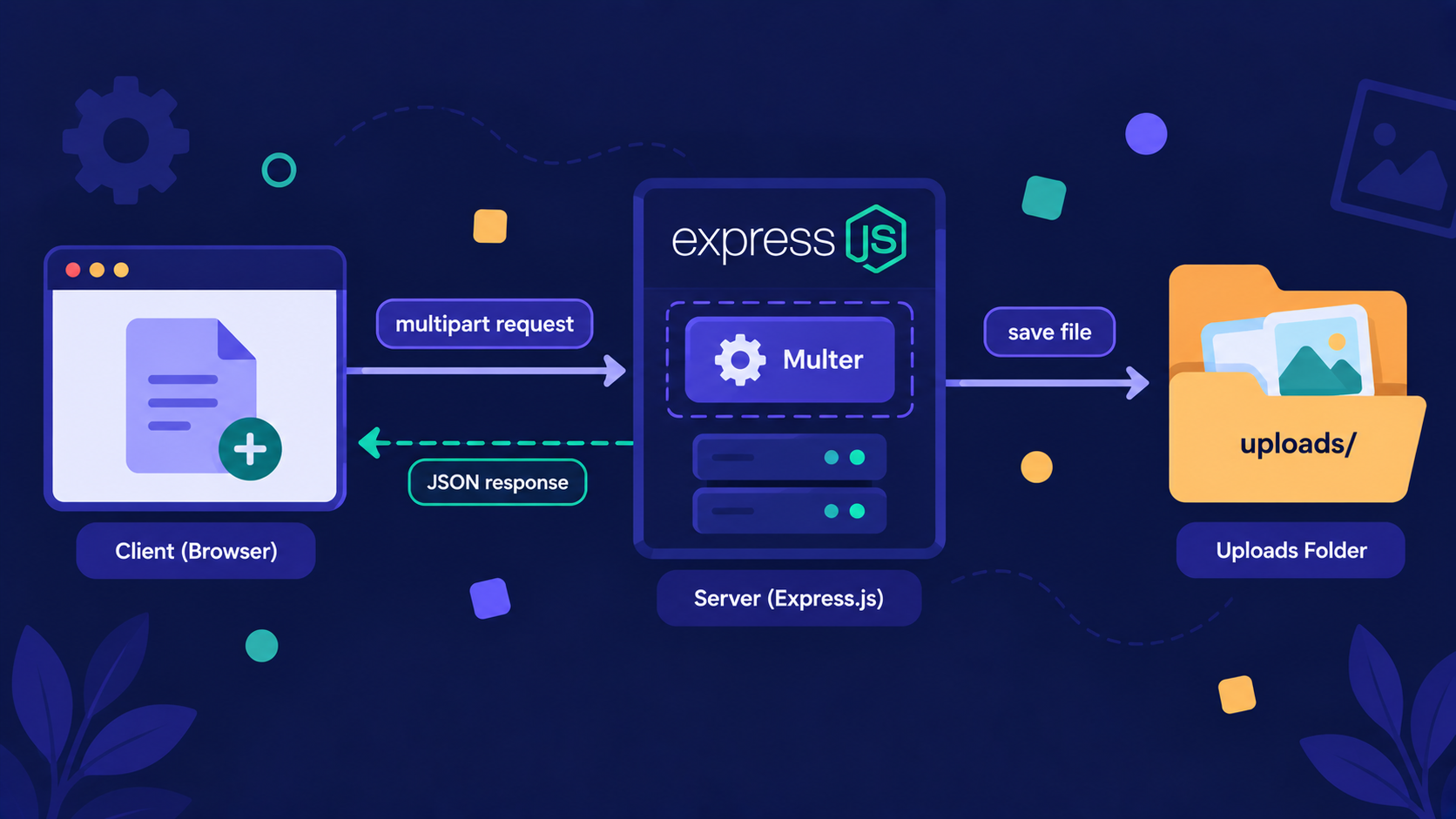
The browser sends a multipart request.
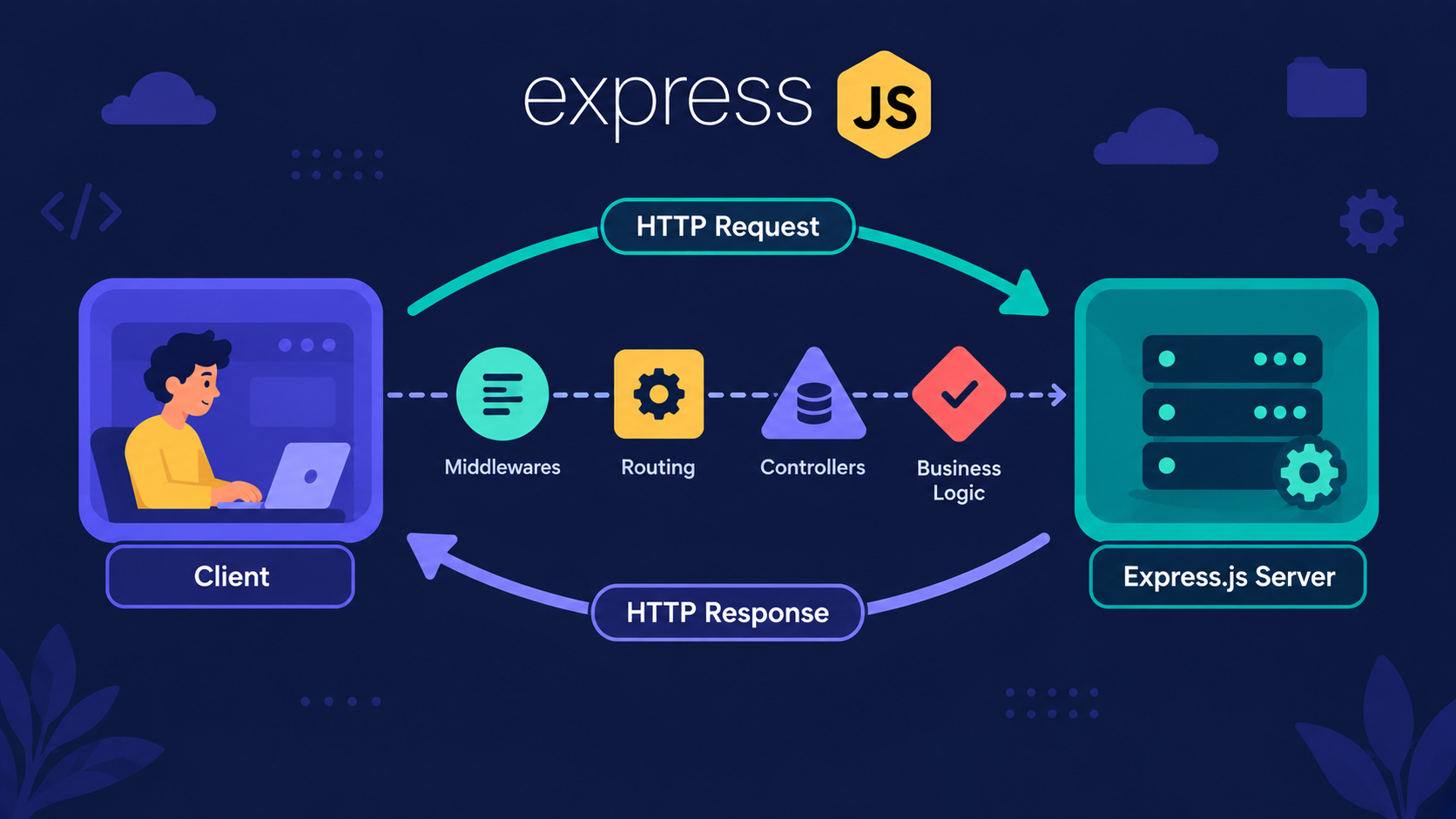
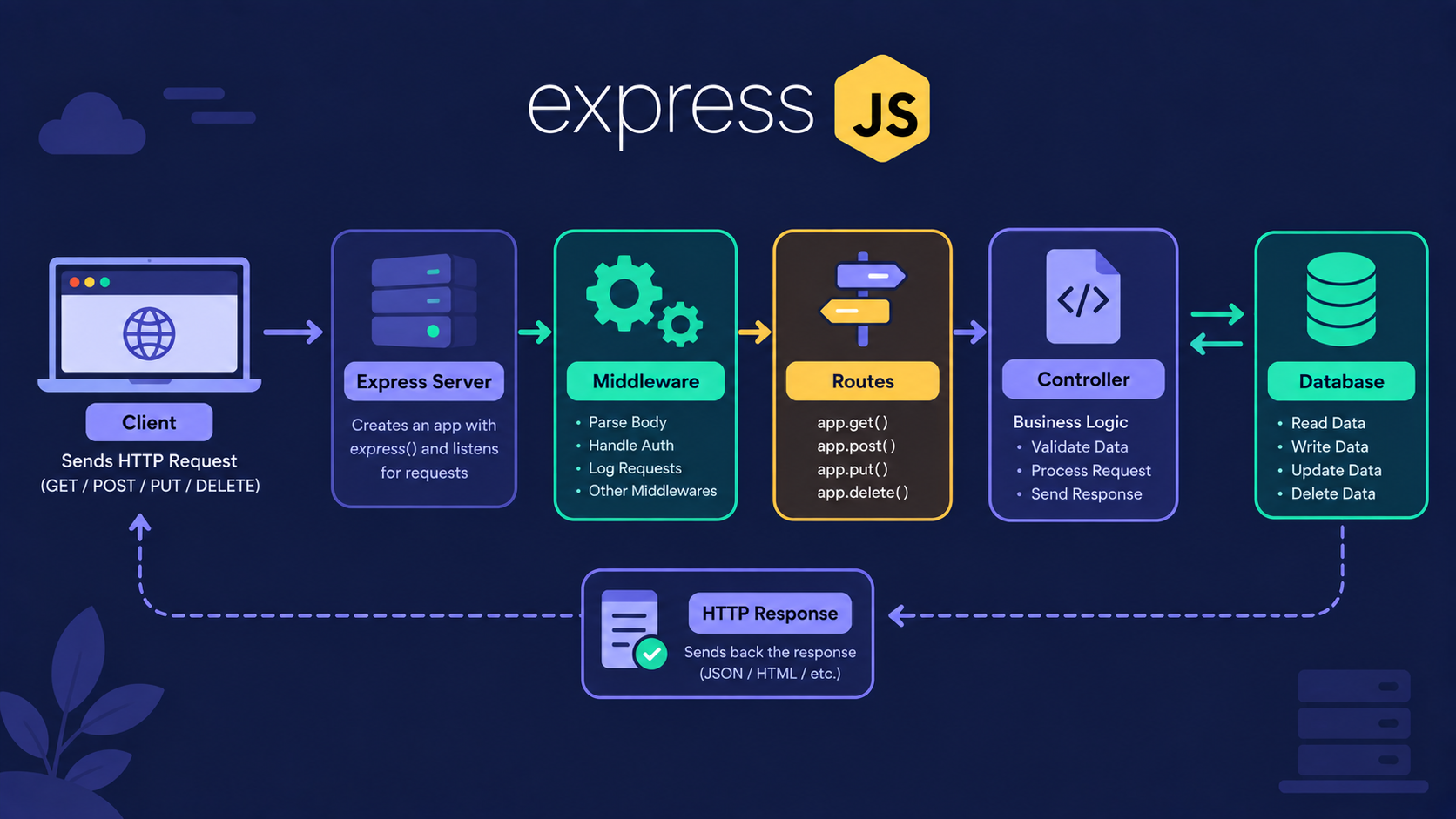
Express receives it and passes it to Multer.
Multer writes the file to storage.
Your route handler runs with
req.fileready.
Now that the clerk is hired, let's see the simplest job: one file.
How does a single file upload work?
First, the form. The enctype attribute is what tells the browser to use multipart.
<form action="http://localhost:8080/upload" method="POST" enctype="multipart/form-data">
  <input type="file" name="avatar" />
  <button type="submit">Upload</button>
</form>
Now the server:
import express from "express";
import multer from "multer";

const app = express();

const upload = multer({ dest: "uploads/" });

app.post("/upload", upload.single("avatar"), (req, res) => {
  if (!req.file) {
    return res.status(400).json({
        error: {
            message: "No file received",
        },
    });
  }

  res.json({ message: "Uploaded", filename: req.file.filename });
});

app.listen(8080, () => console.log("Server running on port 8080"));
Use "type": "module" in package.json for the import syntax.
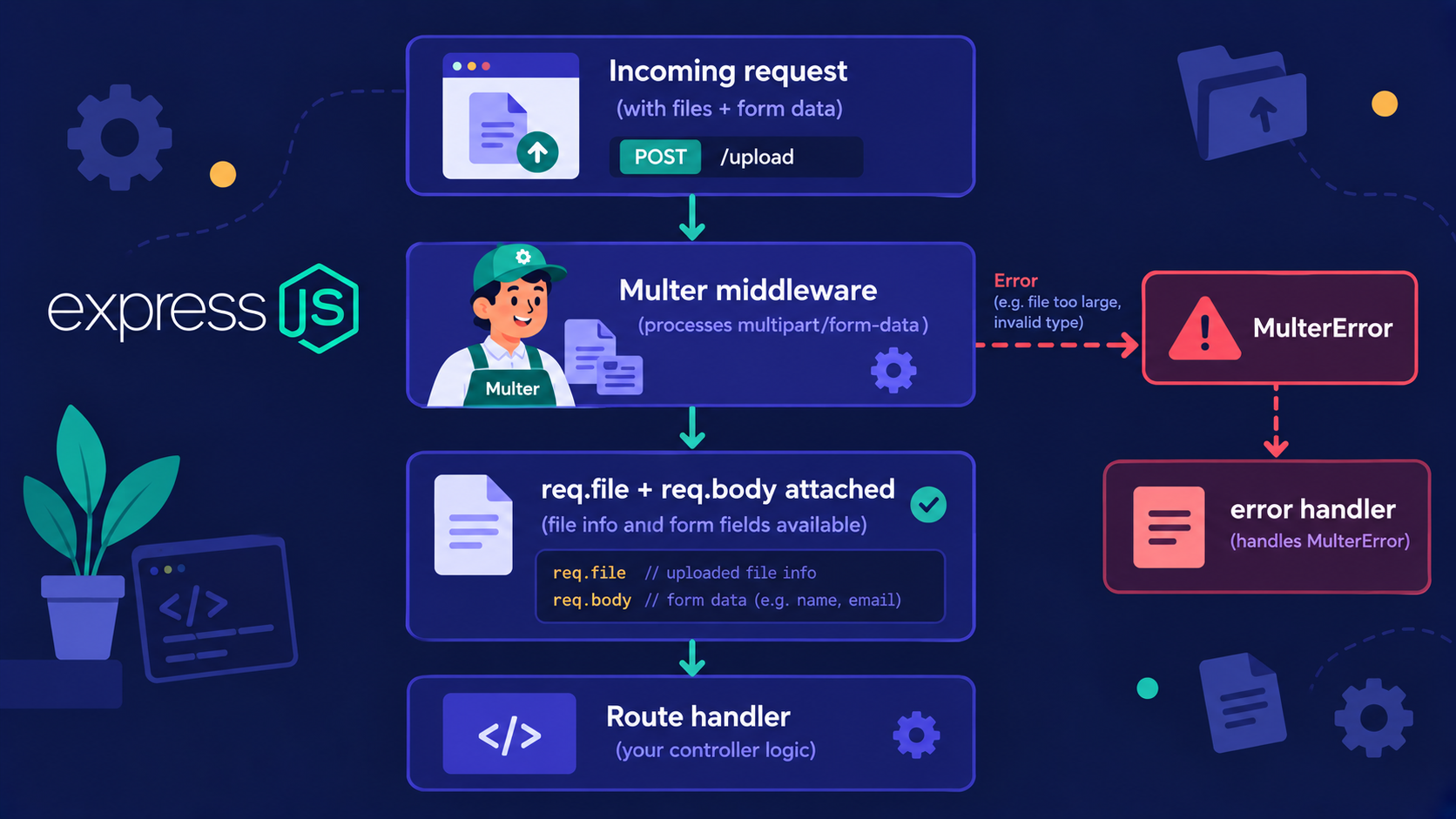
The middleware sits before the handler. That order is the whole trick.
You can test it without a browser on postman application:

Note: Field names must match
The string in upload.single("avatar") must match the name in the HTML input.
If they differ, Multer throws an Unexpected field error. This is the most common beginner mistake.
One file works. But what if a user wants to upload five photos?
How do we accept multiple files?
You only change the middleware. The clerk now accepts several packages.
app.post("/gallery", upload.array("photos", 5), (req, res) => {
  const names = req.files.map((file) => file.filename);

  res.json({ count: req.files.length, files: names });
});
Notice the difference: req.files (plural) is an array.
| Method | Accepts | Result on request |
|---|---|---|
upload.single("avatar") |
One file, one field | req.file |
upload.array("photos", 5) |
Many files, one field (max 5) | req.files (array) |
upload.fields([...]) |
Many files, different fields | req.files (object) |
For the HTML form, add the multiple attribute to the input.
Right now the files land in a folder with random names. Let's take control of that.
Where do the files actually go?
The dest option is quick, but it gives files random names with no extension. For real projects, use diskStorage.
import path from "path";

const storage = multer.diskStorage({
  destination: (req, file, cb) => {
    cb(null, "uploads/");
  },
  filename: (req, file, cb) => {
    const unique = Date.now() + "-" + Math.round(Math.random() * 1e9);

    cb(null, unique + path.extname(file.originalname));
  },
});

const upload = multer({
  storage,
  limits: {
    fileSize: 2 * 1024 * 1024 // 2 MB
  },
});
In our analogy:
destination = which shelf the package goes on
filename = the label stuck on the package
limits = the weighing scale that rejects heavy parcels
Create the uploads folder before running the server. Multer will not always create it for you.
Important Rule: Never trust the original filename.
Two users can upload photo.jpg. One overwrites the other.
That is why we build a unique name with a timestamp. We keep only the extension from the original.
We are skipping cloud storage on purpose. Local disk first, so the flow is clear before we add complexity.
The package is on the shelf. How does the customer collect it?
How do users see the uploaded files?
Files in a folder are not reachable from the browser. You must open a pickup window.
app.use("/uploads", express.static("uploads"));
Now a file saved as uploads/1736000000-482.jpg is available at:
http://localhost:3000/uploads/1736000000-482.jpg
Return that URL from your upload route:
res.json({ url: `/uploads/${req.file.filename}` });
express.staticis the pickup window. Multer receives, static serves.
Let's put every piece in one place.
How does the whole upload lifecycle fit together?
Here is the complete round trip, using the courier counter from start to finish.
The browser packs a parcel (
multipart/form-data).Express receives the parcel at the office.
Multer opens it, checks the weight, labels it, and shelves it.
Your route handler gets the receipt (
req.file) and replies with a URL.Later, the browser asks for that URL.
express.staticfetches the package from the shelf and hands it over.
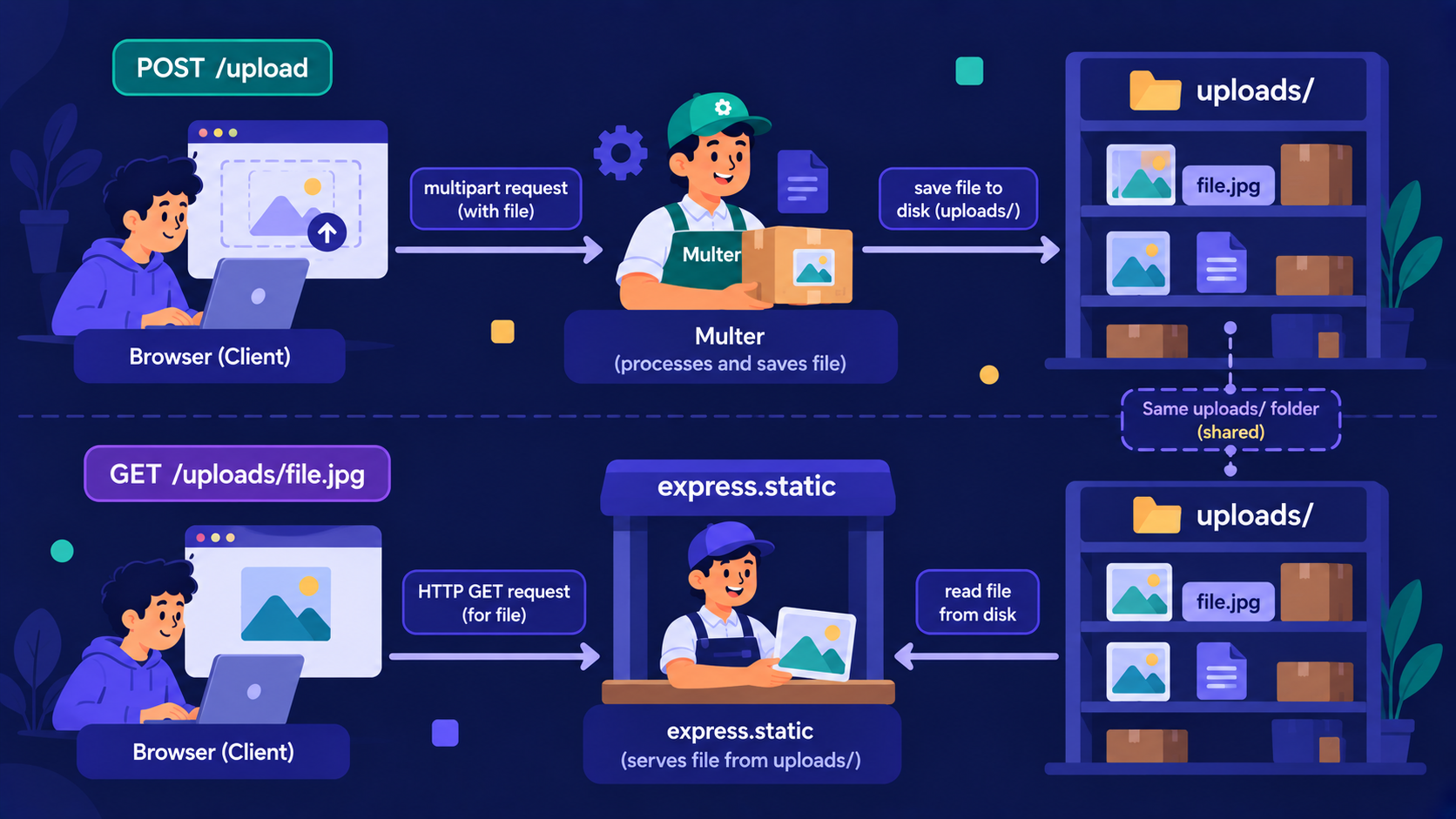
Here is the final server in one block:
import express from "express";
import multer from "multer";
import path from "path";

const app = express();

const storage = multer.diskStorage({
  destination: (req, file, cb) => {
    cb(null, "uploads/");
  },
  filename: (req, file, cb) => {
    const unique = Date.now() + "-" + Math.round(Math.random() * 1e9);

    cb(null, unique + path.extname(file.originalname));
  },
});

const upload = multer({
  storage,
  limits: {
    fileSize: 2 * 1024 * 1024, // 2 MB
  },
});

app.use("/uploads", express.static("uploads"));

app.post("/upload", upload.single("avatar"), (req, res) => {
  if (!req.file) {
    return res.status(400).json({
      error: {
        message: "No file received",
      },
    });
  }

  res.json({ url: `/uploads/${req.file.filename}` });
});

app.post("/gallery", upload.array("photos", 5), (req, res) => {
  res.json({ urls: req.files.map((f) => `/uploads/${f.filename}`) });
});

app.use((err, req, res, next) => {
  if (err instanceof multer.MulterError) {
    return res.status(400).json({
      error: {
        message: err.message,
      },
    });
  }

  next(err);
});

app.listen(8080, () => console.log("Server running on port 8080"));
The last block catches Multer errors, such as a file that is too large.
Try it yourself: reject non-image files
Add a fileFilter to the Multer config so only images are accepted.
Solution:
const upload = multer({
  storage,
  fileFilter: (req, file, cb) => {
    if (file.mimetype.startsWith("image/")) {
        cb(null, true);
    } else {
        cb(new Error("Only images are allowed"), false);
    }
  },
});
Conclusion
Middleware is needed because Express cannot read multipart data on its own.
Multer opens the multipart request and fills
req.fileorreq.files.Single upload uses
upload.single(), multiple usesupload.array().diskStorage controls the folder and the filename.
express.static lets the browser fetch what you saved.
If this felt like a lot of moving parts, that's okay. What matters is understanding the flow: parcel in, clerk opens it, shelf stores it, window serves it.
What's Next?
You can now accept files with Multer. But where should those files live for real, and how do you serve them safely?
In the next article, Storing Uploaded Files and Serving Them in Express, we will go deeper into storage choices and how to deliver files back to your users.
If you found this useful, drop a comment or a reaction.