REST API Design Made Simple with Express.js
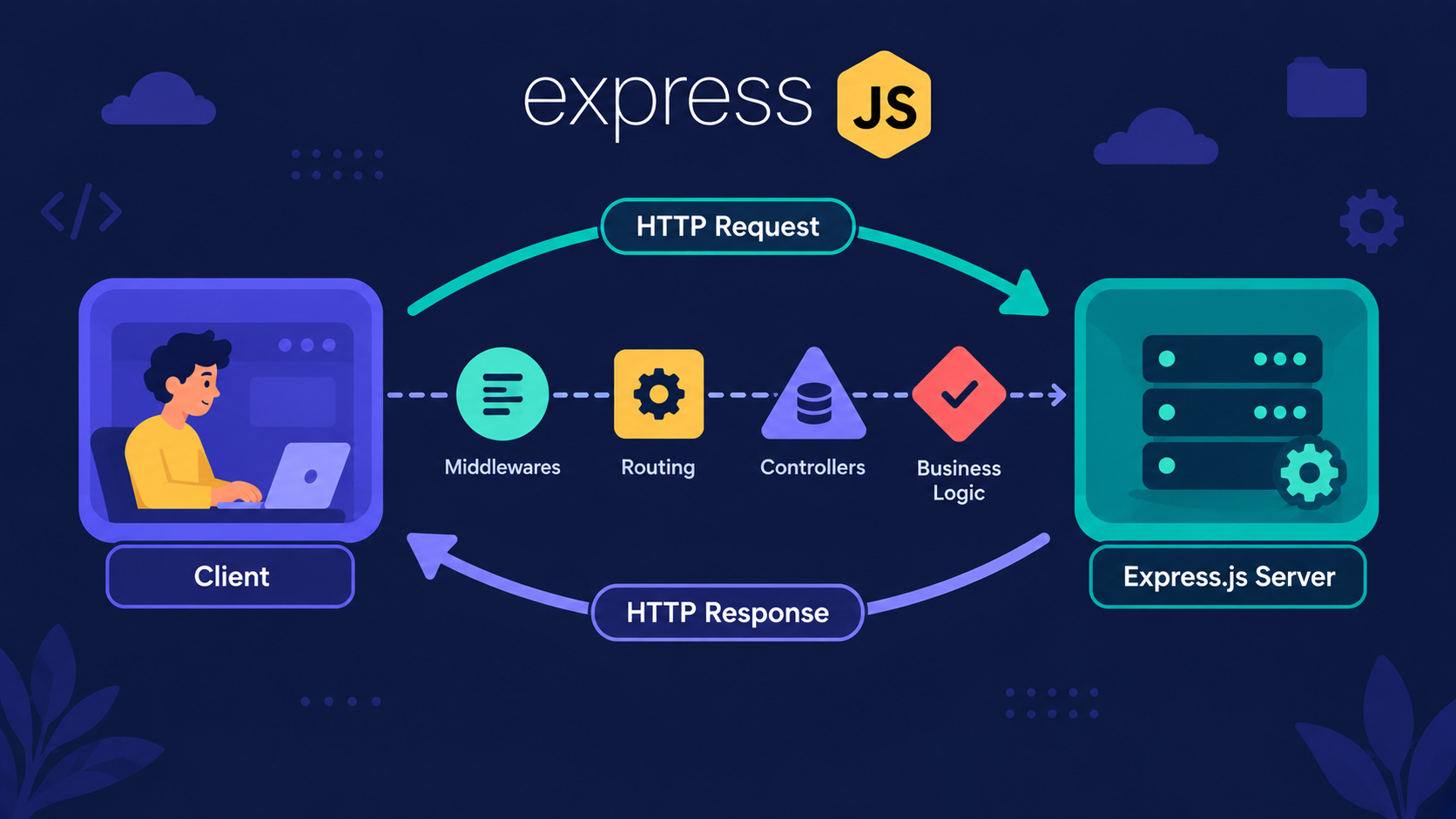
What does "REST API" actually mean?
Many beginners think REST is a library or a framework you install. That's not true.
REST is a set of rules for how a client and a server talk to each other over HTTP. Nothing to install, only rules to follow.
REST (Representational State Transfer) is a style of designing APIs where everything is a resource, and HTTP methods describe what you want to do with it.
An API is simply communication between a client and a server. The client asks. The server answers.
Analogy: The Restaurant
Think of a restaurant. We will use it for the whole article.
Customer = client (browser, mobile app)
Waiter = the API (carries requests and replies)
Kitchen = server and database
Dishes on the menu = resources
Type of order = HTTP method
Waiter's reply = status code
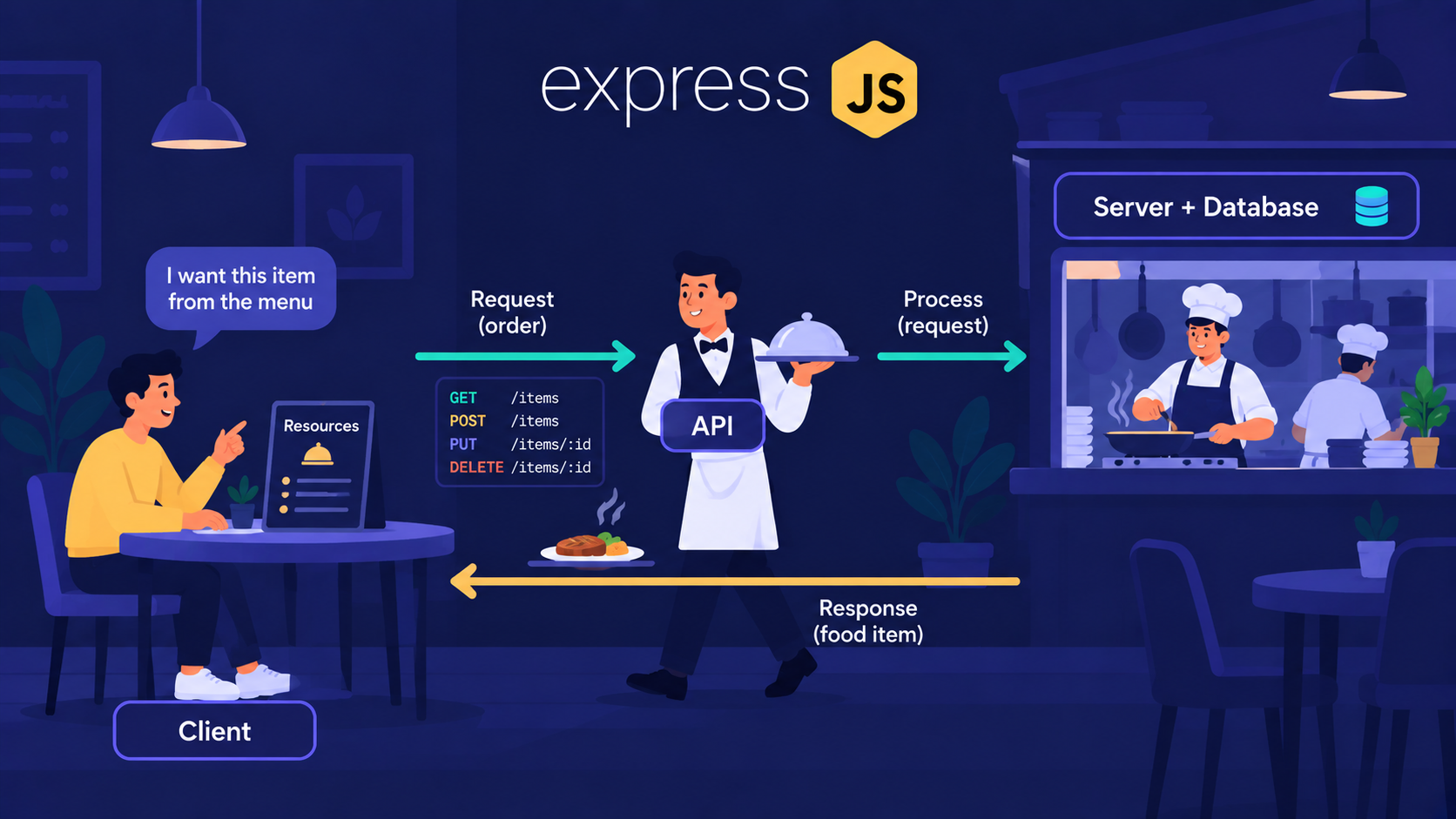
The customer never walks into the kitchen. They follow the menu and the waiter handles the rest. That is REST.
The menu is made of dishes. In REST, those dishes have a proper name: resources.
What are resources in REST?
A resource is a "thing" your app manages. Users, products, orders, posts.
In this article, our resource is users.
The golden rule: the URL names the thing (a noun), and the HTTP method says the action (a verb).
| Bad route (verb in URL) | Good route (REST style) |
|---|---|
/getUsers |
GET /users |
/createUser |
POST /users |
/updateUser/5 |
PUT /users/5 |
/deleteUser/5 |
DELETE /users/5 |
Important Rule
Never put verbs in the URL. Use plural nouns (/users, not /user), and let the method carry the action.
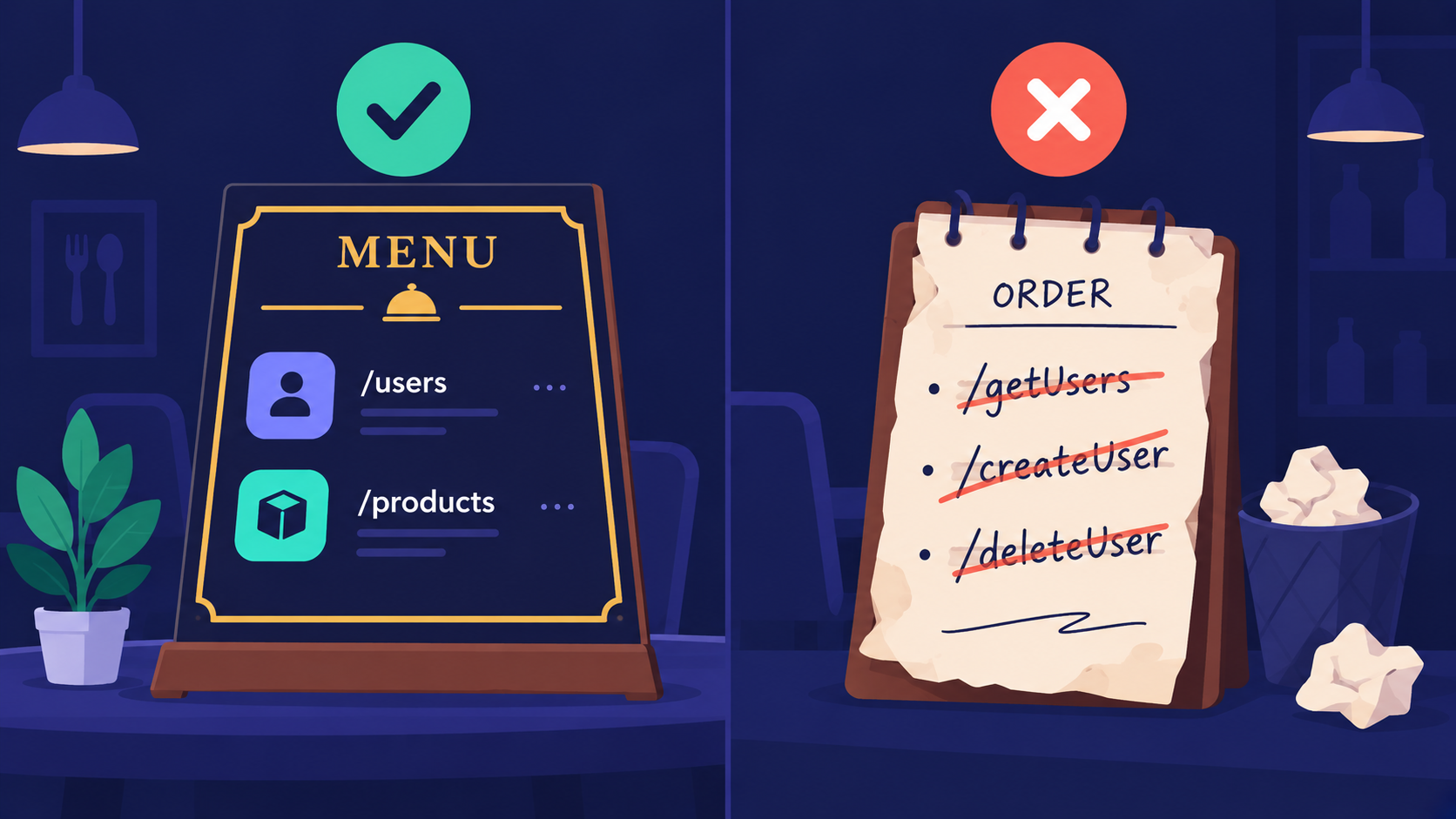
If the URL is the dish, how do we tell the kitchen what to do with it? That is the job of HTTP methods.
Which HTTP methods do we use?
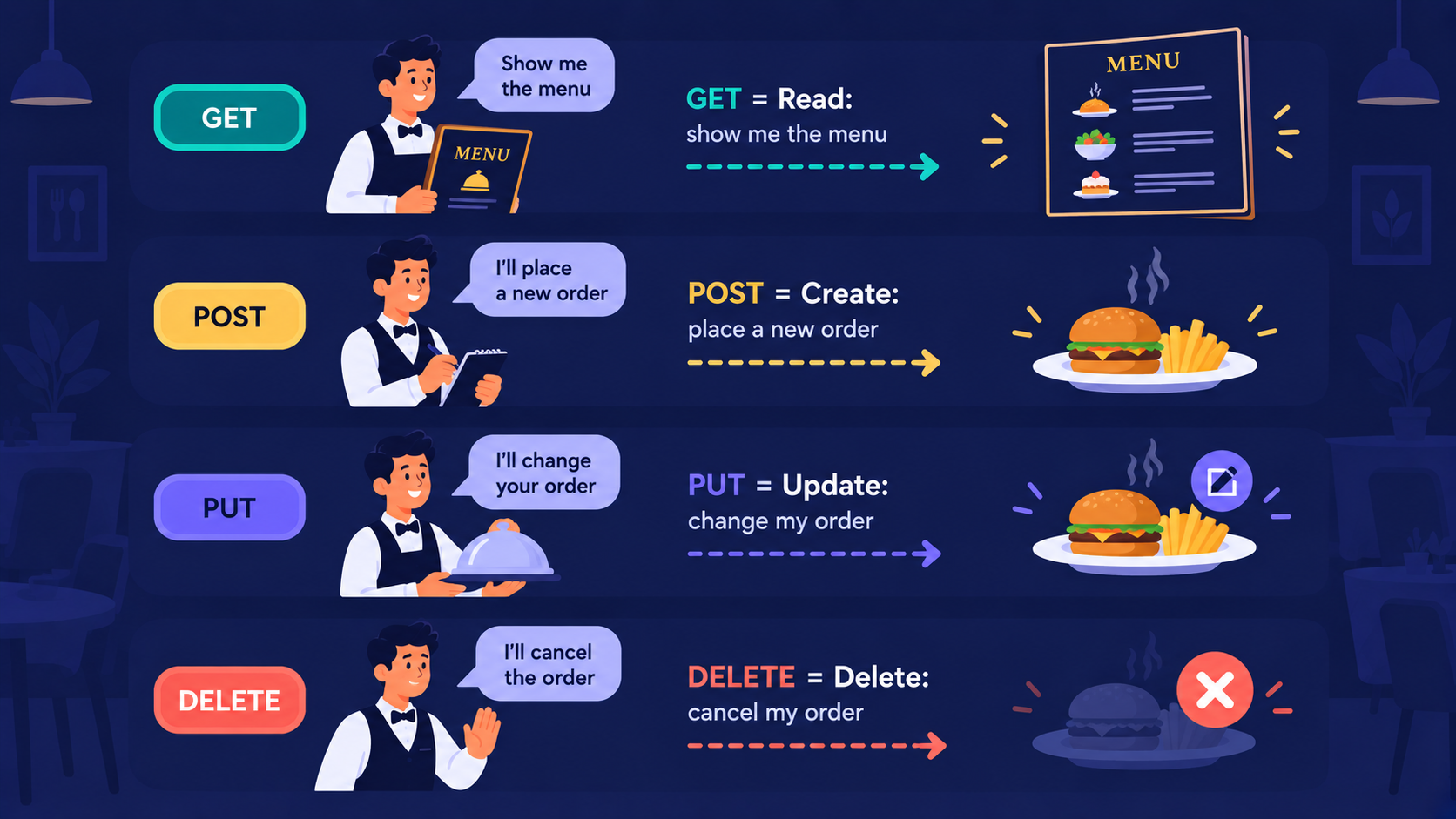
Four methods cover most of what a beginner needs. They map directly to CRUD.
| Method | CRUD | In the restaurant | Example route |
|---|---|---|---|
| GET | Read | "Show me what's available" | GET /users |
| POST | Create | "Place a new order" | POST /users |
| PUT | Update | "Change my existing order" | PUT /users/2 |
| DELETE | Delete | "Cancel my order" | DELETE /users/2 |
Note
PUT replaces the whole resource, so you send the full object. Partial updates use PATCH, which we skip here.
The kitchen has done its work. Now the waiter must tell the customer what happened.
What do status codes tell us?
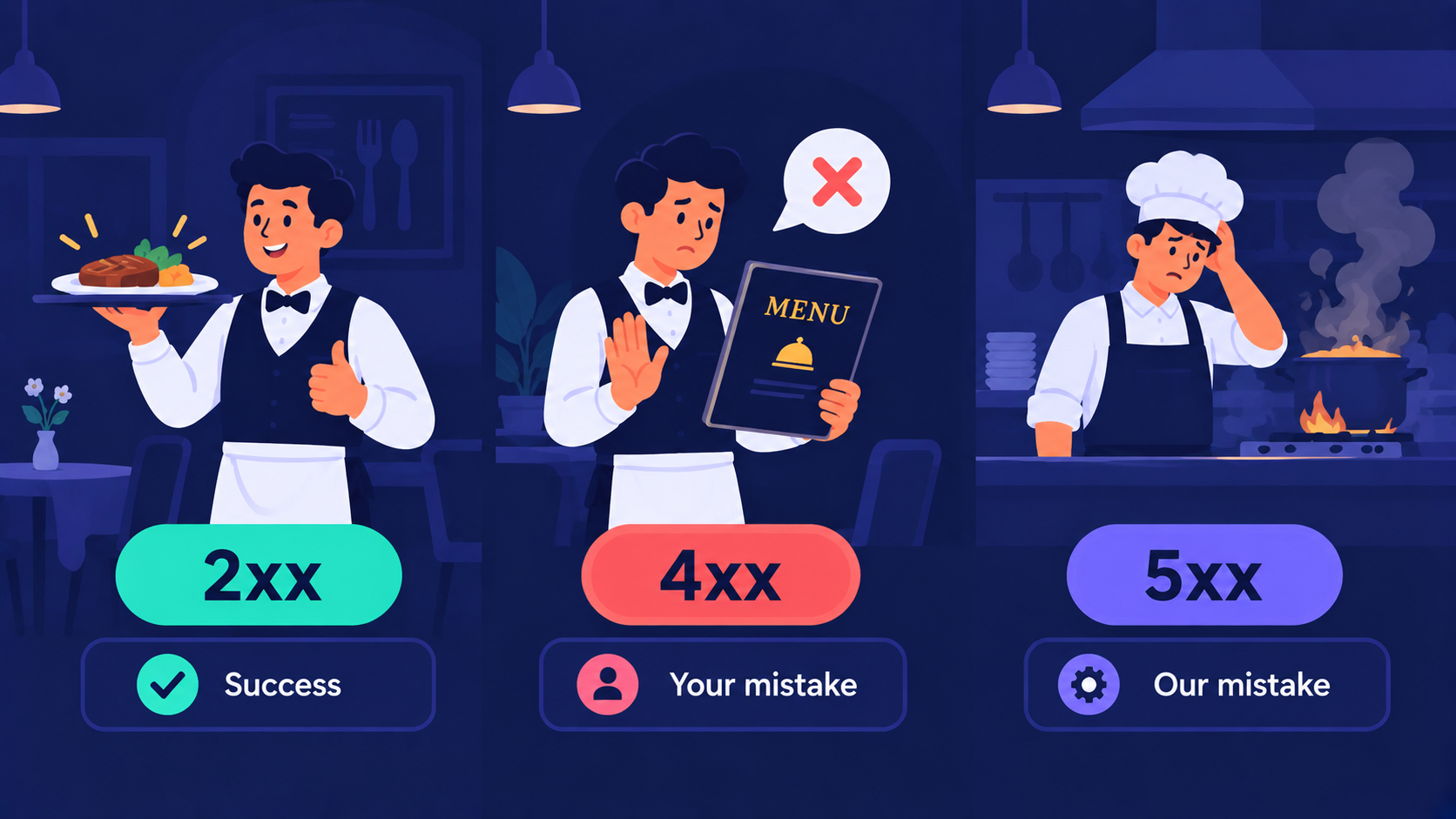
A status code is a three-digit number in every response. The first digit tells the story.
| Range | Meaning | In the restaurant |
|---|---|---|
| 2xx | Success | "Here is your food" |
| 4xx | Client made a mistake | "That dish is not on the menu" |
| 5xx | Server failed | "Sorry, the kitchen is on fire" |
The five codes you will use most:
200 OK: request worked, here is the data201 Created: a new resource was made400 Bad Request: the client sent wrong or missing data404 Not Found: that resource does not exist500 Internal Server Error: something broke on the server
Important Rule
If a user id does not exist, return 404. Do not return 200 with an empty body. The status code is part of the answer.
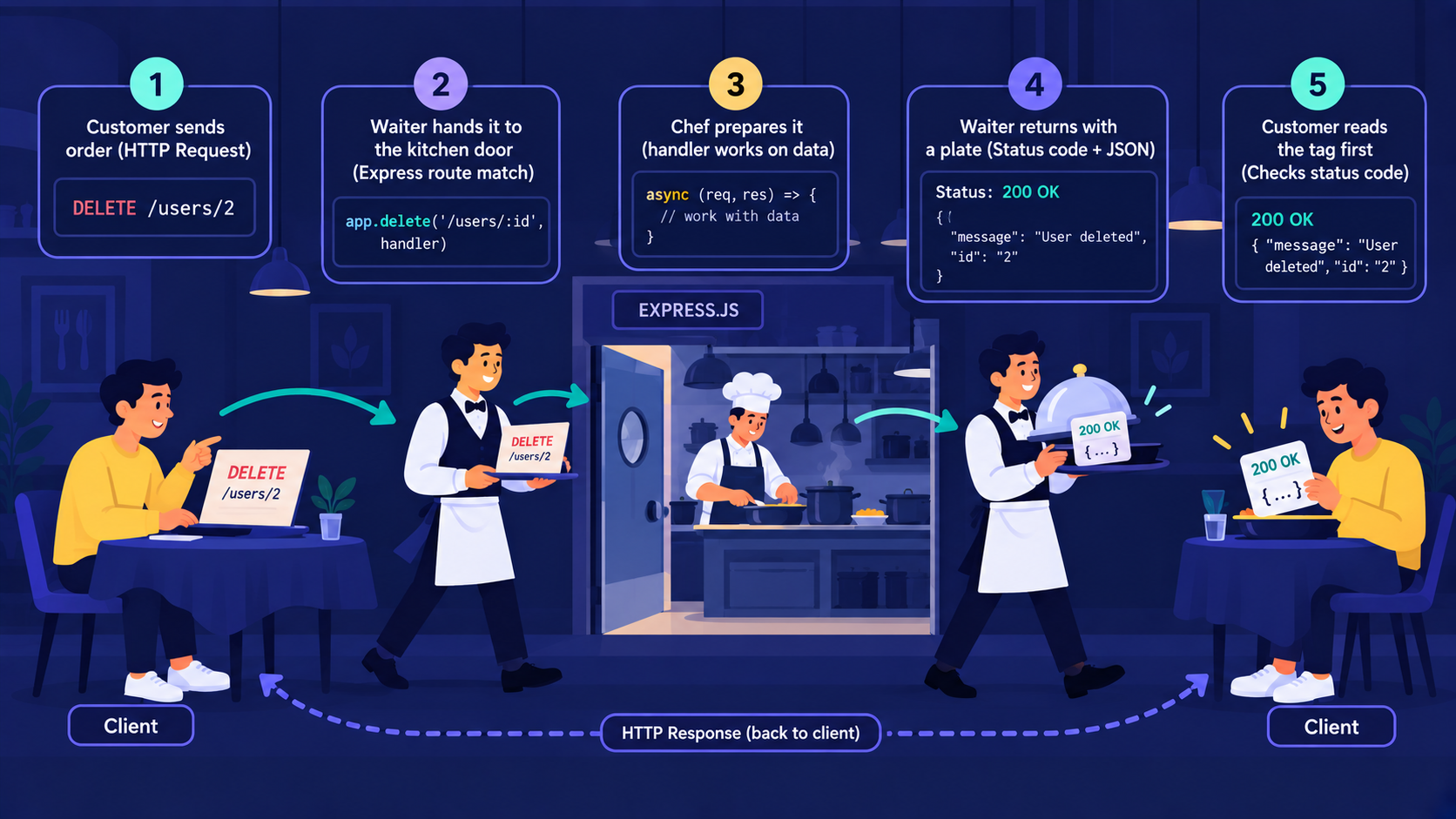
Now we know the menu, the orders and the replies. Let's watch one full trip from customer to kitchen and back.
How does one request travel?
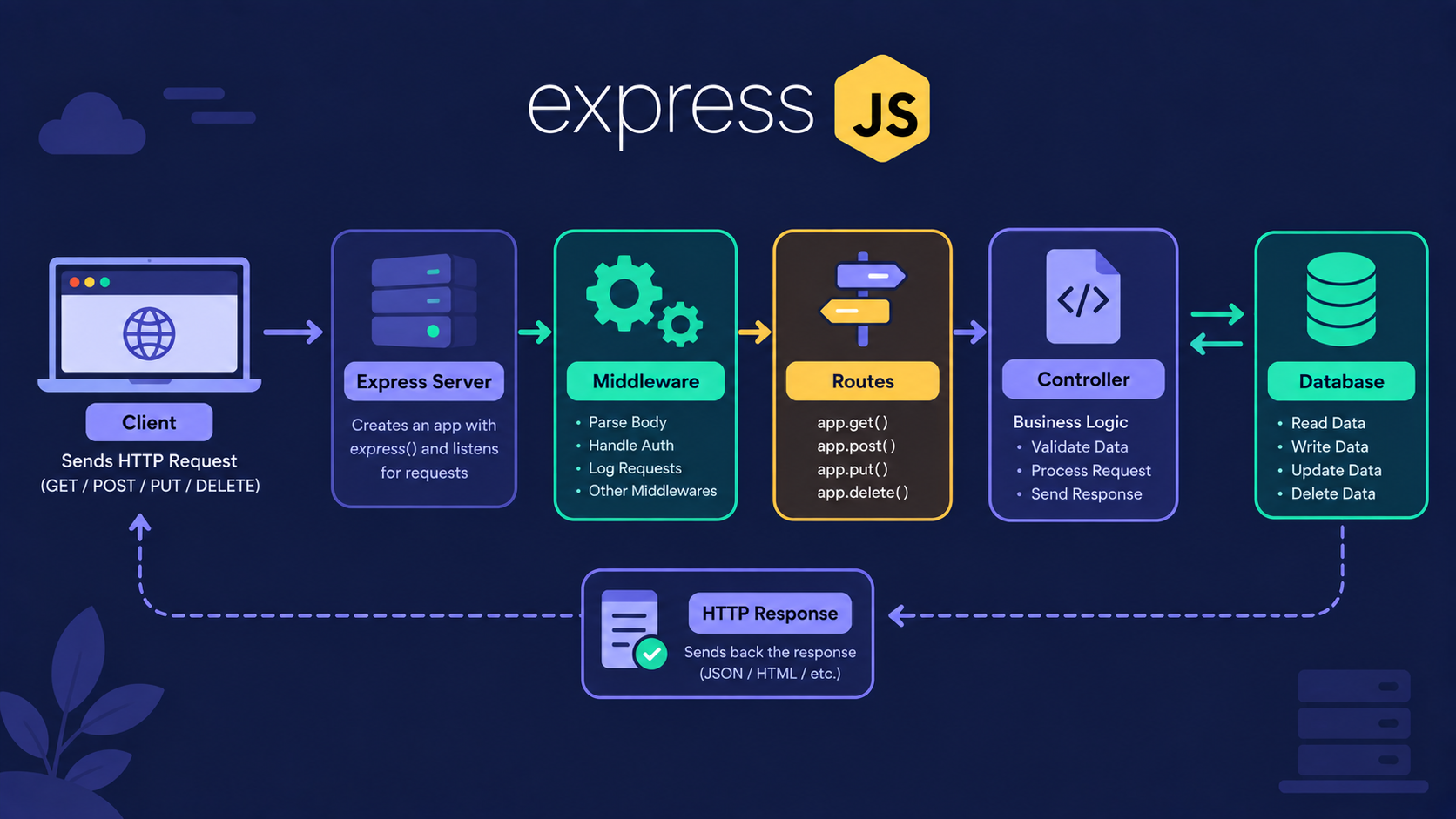
Take this request: DELETE /users/2.
Step 1: The client sends the request with a method and a URL.
Step 2: Express matches it to the route
app.delete("/users/:id").Step 3: The handler finds user 2 and removes it.
Step 4: The server sends back a status code and, usually, JSON.
Step 5: The client reads the status code first, then the body.
How do we build the users API in Express?
Here is the whole users resource. We store users in an array, because a database comes in a later article.
import express from "express";

const app = express();

app.use(express.json());

let users = [
  { id: 1, name: "Asha" },
  { id: 2, name: "Ravi" },
];

// GET all users
app.get("/users", (req, res) => {
  res.status(200).json(users);
});

// GET one user
app.get("/users/:id", (req, res) => {
  const user = users.find((u) => u.id === Number(req.params.id));

  if (!user) {
    return res.status(404).json({
        error: {
            message: "User not found",
        },
    });
  }

  res.status(200).json(user);
});

// POST create a user
app.post("/users", (req, res) => {
  if (!req.body.name) {
    return res.status(404).json({
        error: {
            message: "Name is required",
        },
    });
  }

  const user = { id: Date.now(), name: req.body.name };

  users.push(user);

  res.status(201).json(user);
});

// PUT update a user
app.put("/users/:id", (req, res) => {
  const index = users.findIndex((u) => u.id === Number(req.params.id));

  if (index === -1) {
    return res.status(404).json({
        error: {
            message: "User not found",
        },
    });
  }

  users[index] = { id: users[index].id, name: req.body.name };

  res.status(200).json(users[index]);
});

// DELETE remove a user
app.delete("/users/:id", (req, res) => {
  const id = Number(req.params.id);

  if (!users.some((u) => u.id === id)) {
    return res.status(404).json({
        error: {
            message: "User not found",
        },
    });
  }

  users = users.filter((u) => u.id !== id);

  res.status(200).json({ message: "User deleted" });
});

app.listen(8080, () => console.log("Server running on port 8080"));
Notice the pattern. Same URL, different method, different action.
Run the server and try it from postman application:
GET http://localhost:3000/users

POST http://localhost:3000/users
   Choose raw then enter down JSON data
    {
        "name":"Meera"
    }

DELETE http://localhost:3000/users/2

http://localhost:3000/users/999
The last one returns 404 Not Found. We use to see the status line. We avoid other flags here, because confidence comes first.
Assignment
Try it yourself: Add a route that returns only users whose name starts with a given letter, e.g., the URL should be http://localhost:8080/users?startsWith=Aand the HTTP method should be GET.
Solution:
app.get("/users", (req, res) => {
  const { startsWith } = req.query;

  if (!startsWith) {
    return res.status(200).json(users);
  }
  const result = users.filter((u) =>
    u.name.toLowerCase().startsWith(startsWith.toLowerCase())
  );
  res.status(200).json(result);
});
Replace the earlier GET /users handler with this one. The URL stays /users, and the filter goes in the query string.
Conclusion
REST is a set of rules, not a library.
Resources are nouns in the URL, like
/users.HTTP methods carry the action: GET reads, POST creates, PUT updates, and DELETE removes.
Status codes tell the client what happened: 2xx worked, 4xx your mistake, 5xx our mistake.
If this felt like a lot, that's okay. What matters is understanding the flow: noun in the URL, verb in the method, and status code in the reply.
What's Next?
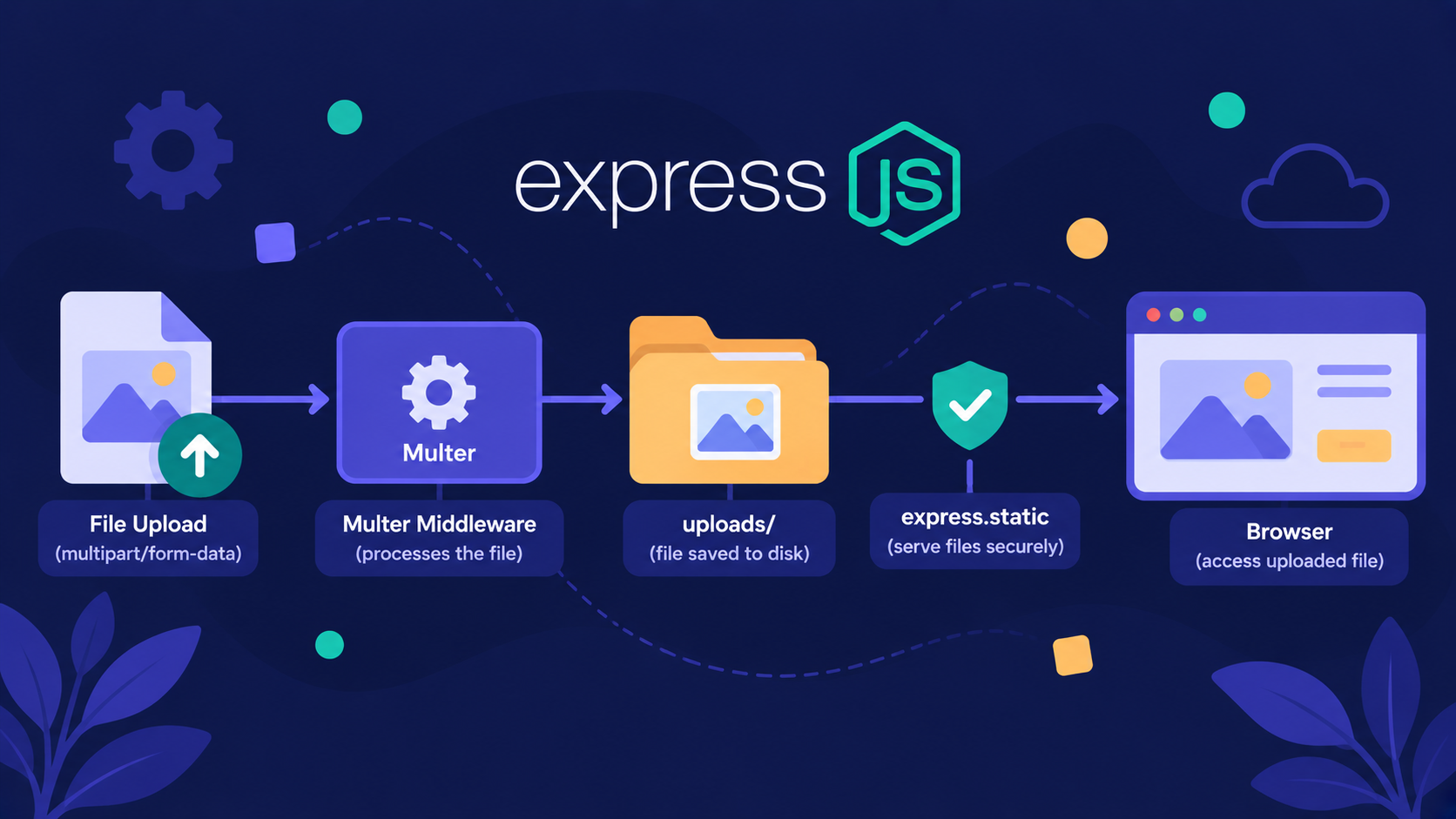
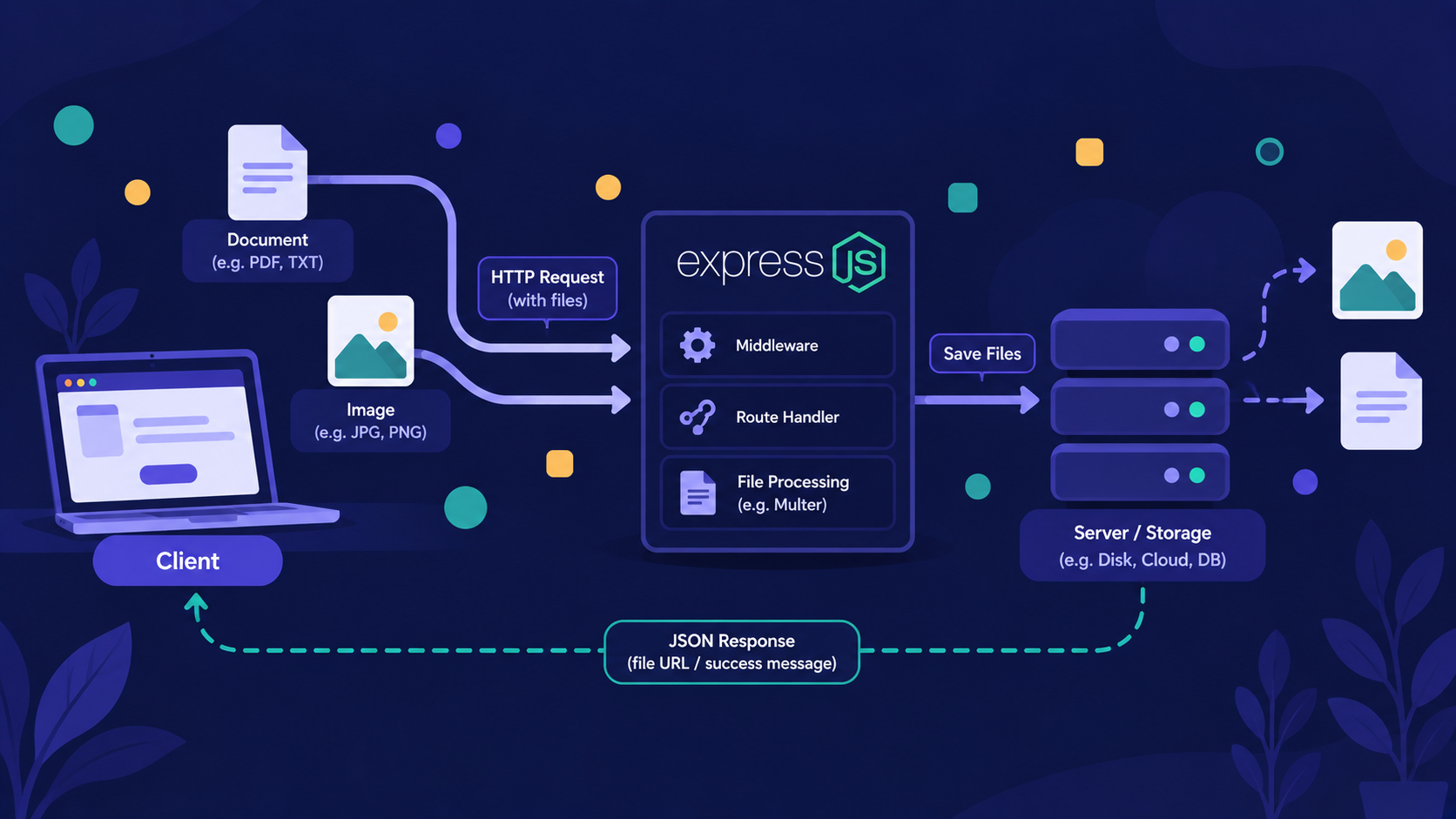
Our users live in an array, and they vanish when the server restarts. In the next article, Handling File Uploads in Express with Multer, we answer: how do we store files and images?
If you found this useful, drop a comment or a reaction.