How Do You Pull Values Out of Objects and Arrays Without Repeating Yourself?
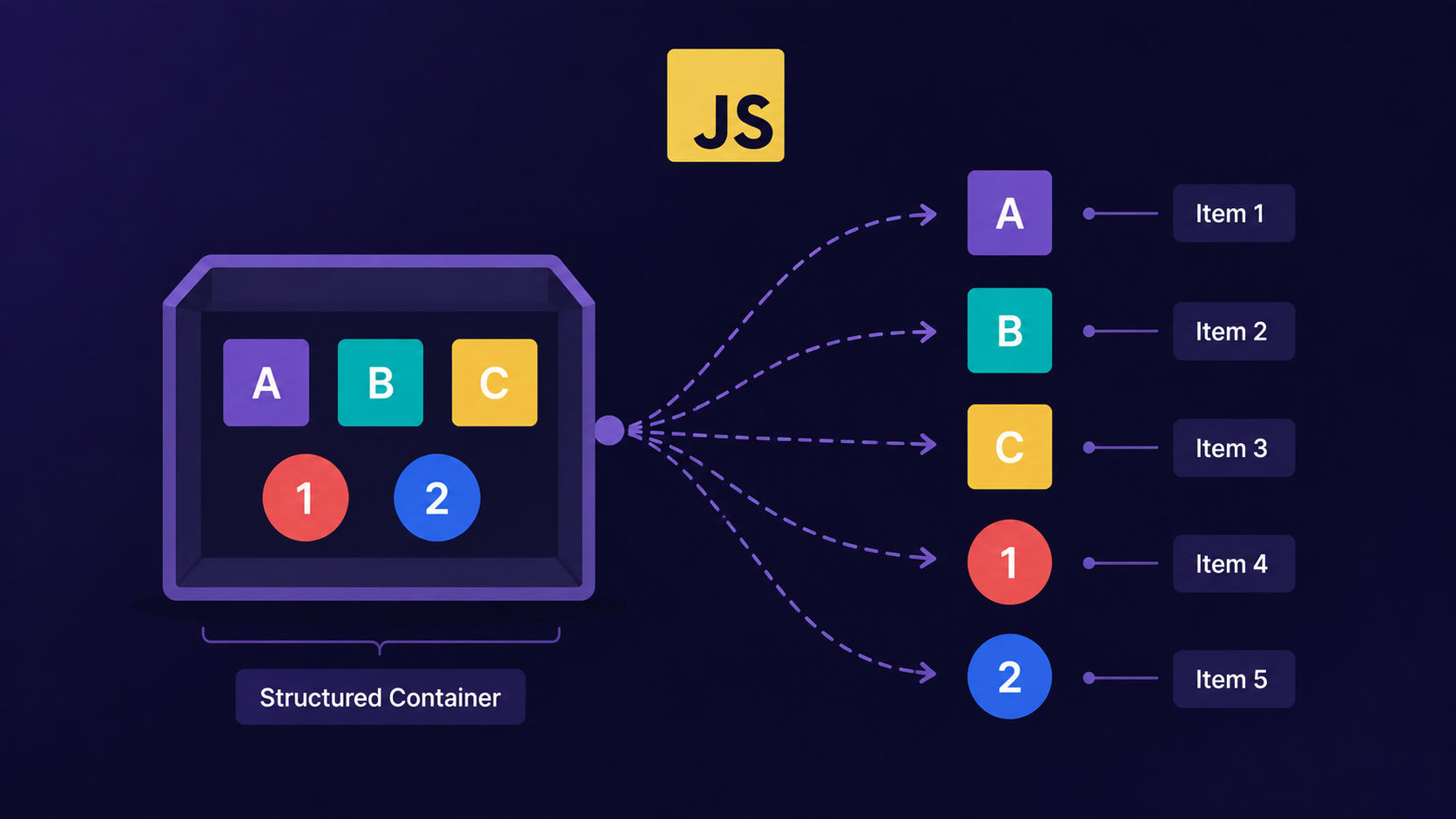
Why do we write person.name, person.age, and person.city three separate times?
If you've written JavaScript for even a week, you've done this:
const person = {
    name: "Aditi",
    age: 24,
    city: "Pune"
};

const name = person.name;
const age = person.age;
const city = person.city;
Three lines. One object. The same word, person, typed three times just to pull out three values.
Many beginners think destructuring is JavaScript doing something clever behind the scenes - creating variables out of nowhere. That's not true. Destructuring doesn't create anything magical. It just gives you a shorter way to unpack values that are already sitting inside an object or array.
Destructuring is a syntax that lets you extract values from arrays or properties from objects and assign them to variables in a single line.
Analogy: The Courier Package
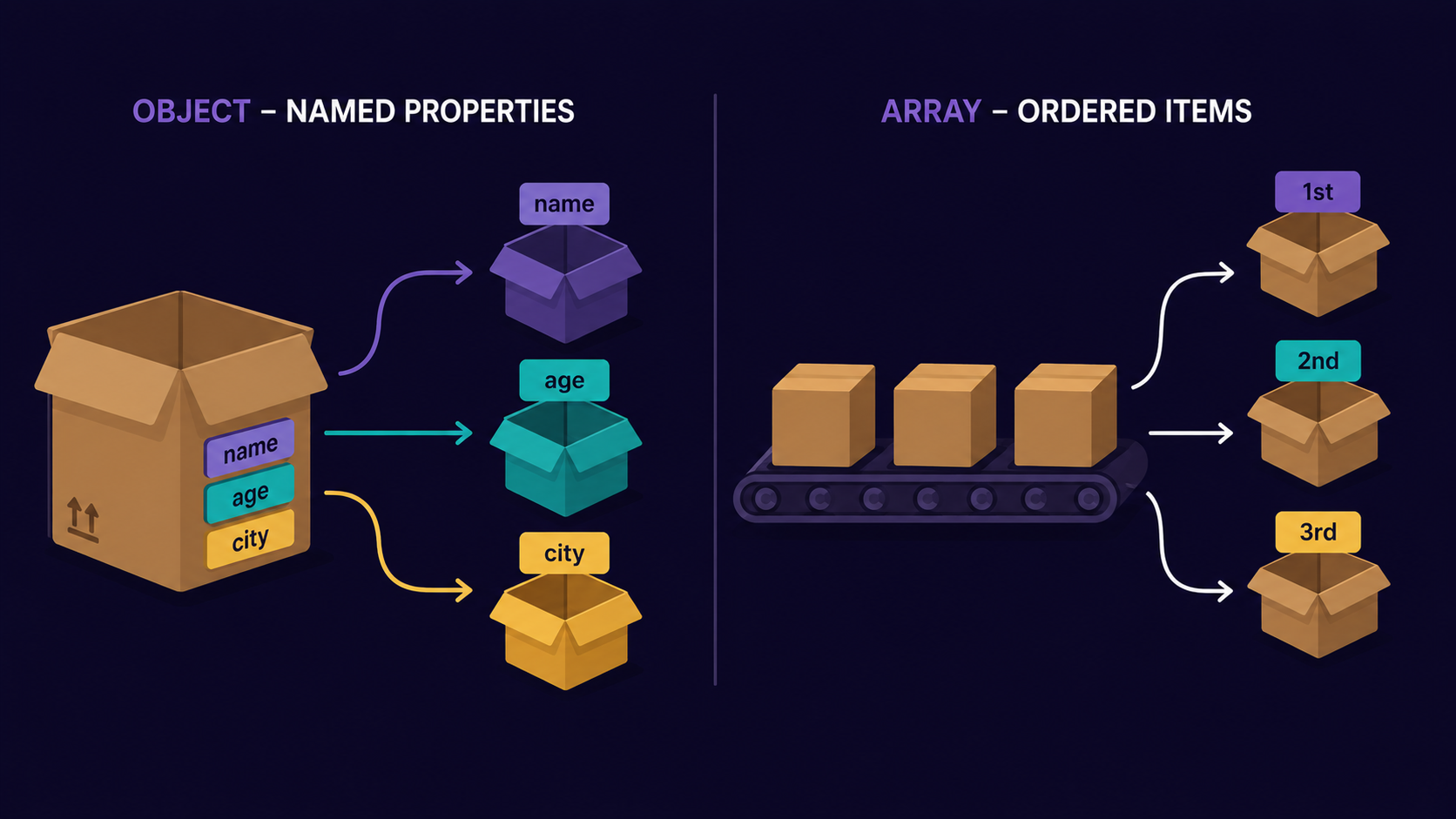
Think of an object as a courier package with labeled items inside - a shirt labeled "shirt," a bill labeled "bill," a charger labeled "charger." You don't dig through the whole box. You just call out the label and take that item.
Think of an array as a conveyor belt of unlabeled items. There are no names - you take the first item, then the second, then the third, purely by the order they arrive in.
That one distinction - labeled box vs. ordered belt - is the entire difference between object and array destructuring.
Destructuring arrays: taking items off the belt
Arrays don't have names for their items, only positions. So array destructuring matches variables to positions, left to right.
const colors = ["red", "green", "blue"];

const [first, second, third] = colors;

console.log(first);  // "red"
console.log(second); // "green"
Here's the mechanism, step by step:
JavaScript looks at the array on the right,
colors.It looks at the pattern on the left,
[first, second, third].It matches each variable to the item in the same position -
firstgets index 0,secondgets index 1, and so on.
You can skip items you don't need with an empty comma:
const [, , third] = colors;

console.log(third); // "blue"
Important Rule
Array destructuring is position-based. If you swap the order of variables, you get different values - nothing else in the array changes, only what you're pointing at.
After unpacking values by position, the next question is: what if your values have names instead of positions? That's where object destructuring comes in.
Destructuring objects: reading the label
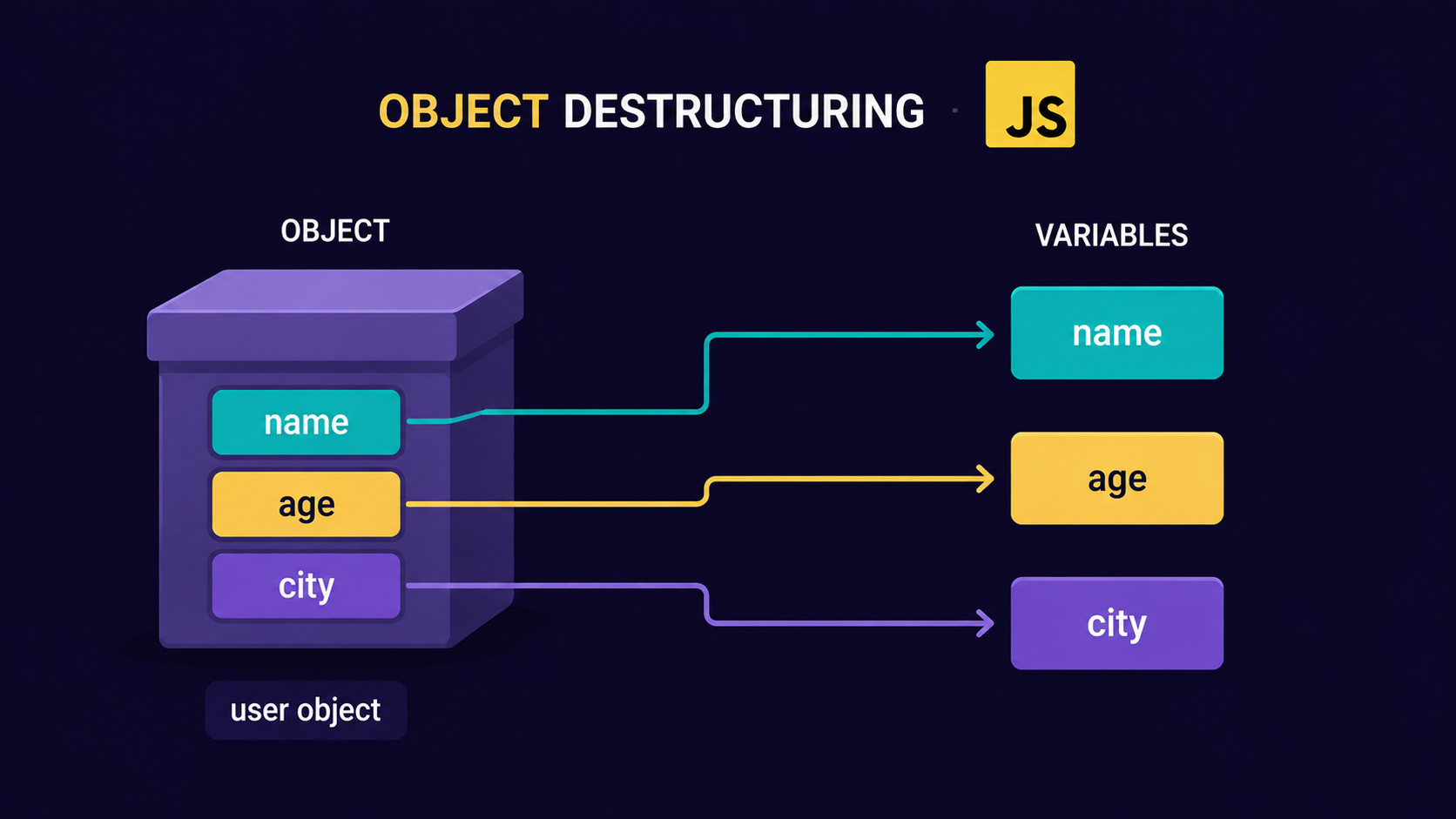
Objects store data as key-value pairs, so object destructuring matches variables to property names, not position.
const person = {
    name: "Aditi",
    age: 24,
    city: "Pune"
};

const { name, age, city } = person;

console.log(name); // "Aditi"
console.log(city); // "Pune"
The order on the left doesn't matter here - only the names do:
const { city, name } = person; // still works exactly the same
You can also rename a variable while pulling it out, using a colon:
const { name: firstName } = person;

console.log(firstName); // "Aditi"
This is the same courier box, opened by reading the label - not by which shelf the item happens to sit on.
What if the label is missing? Default values
Sometimes the package doesn't have every item you expect. Destructuring lets you supply a replacement value for when a property or array item is undefined.
const { name, country = "India" } = person;

console.log(country); // "India" - person has no "country" key
Same idea with arrays:
const [a, b, c = 10] = [1, 2];

console.log(c); // 10 — nothing was in that slot
Note:
Default values only kick in when the value is
undefined. If a property exists but is explicitly0,"", ornull, the default is not used.
Why do we need it?
Without destructuring, pulling multiple values means repeating the object or array name every single time. With destructuring, you write the shape you want once, and JavaScript fills it in.
| Before destructuring | After destructuring | |
|---|---|---|
| Lines of code | 3 lines for 3 values | 1 line for 3 values |
| Repetition | person. typed 3 times |
person typed once |
| Renaming a variable | Needs a separate line | Built into the syntax (: newName) |
| Missing values | Needs an if check |
Handled with = default |
This matters most in function parameters, where you often only need a couple of fields from a larger object:
function greet({ name, city }) {
    console.log(`Hello ${name}, from ${city}!`);
}

greet(person); // "Hello Aditi, from Pune!"
No person.name inside the function body - the courier box is opened right at the door.
Now that arrays and objects can each be unpacked on their own, the natural question is: what happens when they're mixed together?
How all of these work together
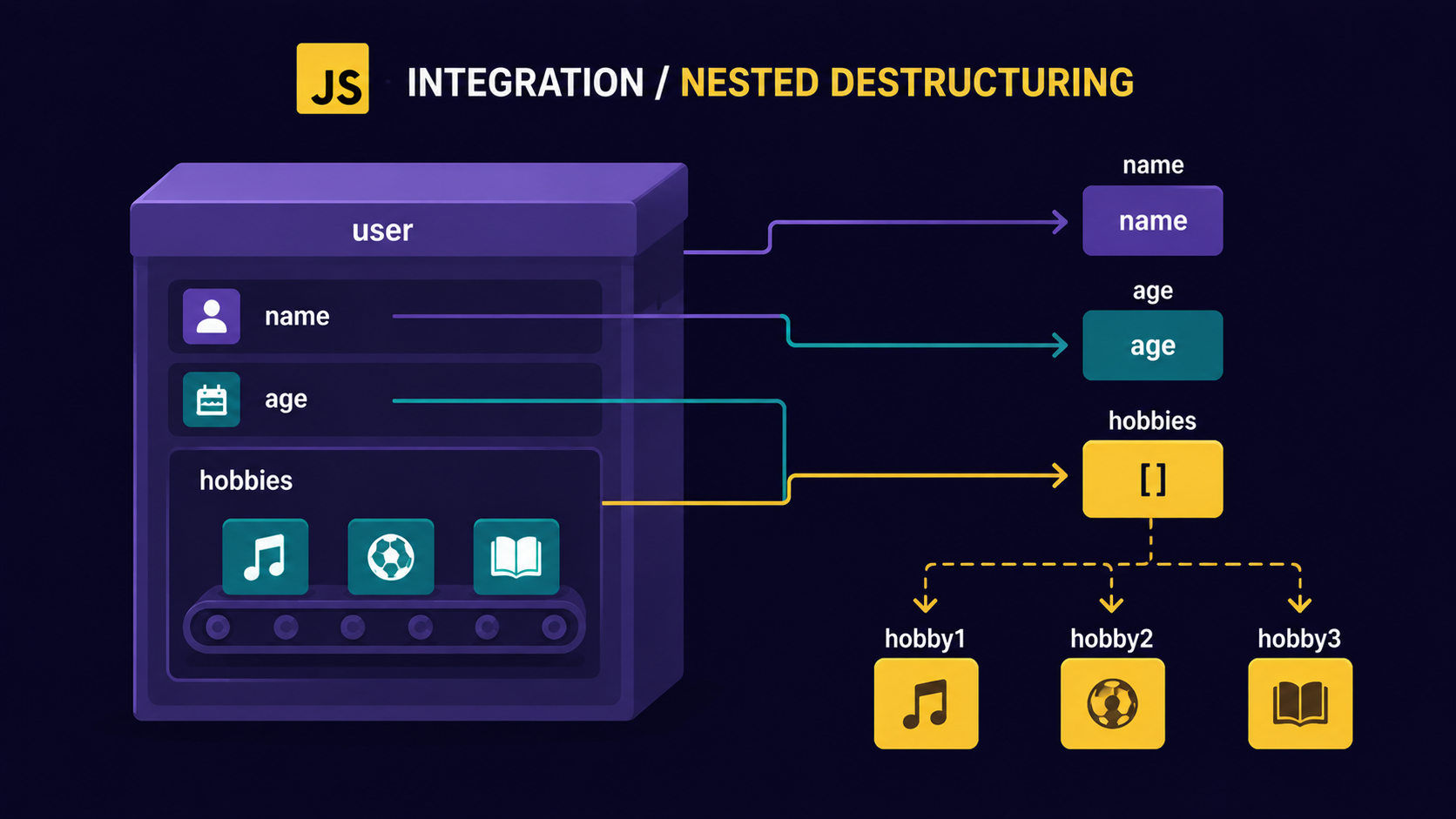
Real data is rarely flat. A person object might contain an array of hobbies, or an array might contain objects. Destructuring handles both by nesting the pattern.
const user = {
    name: "Rohan",
    hobbies: ["chess", "cricket"],
};

const { name, hobbies: [firstHobby] } = user;

console.log(name);       // "Rohan"
console.log(firstHobby); // "chess"
You're still just opening labeled boxes and reading belts in order - you're just doing it at two levels at once: open the box labeled hobbies, then take the first item off that belt.
Try it yourself
Assignment: Extract a product's price and its first review
Given this object:
const product = {
  title: "Wireless Mouse",
  price: 799,
  reviews: ["Great battery life", "Works well", "Value for money"],
};
In one line, extract title, price, and the first review into variables named title, price, and topReview.
Solution:
const { title, price, reviews: [topReview] } = product;
console.log(title, price, topReview); // "Wireless Mouse" 799 "Great battery life"
Conclusion
Array destructuring unpacks values by position, like taking items off a conveyor belt in order.
Object destructuring unpacks values by name, like reading the label on a courier box.
Default values fill in a variable when the expected value is
undefined.Destructuring doesn't modify the original object or array - it only reads from it.
It shows up constantly in function parameters, where you only need a few fields from a bigger object.
If the nested examples felt like a lot, that's okay. What matters is understanding the flow - labeled box, ordered belt, and both at once.
If you find this helpful, drop a comment or reaction.