Why Does Your JavaScript Code Just Stop? Understanding try, catch, and finally
Why Does Your JavaScript Code Just Stop?
Many beginners think a bug just makes their code "act weird." That's not true.
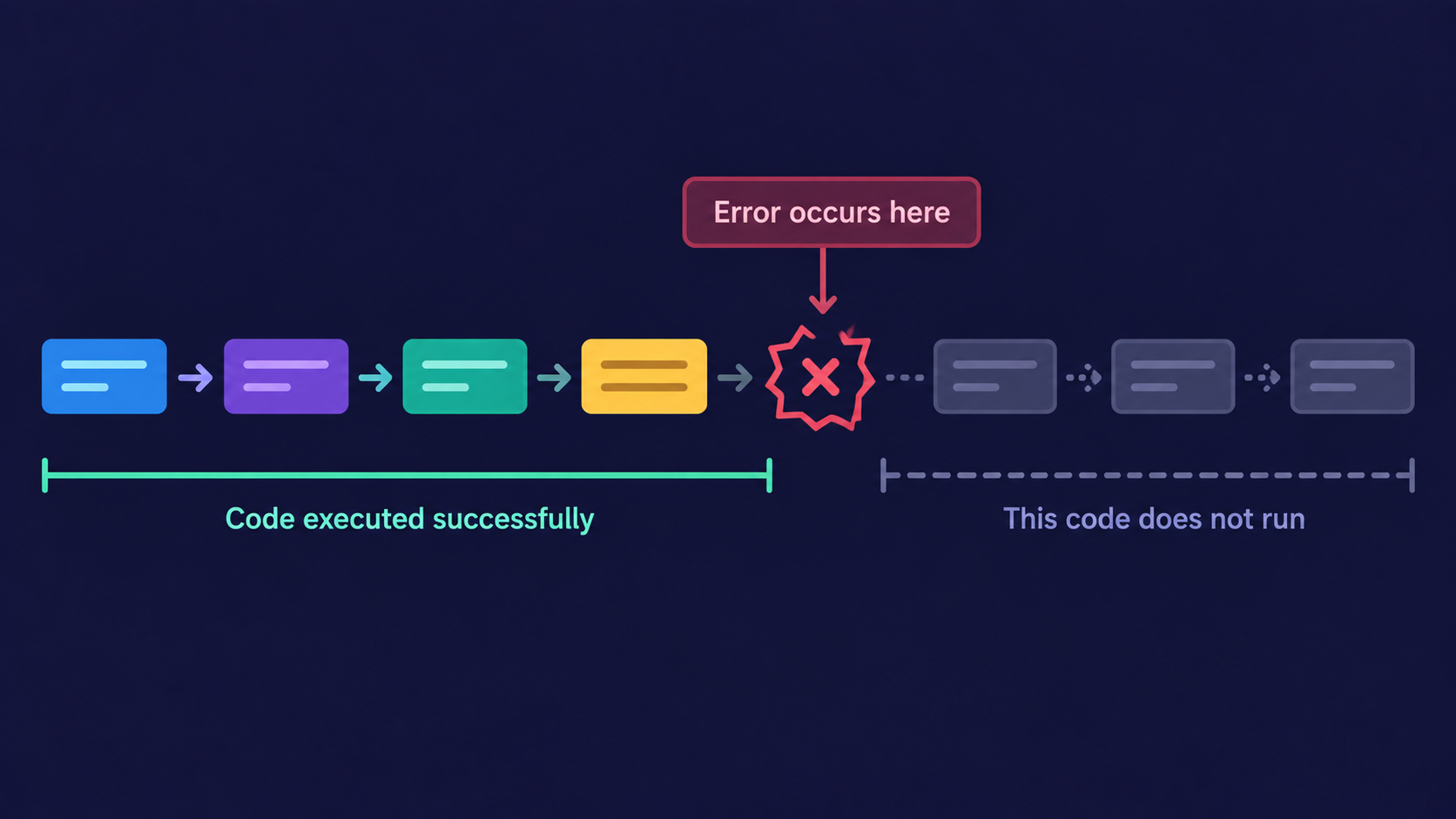
The moment JavaScript hits a line it cannot execute, it doesn't slow down or skip ahead - it stops the entire script, right there.
An error is JavaScript's way of saying it cannot continue running the current line of code, so it halts everything after it.
Analogy: The Restaurant Kitchen
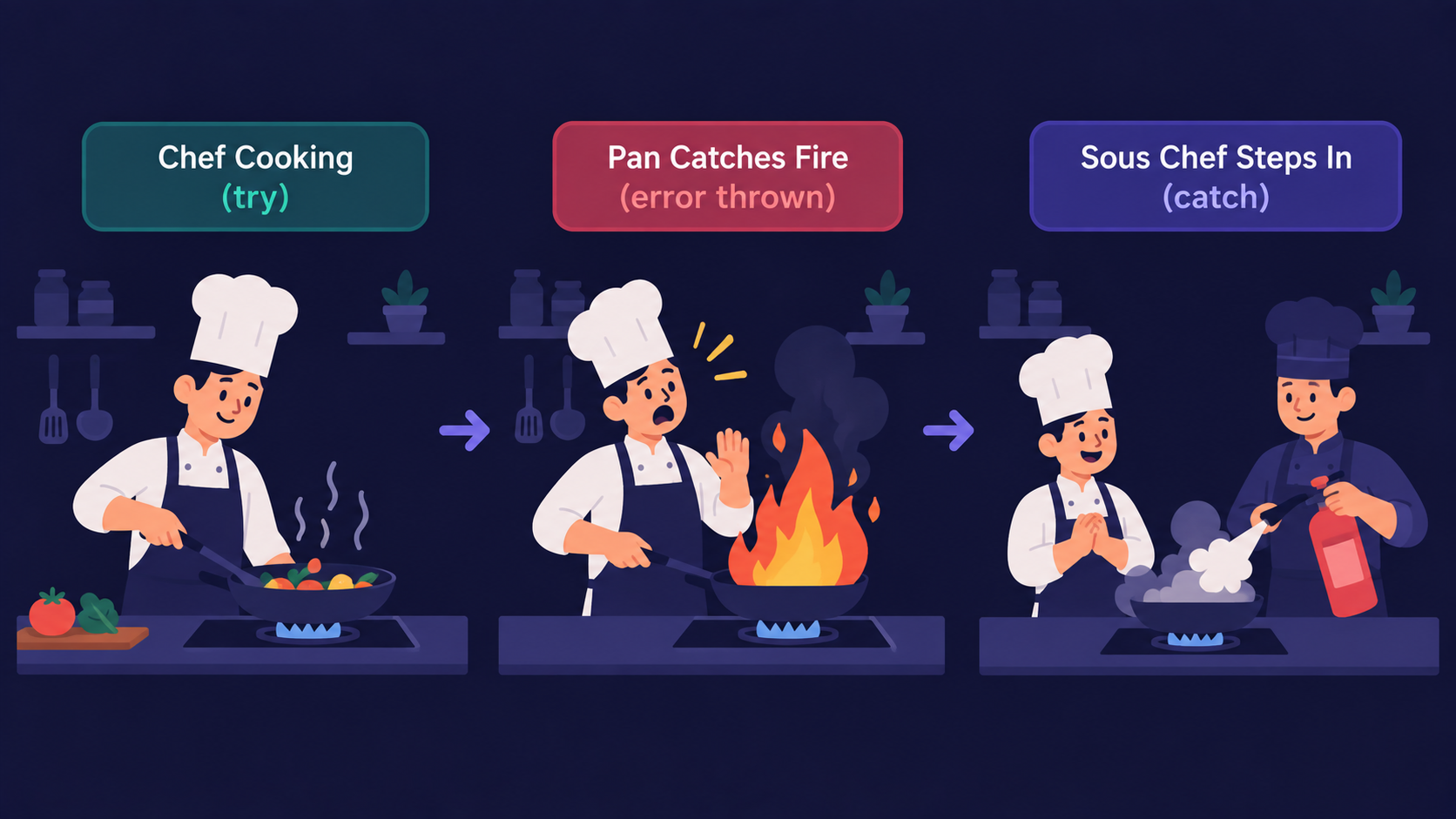
Think of your code as a kitchen preparing one order at a time.
Running your code = the chef cooking the dish
A runtime error = the pan catches fire mid-cook
The
catchblock = the assistant head cook chef who steps in, puts out the fire, and decides what happens nextThe
finallyblock = the station gets wiped down and reset - whether the dish came out perfect or ruined
Without a assistant head cook chef, one burnt pan shuts down the entire kitchen for the night. That's exactly what an unhandled error does to your script.
How try, catch, and finally Actually Run
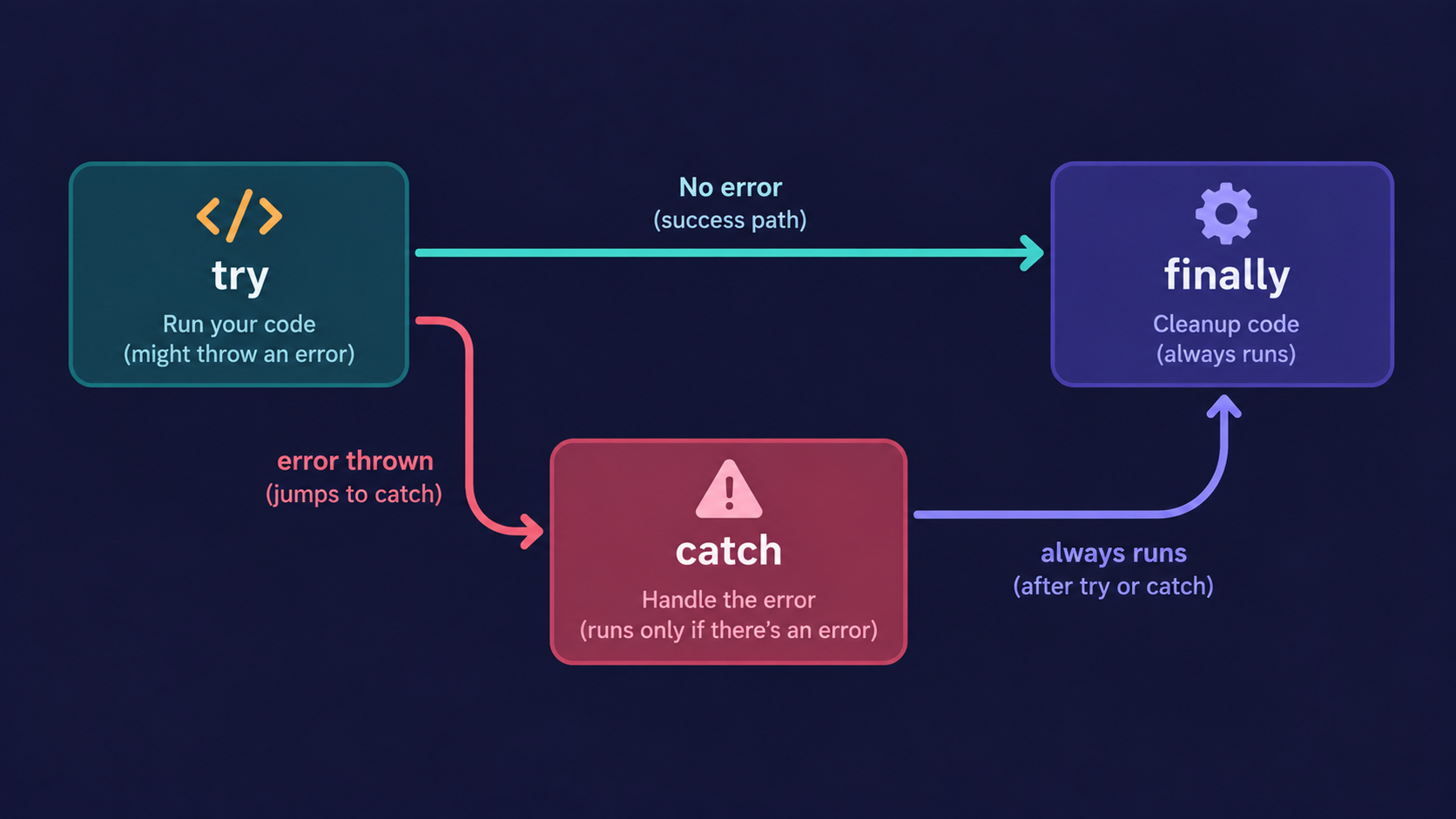
Here's the order JavaScript follows, every single time:
Step 1: JavaScript runs the
tryblock, line by line, as normal.Step 2: The moment a line throws an error, execution jumps immediately to
catch- every remaining line intryis skipped.Step 3: The
catchblock receives the error as an object, so you can inspect or respond to it.Step 4: The
finallyblock runs no matter what - whethertrysucceeded orcatchfired.
try {
  const data = JSON.parse("{ invalid json }");
  console.log(data.name);
} catch (error) {
  console.log("Something went wrong:", error.message);
} finally {
  console.log("This always runs, success or failure.");
}
Why Error Handling Matters
Without a try...catch, one bad line - a missing property, a failed network call, invalid JSON - crashes your whole script, not just that one feature.
// No error handling — this kills the entire script

const user = JSON.parse(userInput);
console.log(user.name);
With error handling, your program fails gracefully instead. The broken part reports what happened, and everything else keeps running.
This graceful failure is also a debugging gift. Instead of a script silently dying, catch gives you a real error object - a message, a stack trace, a name - so you know exactly where and why things broke.
Important Rule
Never leave a catch block empty.
// Don't do this — the error disappears with no trace

try {
  riskyOperation();
} catch (error) {}
An empty catch doesn't fix the problem. It just hides it, and you'll spend hours later wondering why something "randomly" doesn't work.
Catching built-in errors is useful, but what if you want to describe exactly what went wrong, in your own words? That's where custom errors come in.
Throwing Custom Errors
JavaScript lets you throw your own errors, and even build your own error types by extending the built-in Error class.
class ValidationError extends Error {
  constructor(message) {
    super(message);
    this.name = "ValidationError";
  }
}

function setAge(age) {
  if (age < 0) {
    throw new ValidationError("Age cannot be negative.");
  }
  return age;
}

try {
  setAge(-5);
} catch (error) {
  console.log(`${error.name}: ${error.message}`);
}
Analogy: The Rejection Slip
Back in the kitchen - if an order can't be made, the assistant head cook chef doesn't just yell "problem!" They write a rejection slip stating exactly what's wrong: "out of paneer," not "something failed."
A custom error is that rejection slip. Instead of a vague Error, ValidationError tells you - and anyone reading the code later - precisely what kind of problem occurred.
| Generic Error | Custom Error |
|---|---|
throw new Error("Bad input") |
throw new ValidationError("Age cannot be negative.") |
Same name for every failure |
Named, specific failure type |
Hard to tell errors apart in catch |
Easy to check error.name and respond differently |
How It All Works Together
Here's a realistic example combining everything - try, a custom error, catch, and finally:
class ValidationError extends Error {
  constructor(message) {
    super(message);
    this.name = "ValidationError";
  }
}

function processOrder(age) {
  try {
    if (age < 0) {
      throw new ValidationError("Age cannot be negative.");
    }
    console.log("Order processed for age:", age);
  } catch (error) {
    console.log(`Order rejected — ${error.name}: ${error.message}`);
  } finally {
    console.log("Kitchen station reset. Ready for the next order.");
  }
}

processOrder(-2);
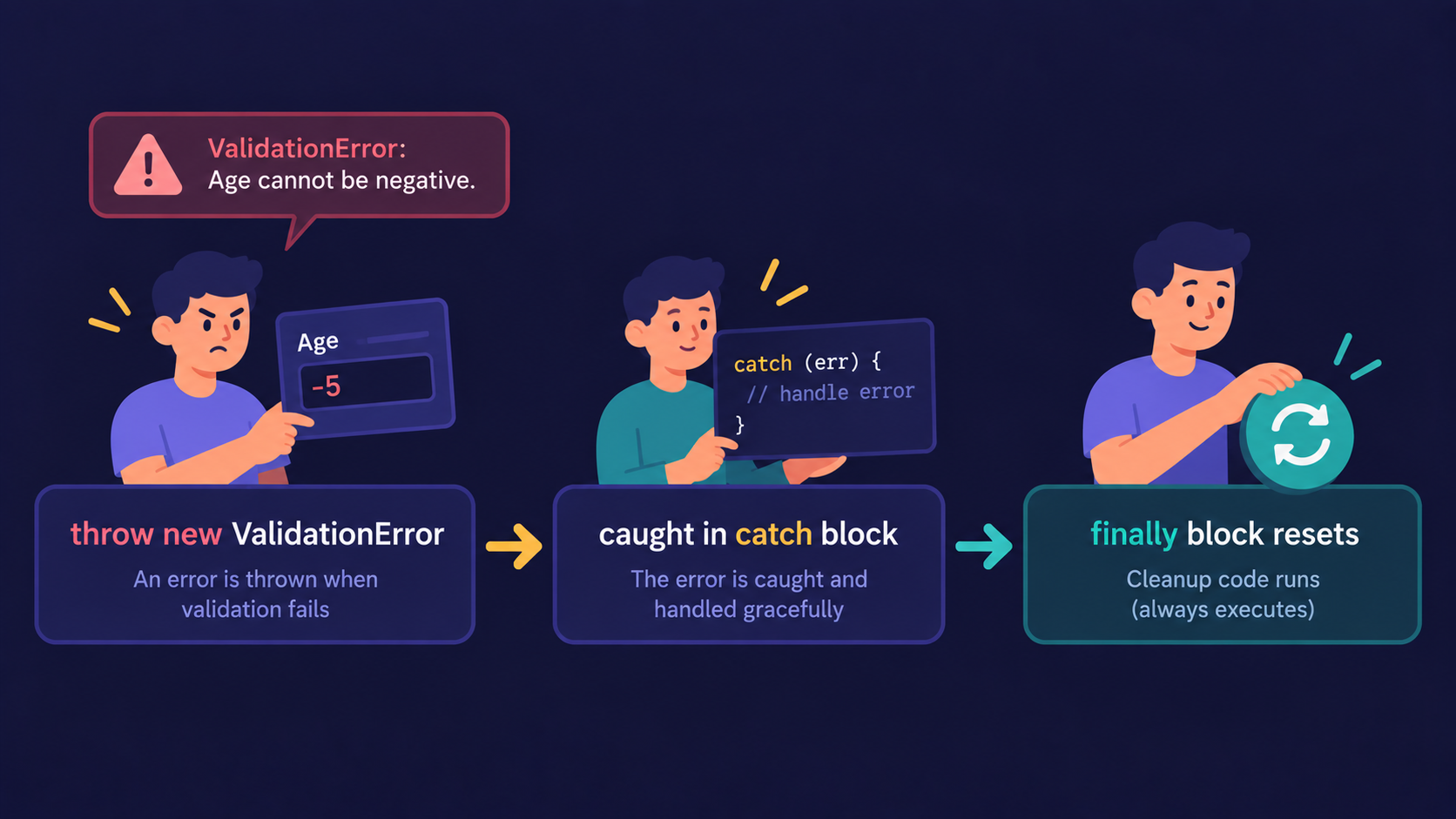
The try attempts the order. The custom error names the exact problem. The catch handles it without crashing anything else. The finally resets the station either way - success or failure.
Conclusion
Errors stop JavaScript from running the rest of your code.
tryis where you attempt risky code.catchhandles the error without crashing the whole script.finallyalways runs, no matter the outcome.Custom errors let you describe exactly what went wrong, instead of a generic message.
If this felt like a lot at once, that's okay. What matters is understanding the flow: attempt, catch, clean up.
If you find this helpful, drop a comment or reaction.