How Do You Flatten Nested Arrays in JavaScript?
How Do You Flatten Nested Arrays in JavaScript?
You push a few values into an array. Then, without really planning it, one of those values turns out to be another array. Now your array has an array sitting inside it.
Many beginners think an array can only ever hold flat, simple values - numbers, strings, booleans. That's not true. An array can hold anything, including other arrays. And once that happens, you need a way to pull everything back out into one clean, single-level list.
That process is called flattening.
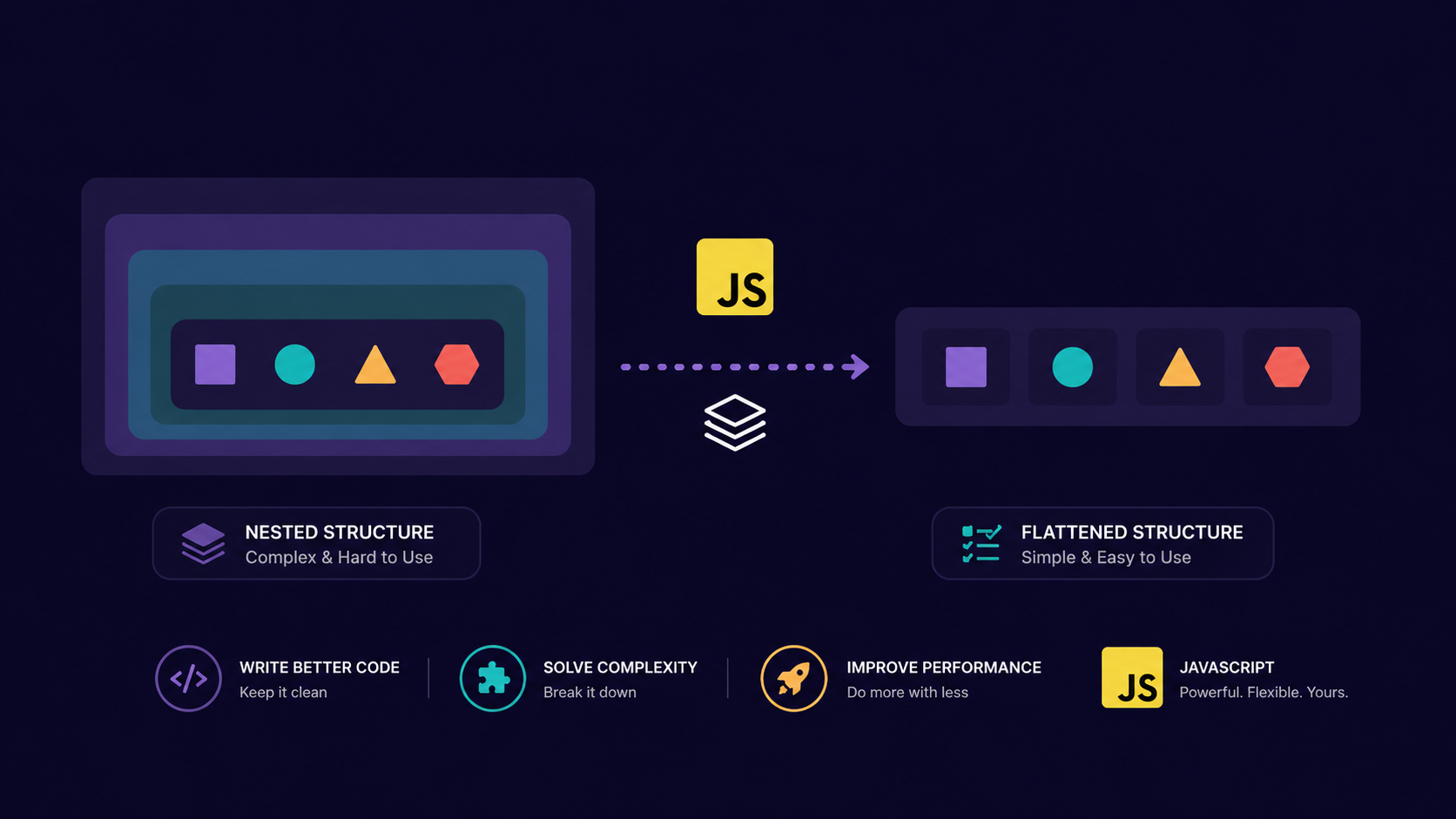
Flattening is the process of taking an array that contains other arrays inside it (a nested array) and converting it into a single array with no nesting left.
Analogy: The Gift Box Puzzle
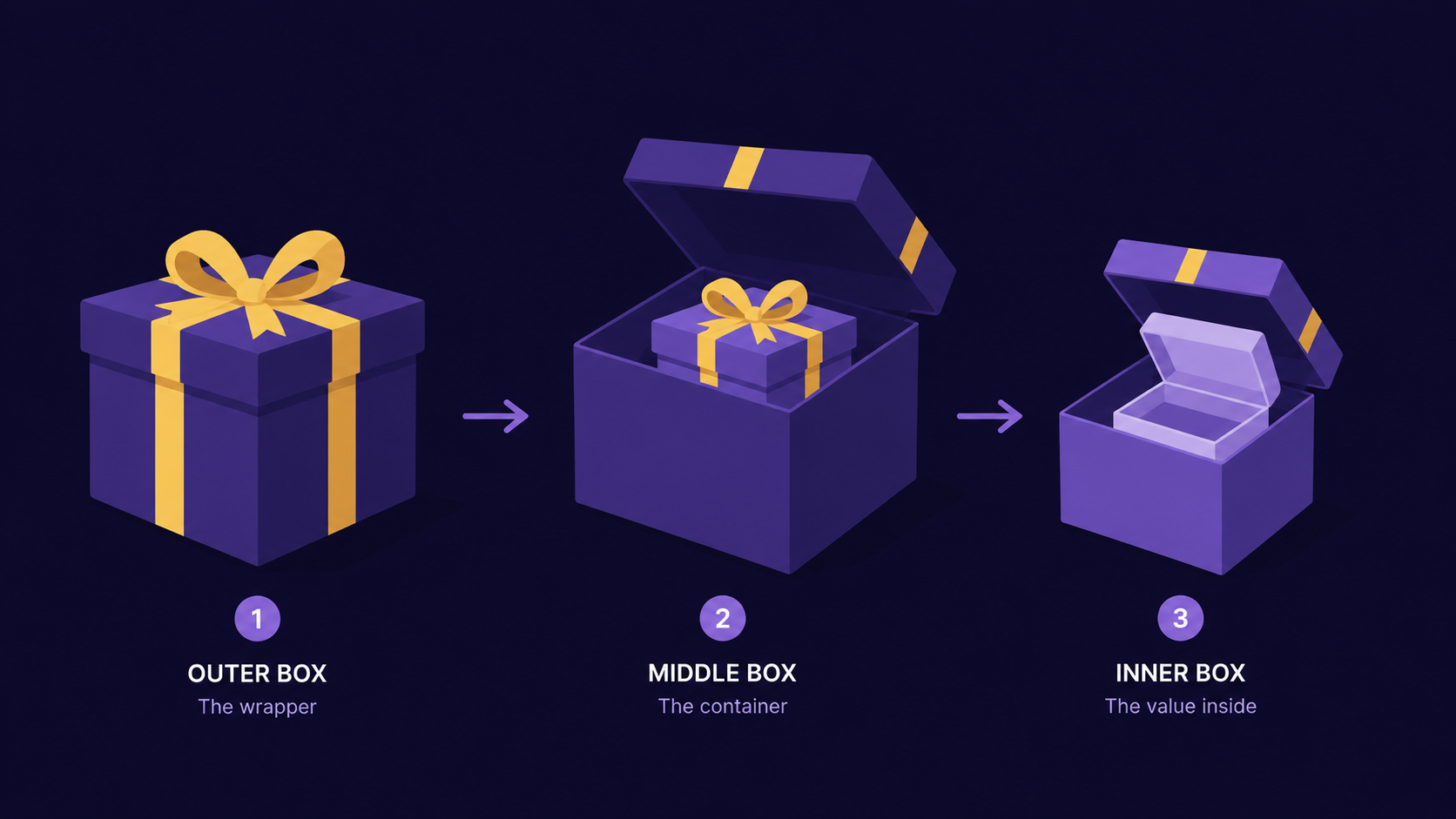
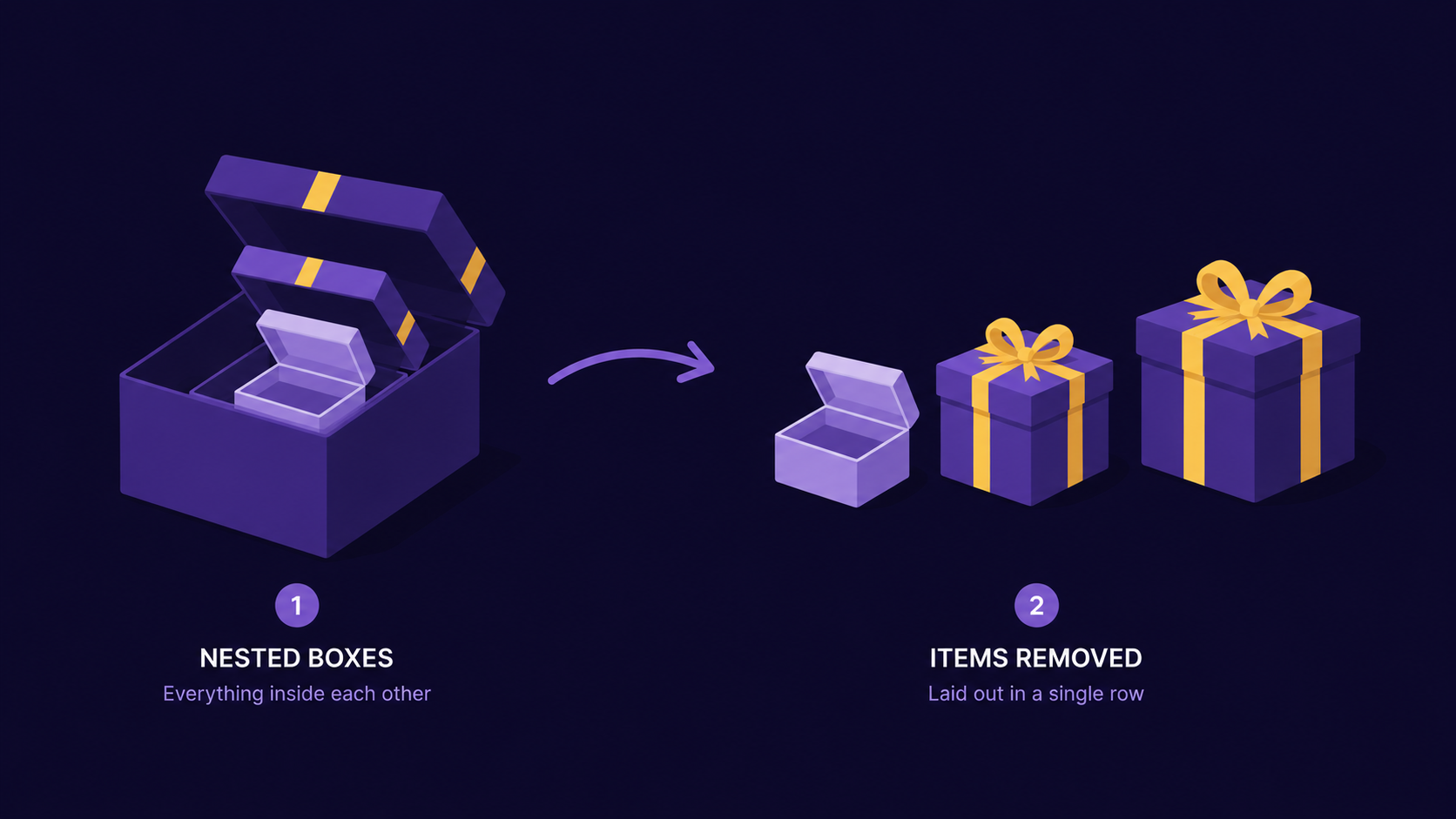
Imagine you're handed a big box for your birthday. You open it, and inside is another box. You open that one, and there's a smaller box inside it too. This keeps going for a few more layers.
Eventually you get tired of unwrapping and just want everything laid out flat on the table - every gift visible, side by side, no boxes left.
That's exactly what flattening does to an array.
Nested array = the box with boxes inside it
Flattening = unwrapping every box
Flat array = all your gifts laid out on the table, in one row
[1, [2, 3], [4, [5, 6]]] is the wrapped box. [1, 2, 3, 4, 5, 6] is the table.
How Flattening Actually Works
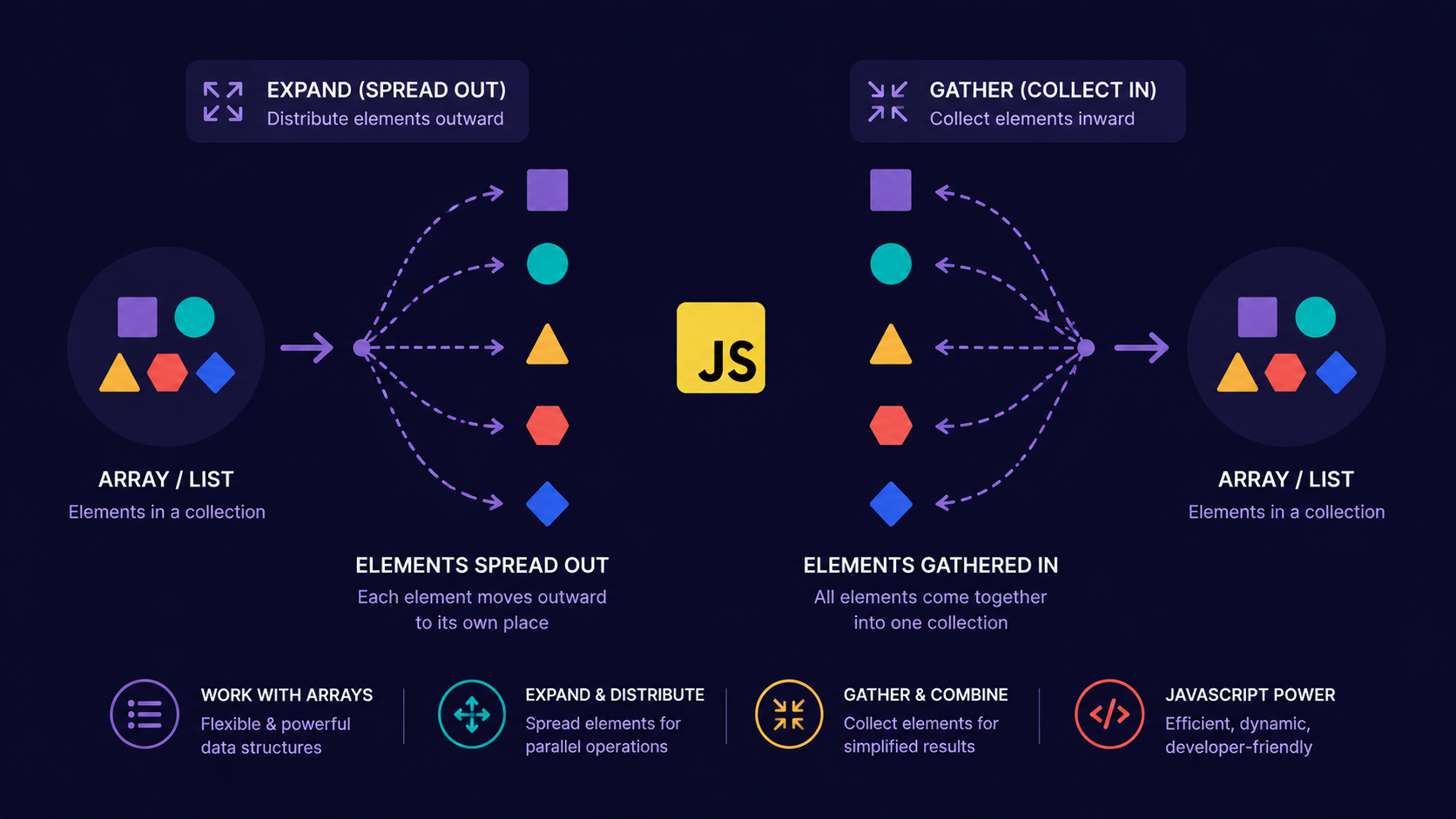
When you flatten an array, JavaScript (or your own code) walks through it step by step:
Look at each element in the array, one at a time.
If the element is a plain value, keep it as it is.
If the element is itself an array, look inside that array too.
Keep unwrapping until every element you find is a plain value, not an array.
Collect all of those values into one single-level array, in the order you found them.
This is the same unwrapping instinct as the gift boxes - you don't stop until there are no more boxes left to open.
Why Do We Need It?
Nested arrays show up more often than beginners expect:
APIs often return nested arrays when grouping data (orders per user, per day).
Matrix-style data (rows and columns) is naturally nested.
Combining several small arrays (from a loop, or a
map()) often creates arrays of arrays.Recursive data - like a comment thread with replies - flattens naturally into a list for rendering.
Without flattening, you'd need extra loops nested inside loops just to reach a single value. That gets messy fast.
Important Rule
The built-in flat() method only goes one level deep by default. If your array is nested three or four levels down, array.flat() alone won't fully flatten it - you'll still see arrays inside the result.
To flatten completely, no matter how deep the nesting goes, you need array.flat(Infinity).
const nested = [1, [2, [3, [4, 5]]]];

console.log(nested.flat());          // [1, 2, [3, [4, 5]]]  -- only one level undone
console.log(nested.flat(Infinity));  // [1, 2, 3, 4, 5]      -- fully flat
We're not covering typed arrays or Symbol.iterator behavior here - confidence with regular arrays comes first.
Now that we know why flattening matters and what should happen conceptually, the next question is: what does this actually look like in code, and is there more than one way to do it?
Different Approaches to Flatten Arrays
Array.prototype.flat()The simplest option, built into JavaScript since ES2019.
const arr = [1, [2, 3], [4, [5, 6]]];

console.log(arr.flat());          // [1, 2, 3, 4, [5, 6]]
console.log(arr.flat(2));         // [1, 2, 3, 4, 5, 6]
console.log(arr.flat(Infinity));  // [1, 2, 3, 4, 5, 6]
You control the depth by passing a number. Pass Infinity when you don't know or don't care how deep the nesting goes.
reduce()withconcat()Before
flat()existed, this was the standard trick. It also teaches you whatflat()is doing under the hood.function flattenArray(arr) { return arr.reduce((flat, item) => { return flat.concat(Array.isArray(item) ? flattenArray(item) : item); }, []); } console.log(flattenArray([1, [2, [3, 4]], 5])); // [1, 2, 3, 4, 5]This is recursive - the function calls itself whenever it finds another array inside.
Iterative flattening with a stack
Recursion is elegant, but on extremely deep arrays it can hit a call-stack limit. A stack-based loop avoids that.
function flattenIterative(arr) {
    const stack = [...arr];
    const result = [];

    while (stack.length) {
        const next = stack.pop();

        if (Array.isArray(next)) {
            stack.push(...next);
        } else {
            result.push(next);
        }
    }

    return result.reverse();
}

console.log(flattenIterative([1, [2, [3, 4]], 5]));  // [1, 2, 3, 4, 5]
You won't need this often as a beginner, but it's worth recognizing - interviewers use it to test whether you understand recursion's limits.
Comparing the Approaches
| Method | How it works | Handles any depth | Beginner-friendly |
|---|---|---|---|
flat(Infinity) |
Built-in, one line | Yes | Very |
reduce() + concat() |
Manual recursion | Yes | Moderate |
| Stack-based loop | Manual iteration | Yes | Lower |
For real projects, flat(Infinity) is almost always the right call. The other two matter mainly for interviews and for understanding what's happening underneath.
Knowing the approaches is one thing. The next question interviewers actually ask is: can you apply this under pressure, without flat()?
Common Interview Scenarios
"Flatten this array without using
flat()." - This is checking whether you understand recursion, not whether you've memorized a method name."Flatten an array of unknown depth." - Tests whether you reach for
Infinityor hardcode a depth like2, which quietly breaks on deeper input."Flatten and remove duplicates." - Combines flattening with
Set, a very common follow-up."What's the time complexity of your flatten function?" - Expect to explain that you visit every element once, so it's
O(n)across all elements, nested or not.
Note
A common trap: candidates flatten correctly but forget edge cases - an empty array, an array with no nesting at all, or null values mixed in. Always test those three before saying you're done.
How Flattening Fits With Other Array Methods
Flattening rarely happens alone. In real code, it's usually one step in a small pipeline.
const responses = [[1, 2], [2, 3], [3, 4]];

const flattenArray = responses.flat(Infinity);

const cleanedArray = [...new Set(flattenArray)];

console.log(cleanedArray);  // [1, 2, 3, 4]
Step 1 - responses.flat(Infinity)responses is nested one level deep - each element is itself a [a, b] pair. flat(Infinity) unwraps every level of nesting, no matter how deep, so:
[[1, 2], [2, 3], [3, 4]] → [1, 2, 2, 3, 3, 4]
You store that result in flattenArray. Note this is now a fully flat array, but it still has duplicates - 2 and 3 each appear twice, because they showed up in more than one sub-array.
Step 2 - new Set(flattenArray)
A Set only keeps unique values. Passing flattenArray in gives you a Set object holding {1, 2, 3, 4} - the duplicates are silently dropped.
Step 3 - [...new Set(flattenArray)]
A Set isn't an array - it's iterable, but you usually want an actual array back. The spread operator (...) unpacks the Set's values into a new array: [1, 2, 3, 4].
Step 4 - cleanedArray
That final array is stored in cleanedArray and logged.
There's also flatMap(), which maps over an array and flattens the result by exactly one level in a single step - useful when a map() callback returns an array for each item.
Conclusion
A nested array is an array that contains other arrays as elements.
Flattening collapses that nesting into a single-level array.
flat(Infinity)is the reliable built-in way to flatten any depth.reduce()+concat()shows you the recursive logic underneath.Interviewers care less about syntax and more about whether you understand the unwrapping process.
If this felt like a lot at once, that's okay. What matters is understanding the flow - every nested array is just boxes waiting to be unwrapped, one layer at a time.
If you find this helpful, drop a comment or reaction.
![Map and Set in JavaScript: Why { } and [ ] Aren't Always Enough](https://cdn.hashnode.com/uploads/covers/69413d2ffd5a397514bc42f5/a3470fe0-acbb-402e-b52d-41d393bcb536.png)