Spread vs Rest Operators in JavaScript

What Are Spread and Rest Operators in JavaScript? (And Why They Look Identical But Aren't)
They Look the Same. Are They the Same Thing?
You've probably seen ... show up in three completely different places in JavaScript code and assumed it was doing the same job every time.
Many beginners think spread and rest are just two names for one operator. That's not true. They use the exact same syntax - three dots - but they do opposite jobs.
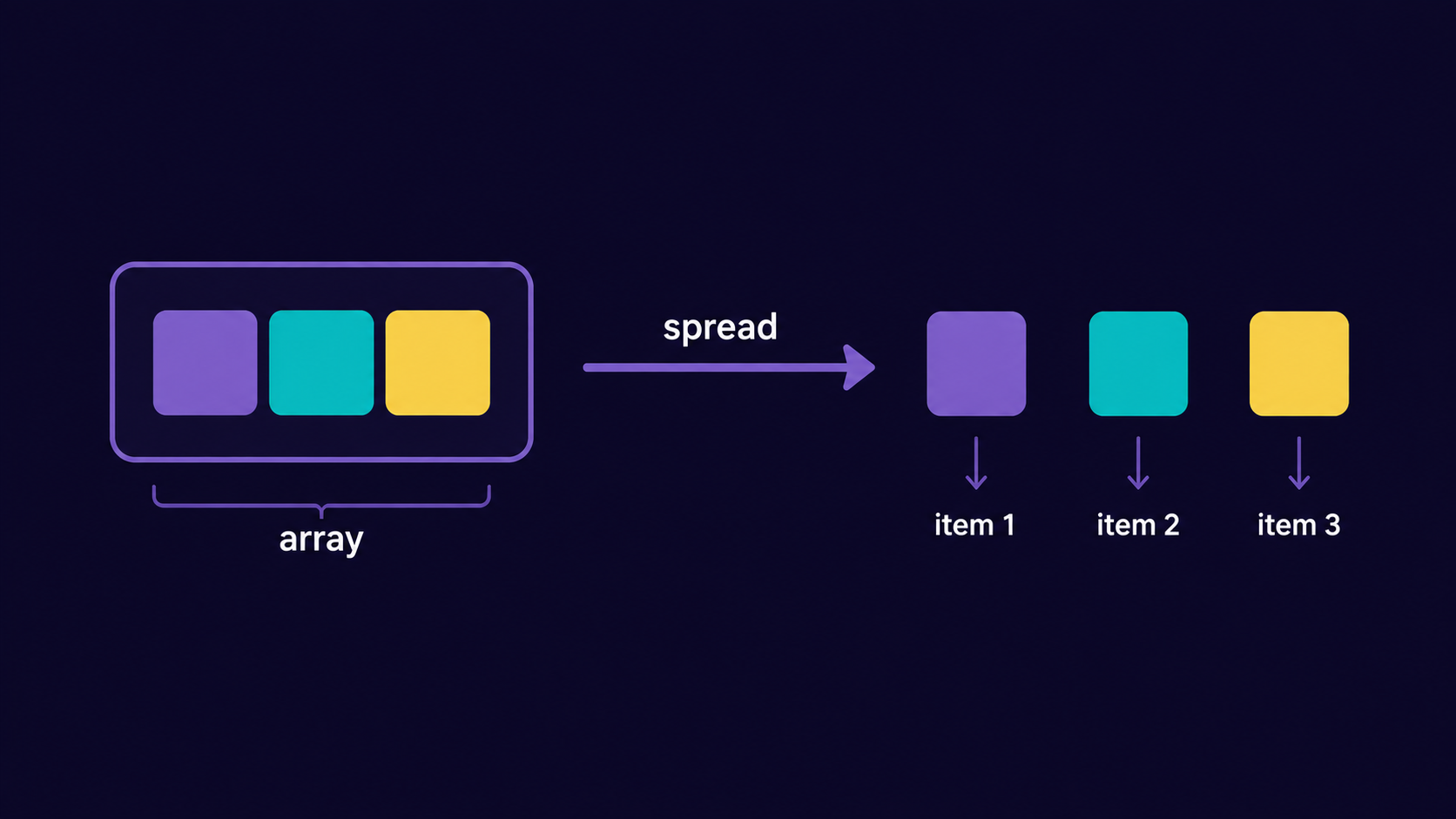
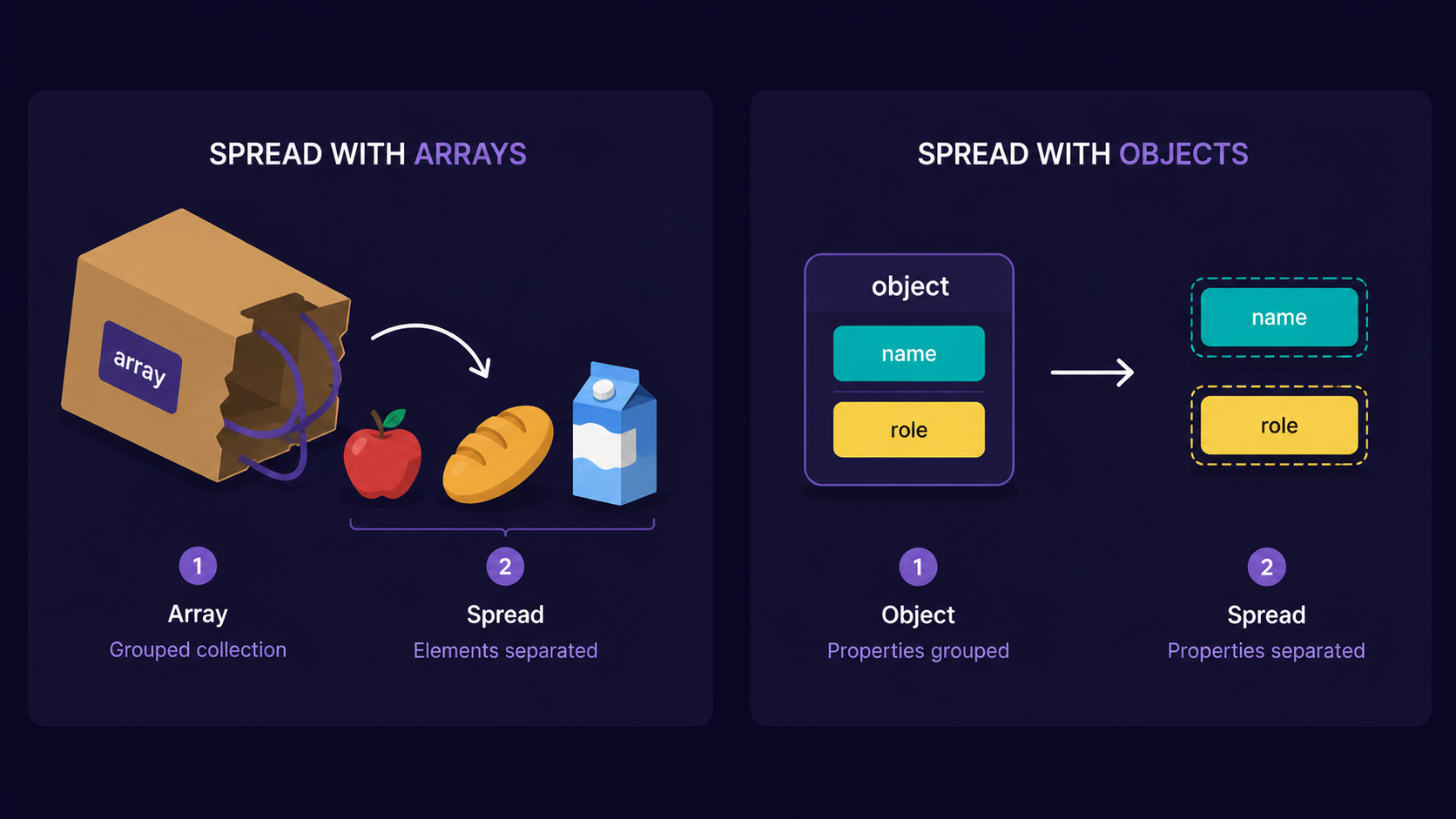
Spread operator: takes a collection (array, object) and expands it into individual elements.
Rest operator: takes individual elements and collects them back into a single array.
One unpacks. One packs. Same symbol, opposite direction.
Analogy: The Grocery Bag
Think of a grocery bag.
Spread = emptying the bag onto the kitchen counter. Every item - apples, bread, milk - now sits on its own, separate from the others.
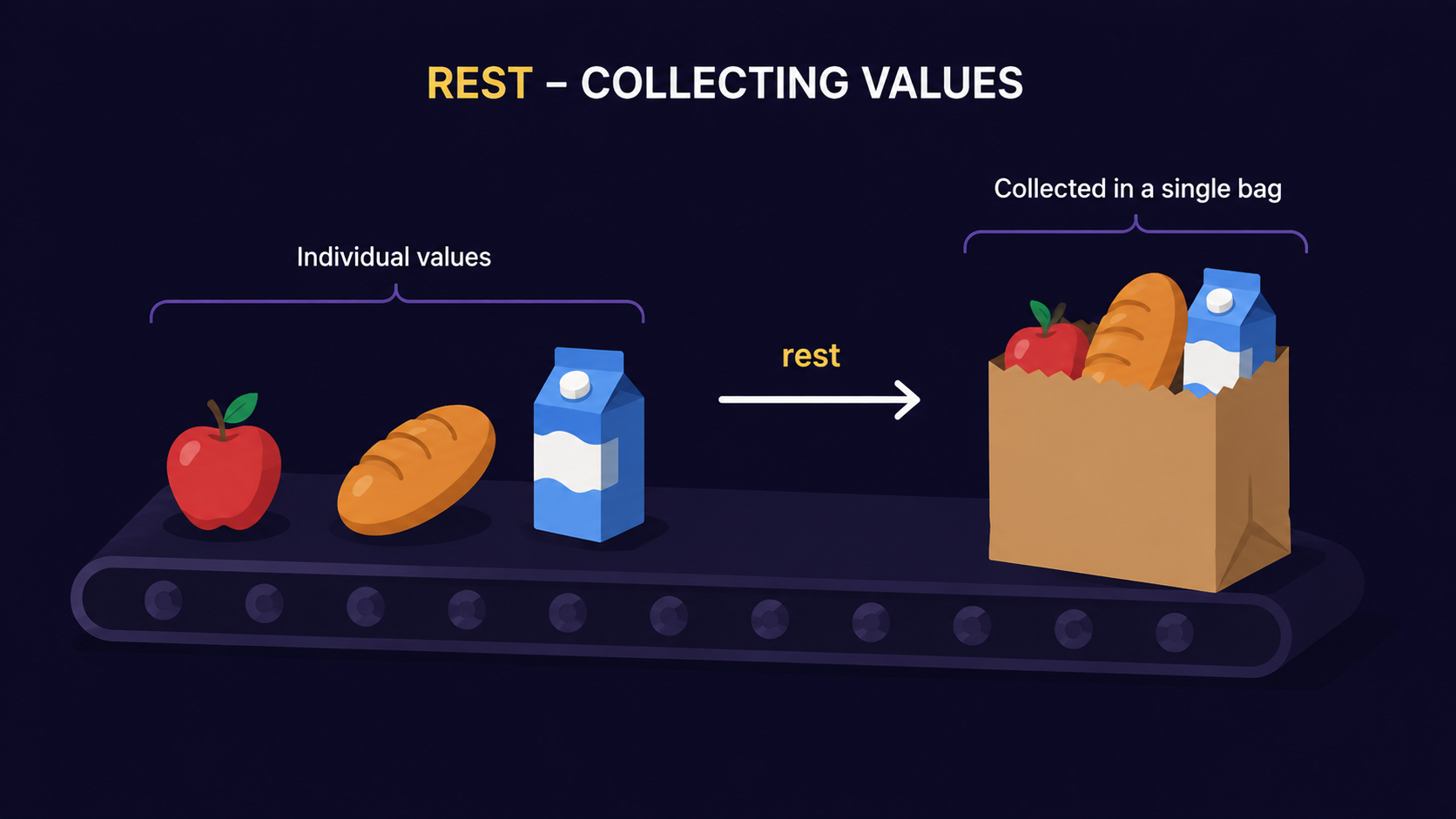
Rest = the opposite. You're standing at checkout, and you sweep loose items on the belt back into one bag.
| Grocery bag | JavaScript |
|---|---|
| Emptying the bag onto the counter | Spread - expands a collection into individual values |
| Sweeping loose items into a bag | Rest - collects individual values into one array |
| The bag itself | An array or object |
| Items inside the bag | Elements or properties |
Same three dots. Opposite direction. Keep this picture in your head - it'll carry you through every example below.
What Does the Spread Operator Do?
The spread operator takes something that's grouped together and pulls it apart into individual pieces, wherever a list of values is expected.
Step 1 - You have an array or object.
Step 2 - You place ... in front of it inside a new array, object, or function call.
Step 3 - JavaScript copies out every individual element or property.
const groceries = ["apples", "bread", "milk"];
const moreGroceries = [...groceries, "eggs"];

console.log(moreGroceries); // ["apples", "bread", "milk", "eggs"]
The bag (groceries) got emptied onto the counter, and one more item ("eggs") got added before everything was placed into the new bag (moreGroceries).
Spread works the same way with objects:
const user = { name: "Sahil", role: "developer" };
const updatedUser = { ...user, role: "mentor" };

console.log(updatedUser); // { name: "Sahil", role: "mentor" }
Note
Spread does a shallow copy. If your array or object has nested arrays/objects inside it, those inner ones are still shared by reference, not fully duplicated. Don't assume spread makes a deep clone - it doesn't.
Now that you've seen values get pulled apart, the natural next question is: what happens when you need to do the reverse and gather scattered values into one place? That's where rest comes in.
What Does the Rest Operator Do?
The rest operator collects whatever values are "left over" and packs them into a single array. You'll mostly see it in two spots: function parameters and destructuring.
Step 1 - You're pulling values out one by one (from arguments, or from an array/object).
Step 2 - At some point you write ... followed by a name.
Step 3 - JavaScript gathers everything remaining into one array under that name.
function totalPrice(...prices) {
  return prices.reduce((sum, price) => sum + price, 0);
}

console.log(totalPrice(50, 20, 30));    // 100
Here, prices isn't one number - it's every argument passed in, swept into a single array, exactly like sweeping loose items into a bag at checkout.
Rest also works during destructuring:
const [first, ...others] = ["apples", "bread", "milk", "eggs"];

console.log(first);   // "apples"
console.log(others);  // ["bread", "milk", "eggs"]
Important Rule
Rest must always come last. In a function signature or a destructuring pattern, you can't have anything after the ... parameter - JavaScript won't know where the "rest" is supposed to stop collecting.
// This throws a SyntaxError:
function broken(...items, lastOne) {}
The two now look almost identical in code, which is exactly why beginners mix them up. So how do you actually tell them apart at a glance?
Spread vs Rest: The Real Differences
| Spread | Rest | |
|---|---|---|
| Direction | Expands a collection into individual values | Collects individual values into one array |
| Used in | Array/object literals, function calls | Function parameters, destructuring patterns |
| Position | Anywhere in the list | Always last |
| Job | "Unpack this bag" | "Pack whatever's left into a bag" |
| Example | [...arr] |
function f(...args) |
The rule of thumb: if
...appears on the right side of an assignment or inside a call - pulling values out - it's spread. If it appears on the left side, catching whatever's left over - it's rest.
Why Do We Need These at All?
Before spread and rest, combining arrays or grabbing "the rest of the arguments" meant reaching for .concat(), Object.assign(), or the clunky arguments object. Spread and rest replace all of that with one consistent, readable symbol.
They matter because most real JavaScript code is about moving data between shapes - arrays into objects, function arguments into arrays, one object's properties into a new one. Spread and rest are the two operators built specifically for that.
Practical Use Cases
Merging arrays:
[...cartA, ...cartB]Merging or updating objects:
{ ...defaults, ...userSettings }Copying without mutating the original:
const copy = [...original]Passing an array as separate arguments:
Math.max(...scores)Functions that accept unlimited arguments:
function sum(...numbers)Skipping the first item, keeping the rest:
const [head, ...tail] = list
Assignment: Try it yourself
Write a function mergeCarts(cartA, cartB) that takes two arrays of item names and returns one array with no duplicate items.
mergeCarts(["apples", "milk"], ["milk", "eggs"]);
// Output should return ["apples", "milk", "eggs"]
Solution
function mergeCarts(cartA, cartB) {
  return [...new Set([...cartA, ...cartB])];
}
Here, spread first merges both carts into one array. Set removes duplicates. Then spread expands the Set back into a plain array, because most array methods expect a real array, not a Set.
How Spread and Rest Work Together
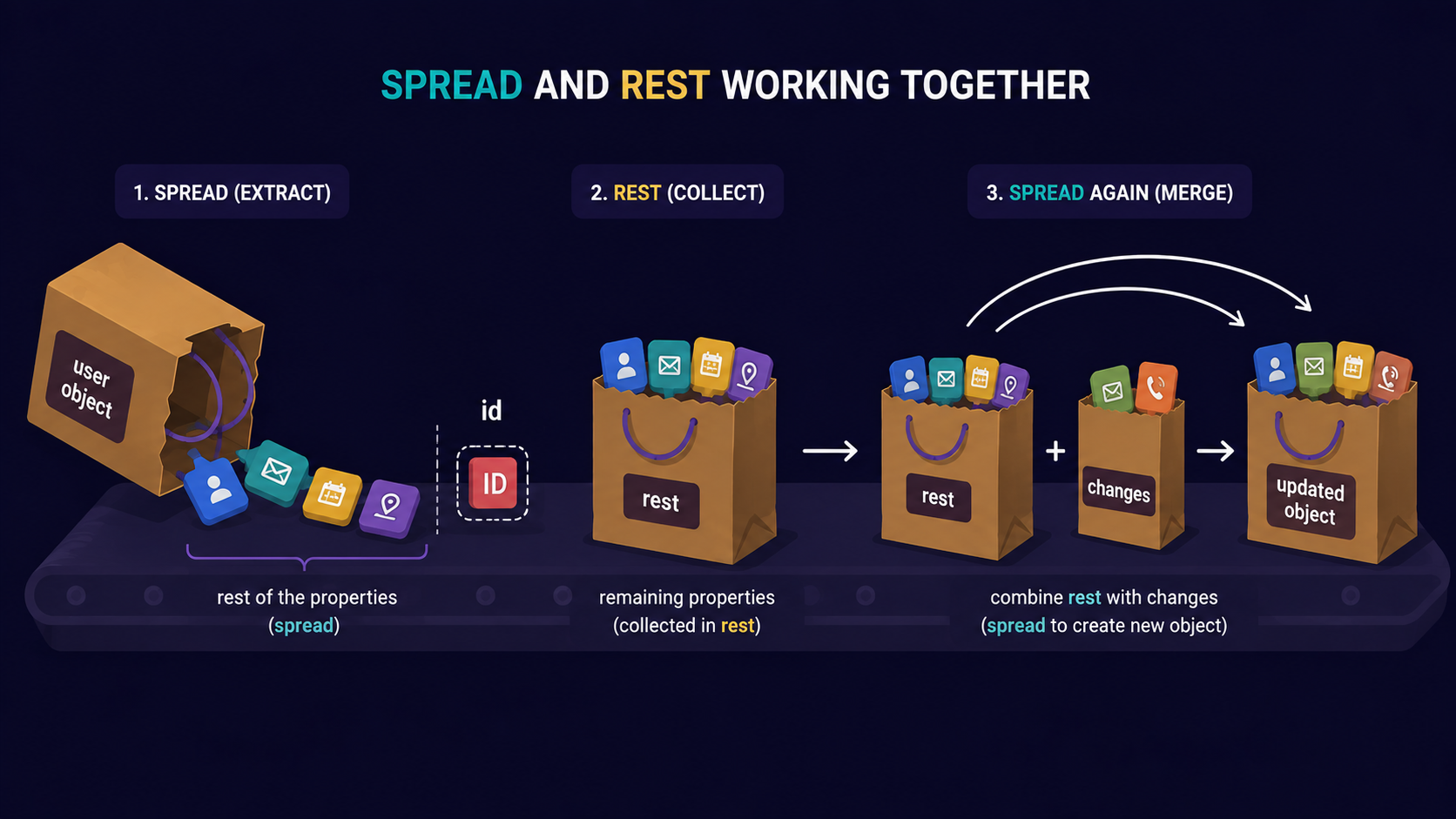
They're not competitors - they're often used in the same line. A very common pattern is destructuring with rest, then spreading the result somewhere else:
function updateUser(user, changes) {
  const { id, ...rest } = user;      // rest: collect everything except id
  return { id, ...rest, ...changes }; // spread: expand it all into a new object
}
rest gathers every property except id into one object. Then spread unpacks rest and changes into a brand-new object. One operator collects, the other expands - in the same function.
Conclusion
Spread expands a collection into individual values.
Rest collects individual values into one array.
Same
...syntax, opposite direction - spread unpacks, rest packs.Rest must always be the last item in a parameter list or destructuring pattern.
Spread copies shallowly, not deeply.
If this felt like a lot to hold in your head at once, that's okay. What matters is understanding the flow - expand outward, or collect inward.
What's Next?
Now that you can expand and collect values with ..., the next natural question is: how do you pull specific values out of an array or object in the first place, cleanly, without writing array[0] everywhere? That's destructuring assignment - the topic of the next article in this series.
If you find this helpful, drop a comment or reaction.
![Map and Set in JavaScript: Why { } and [ ] Aren't Always Enough](https://cdn.hashnode.com/uploads/covers/69413d2ffd5a397514bc42f5/a3470fe0-acbb-402e-b52d-41d393bcb536.png)